Last Updated on June 7, 2026
Upgrading your website from Joomla 4 to Joomla 5 is important to keep your site secure, fast, and compatible with modern PHP versions. Joomla 5 brings improved performance, cleaner code, and better long-term support.
Joomla 5 is the latest major release of the Joomla CMS. If your website is currently running Joomla 4, upgrading to Joomla 5 will improve security, performance, and compatibility with modern PHP versions.
In this guide, I will explain how to safely upgrade Joomla 4 to Joomla 5 without breaking your website. Before upgrading, always check whether your installed extensions are compatible. You can explore the best Joomla extensions for better compatibility and performance.
Why Upgrade from Joomla 4 to Joomla 5?
Before upgrading, let’s understand why Joomla 5 is important.
Key benefits of Joomla 5:
- Improved performance and optimized code
- Better compatibility with PHP 8.2+
- Enhanced security
- Removal of deprecated Joomla 3 legacy code
- Cleaner API for developers
- Better future support
If your website is still running Joomla 4, upgrading now ensures your site remains stable and secure.
Step 1: Take a Full Backup
Before upgrading Joomla, always create a full backup of your website.
Backup should include:
- Website files
- Joomla database
You can use:
- Akeeba Backup
- Hosting control panel backup
- Manual FTP + database export
This allows you to restore your site if something goes wrong during the upgrade.
Step 2: Update Joomla 4 to the Latest Version
Before upgrading to Joomla 5, make sure your site is running the latest Joomla 4 version.
System → Update → Joomla
Install all available updates to ensure compatibility.
Step 3: Check PHP Version
Joomla 5 requires modern PHP versions.
- PHP 8.1 or higher
- Best performance with PHP 8.2
System → System Information → PHP Information
Update PHP from your hosting panel if needed.
Step 4: Check Extension Compatibility
This is the most important step before upgrading.
Check compatibility of:
- Components
- Modules
- Plugins
- Templates
System → Manage → Extensions → Update
If any extension is not compatible, update or replace it.
Step 5: Use the Pre-Update Check
Joomla provides a built-in compatibility tool.
System → Update → Joomla → Pre-Update Check
- Incompatible extensions
- PHP issues
- Required updates
Fix all warnings before proceeding.
Step 6: Change Update Channel to Joomla Next
- Go to System → Update → Joomla
- Click Options
- Change Update Channel to Joomla Next
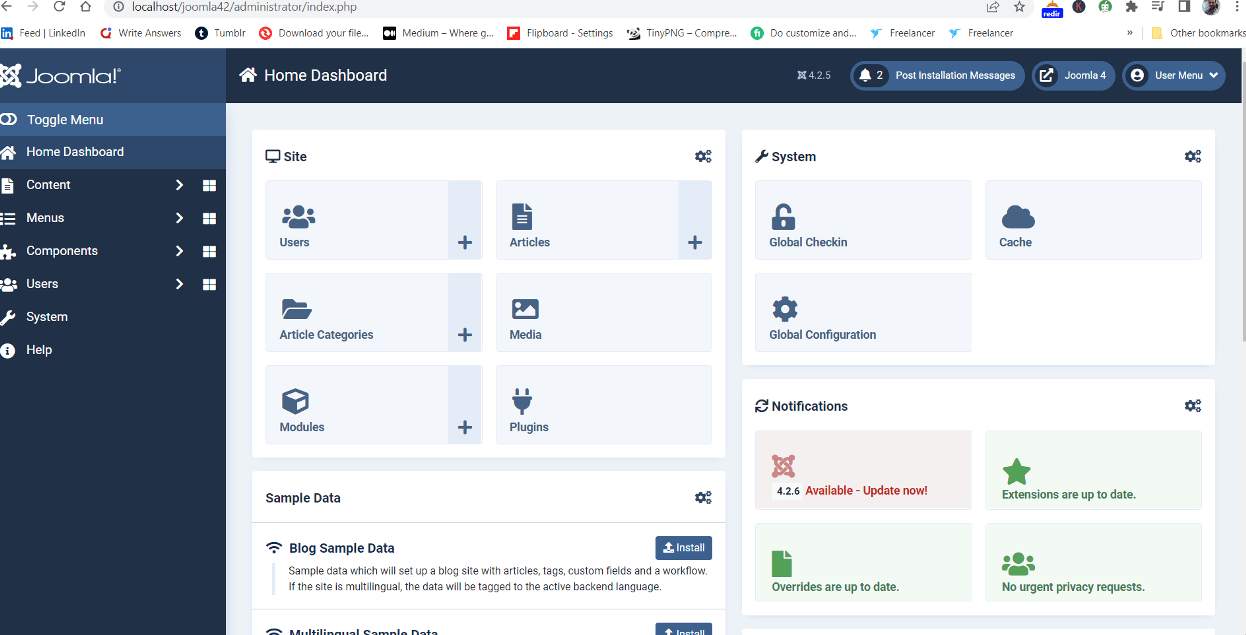
Save settings. Joomla will now detect Joomla 5 update.
Step 7: Start Joomla 5 Upgrade
- Go to System → Update → Joomla
- Click Check for Updates
- Select Joomla 5 update
- Click Install Update
The upgrade process may take a few minutes.
To help search engines crawl your upgraded website, use Joomla sitemap plugins.
Step 8: Clear Cache and Test Website
After upgrading:
System → Maintenance → Clear Cache
- Frontend pages
- Admin dashboard
- Extensions
- Contact forms
- Login system
Make sure everything works correctly. Then follow this Joomla SEO checklist to improve rankings.
Common Joomla 4 to Joomla 5 Upgrade Issues
1. Extension Not Compatible
Solution: Update or uninstall the extension.
2. Template Issues
Solution: Update or switch to a compatible template.
3. PHP Errors
Solution: Disable problematic plugins.
Pro Tips for a Safe Joomla Upgrade
- Always test on a staging website
- Keep a full backup
- Update extensions first
- Check template compatibility
- Use Pre-Update Check tool
Final Thoughts
Upgrading from Joomla 4 to Joomla 5 is simple if done correctly. It improves performance, security, and long-term stability.
If you manage multiple sites, always test updates before applying them to live websites.
FAQ
Is Joomla 5 compatible with Joomla 4 extensions?
Some Joomla 4 extensions are compatible with Joomla 5, but always check compatibility before upgrading.
What PHP version is required for Joomla 5?
Joomla 5 requires PHP 8.1 or higher, with PHP 8.2 recommended.
Can I upgrade Joomla 4 to Joomla 5 directly?
Yes, but first update Joomla 4 to the latest version and run the pre-update check.
Is Joomla 5 faster than Joomla 4?
Yes, Joomla 5 offers better performance and cleaner code.
🔗 Related Guides
- Joomla SEO Checklist
- Best Joomla Extensions
- 5 Best Sitemap Plugins for Joomla
- Fix Joomla Upgrade Errors
Stay updated with our latest news, special offers, and exclusive updates directly in your inbox.