Last Updated on May 26, 2026
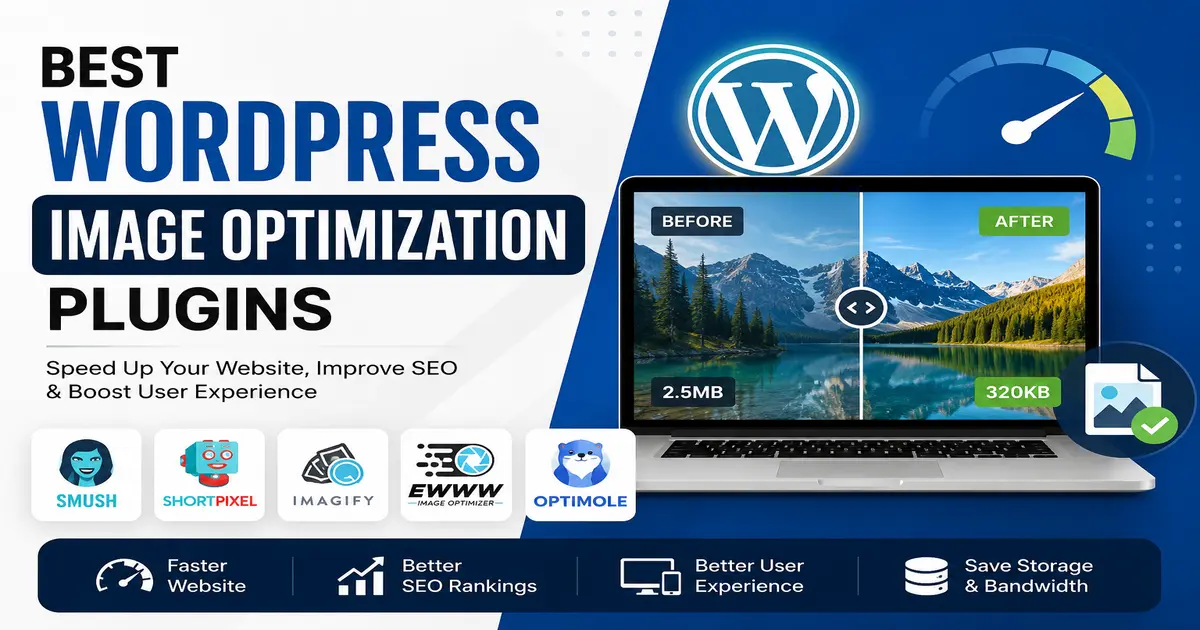
Images make a website look attractive, professional, and engaging. But large image files can slow down your website, increase bounce rate, and hurt your SEO rankings. That is why using the Best WordPress Image optimization plugins is very important for every WordPress website owner.
If your website loads slowly because of heavy images, visitors may leave before your page fully opens. Search engines like Google also consider website speed as a ranking factor. Optimizing images helps improve website speed, user experience, SEO performance, and even hosting bandwidth usage.
In this guide, we will discuss the best image optimization plugins for WordPress, their features, benefits, and how to choose the right plugin for your website.
Why Image Optimization is Important in WordPress
Many beginners upload images directly from their camera or design software without compressing them. These images are usually large in size and slow down the website.
Using image optimization plugins helps you:
- Improve website loading speed
- Increase Google PageSpeed score
- Improve SEO rankings
- Reduce hosting storage usage
- Save bandwidth
- Improve mobile experience
- Increase user engagement
A fast-loading website gives visitors a better browsing experience and can help improve conversions and sales.
Best WordPress Image Optimization Plugins
There are many image optimization plugins available for WordPress, but choosing the right one depends on your website’s needs, budget, and performance goals.
1. Smush
Smush is one of the most popular WordPress image optimization plugins. It is beginner-friendly and offers automatic image compression without reducing image quality significantly.
Top Features:
- Bulk image optimization
- Lazy loading support
- Automatic compression
- Resize large images
- WebP image support
Best For: Beginners and small business websites.
2. ShortPixel Image Optimizer
ShortPixel is a powerful plugin known for excellent compression quality. It supports lossy, glossy, and lossless image compression methods.
Top Features:
- Automatic image compression
- PDF optimization
- WebP conversion
- Cloud-based optimization
- Backup original images
Best For: Bloggers, photographers, and WooCommerce websites.
3. Imagify
Imagify is developed by the team behind WP Rocket. It provides excellent optimization with an easy-to-use interface.
Top Features:
- Automatic image resizing
- WebP support
- Bulk optimization
- Three compression levels
- Fast cloud processing
Best For: Users looking for balanced performance and simplicity.
4. EWWW Image Optimizer
EWWW Image Optimizer is another powerful plugin that can optimize images directly on your server without depending entirely on cloud services.
Top Features:
- Unlimited image optimization
- Automatic scaling
- WebP conversion
- No file size limits
- Bulk image optimization
Best For: Advanced users and large websites.
5. Optimole
Optimole is a cloud-based image optimization service that automatically serves optimized images based on the visitor’s device and screen size.
Top Features:
- Real-time image optimization
- Lazy loading
- CDN integration
- Automatic scaling
- WebP and AVIF support
Best For: High-traffic websites and performance-focused users.
How to Choose the Best WordPress Image Optimization Plugin
Before selecting a plugin, consider the following factors:
Compression Quality
Choose a plugin that reduces image size while maintaining visual quality. Poor-quality compression can make images blurry.
Ease of Use
If you are a beginner, choose a plugin with simple settings and automatic optimization features.
WebP Support
Modern image formats like WebP and AVIF help improve speed significantly. Your plugin should support these formats.
Bulk Optimization
If your website already has many images, bulk optimization can save a lot of time.
CDN Integration
Some plugins offer CDN support, which helps serve images faster worldwide.
Best Practices for WordPress Image Optimization
Even with plugins, following image optimization best practices is important. If you are new to WordPress customization, you may also like our guides on how to install a WordPress theme, installing WordPress themes on localhost, and installing WordPress themes in cPanel.
- Use the correct image dimensions
- Compress images before uploading
- Use WebP images whenever possible
- Enable lazy loading
- Avoid uploading huge PNG files unnecessarily
- Use responsive images
- Delete unused images regularly
Common Mistakes to Avoid
Uploading Original Camera Images
Camera images are usually very large. Resize and compress them before uploading.
Using Too Many Image Plugins
Using multiple optimization plugins together can create conflicts and reduce performance.
Ignoring Mobile Optimization
Most users browse websites on mobile devices. Optimized mobile images improve user experience.
Which WordPress Image Optimization Plugin is Best?
The best plugin depends on your website requirements:
- Smush: Great for beginners
- ShortPixel: Best compression quality
- Imagify: User-friendly and balanced
- EWWW: Advanced optimization control
- Optimole: Best for cloud-based optimization
If you are just starting, Smush or Imagify can be excellent choices. For advanced optimization and better compression ratios, ShortPixel is highly recommended.
Conclusion
Choosing the Best WordPress Image optimization plugins can dramatically improve your website speed, SEO rankings, and user experience. A fast-loading website not only helps visitors stay longer but also improves search engine visibility.
Whether you run a blog, business website, portfolio, or WooCommerce store, image optimization should always be part of your website optimization strategy.
Start with a reliable image optimization plugin, enable lazy loading, use WebP images, and regularly optimize your media library to keep your WordPress website fast and professional.
Useful External Resources
Frequently Asked Questions (FAQs)
Which is the best free WordPress image optimization plugin?
Smush and EWWW Image Optimizer are among the best free WordPress image optimization plugins available.
Do image optimization plugins improve SEO?
Yes, optimized images improve website speed, which helps improve SEO rankings and user experience.
What is the WebP image format?
WebP is a modern image format developed by Google that provides smaller image sizes while maintaining good quality.
Can image optimization reduce image quality?
Most modern plugins use smart compression methods that reduce file size without noticeable quality loss.
Is lazy loading important for WordPress?
Yes, lazy loading improves page speed by loading images only when users scroll to them.
Stay updated with our latest news, special offers, and exclusive updates directly in your inbox.