Last Updated on August 20, 2026
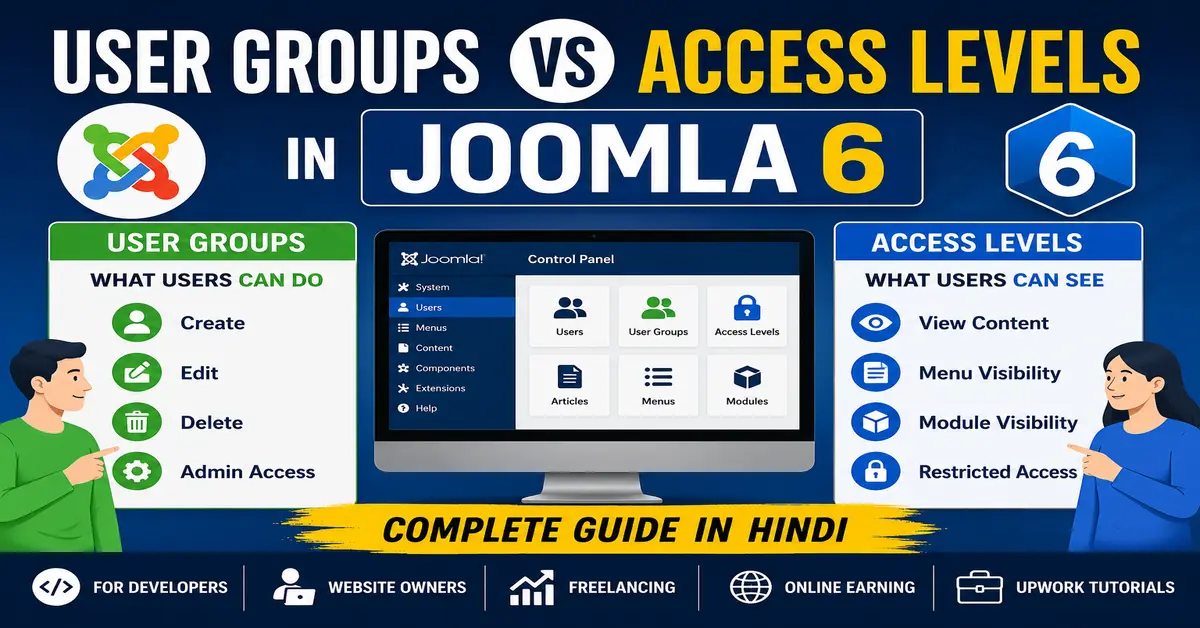
If you are new to Joomla or even have some experience managing websites, one topic that often creates confusion is User Groups vs Access Levels in Joomla 6. Many website owners mistakenly think these two features perform the same job. However, they serve completely different purposes.
Understanding how User Groups and Access Levels work together is essential if you want to build a secure Joomla website with proper permissions. Whether you are creating a membership site, company portal, online learning platform, or community website, learning this concept will help you manage users efficiently.
In this guide, you’ll learn the difference between User Groups and Access Levels in Joomla 6 with simple examples, practical use cases, and best practices. If you’re just getting started, first learn the basics of Joomla 6 Features before configuring users and permissions.
What are User Groups in Joomla 6?
User Groups define what a user is allowed to do on your Joomla website.
Think of User Groups as a collection of permissions. Every registered user belongs to one or more User Groups, and those groups determine what actions they can perform.
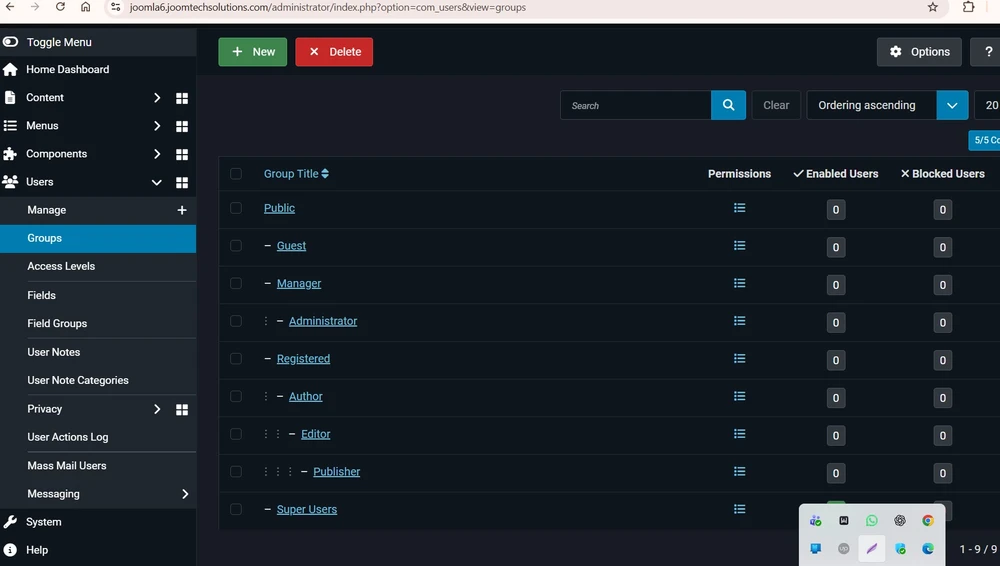
Examples of User Groups
- Public
- Guest
- Registered
- Author
- Editor
- Publisher
- Manager
- Administrator
- Super Users
Each group inherits permissions from its parent group unless you override them. To understand how Joomla permissions work internally, read our guide on Joomla Access Control List (ACL).
What User Groups Control
- Create articles
- Edit content
- Delete articles
- Access the Joomla Administrator panel
- Manage menus
- Install extensions
- Edit users
- Configure the website
For example:
- An Author can create articles but cannot publish them.
- An Editor can edit articles written by others.
- A Publisher can publish and unpublish content.
- A Super User has complete control over the website.
What are Access Levels in Joomla 6?
While User Groups decide what users can do, Access Levels decide what users can see.
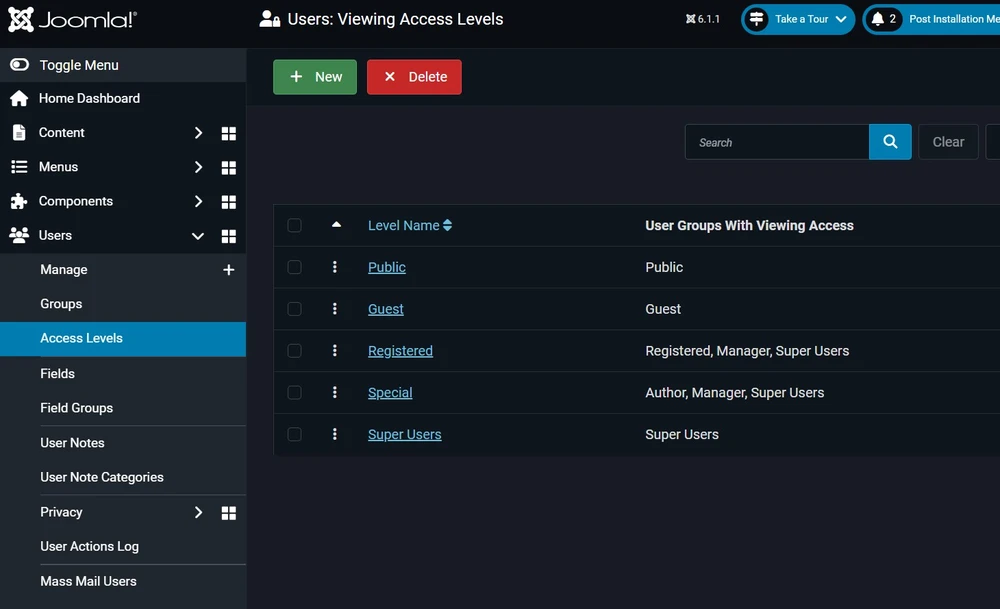
Access Levels control the visibility of content throughout your Joomla website.
You can assign Access Levels to:
- Articles
- Modules
- Menus
- Categories
- Components
- Custom Fields
When a visitor opens your website, Joomla checks whether that user belongs to one of the User Groups included in the assigned Access Level.
If yes, the content becomes visible.
If not, Joomla hides the content.
If you’re creating a members-only website, you’ll also need to understand User Management in Joomla.
Default Access Levels in Joomla 6
| Access Level | Visible To |
|---|---|
| Public | Everyone |
| Guest | Only visitors who are not logged in |
| Registered | Logged-in users |
| Special | Editors, Publishers, Managers, Administrators and Super Users |
| Super Users | Only Super Users |
User Groups vs Access Levels in Joomla 6: The Key Difference
| User Groups | Access Levels |
|---|---|
| Control permissions | Control visibility |
| Determine what users can do | Determine what users can see |
| Assigned directly to users | Contains one or more User Groups |
| Used for ACL permissions | Used for displaying content |
| Can inherit permissions | Simply group User Groups together |
Simple Real-Life Example
Imagine you own an online training website.
You have three types of users:
- Students
- Teachers
- Administrators
User Groups
- Students can only view lessons.
- Teachers can create and edit lessons.
- Administrators manage everything.
Access Levels
- Student Lessons → Visible only to Students.
- Teacher Dashboard → Visible only to Teachers.
- Admin Panel → Visible only to Administrators.
Notice how User Groups decide permissions while Access Levels decide visibility.
How User Groups and Access Levels Work Together
Many beginners think they should assign Access Levels directly to users.
That is not how Joomla works.
The relationship looks like this:
- Create a User Group.
- Add users to that group.
- Create an Access Level.
- Add one or more User Groups to that Access Level.
- Assign the Access Level to articles, menus, modules, or categories.
This structure makes Joomla’s Access Control List (ACL) extremely flexible.
When Should You Create Custom User Groups?
Create custom User Groups when default Joomla groups do not match your business needs.
Examples include:
- Premium Members
- VIP Customers
- Teachers
- Students
- Employees
- Franchise Owners
- Regional Managers
Custom User Groups help organize permissions without affecting Joomla’s default configuration.
When Should You Create Custom Access Levels?
Create custom Access Levels whenever different groups need to view different content.
Examples:
- Gold Members Only
- Silver Members
- Course Participants
- Staff Documents
- Internal News
- Faculty Area
One Access Level can include multiple User Groups.
For example, a “Staff” Access Level may include:
- Teachers
- Managers
- Administrators
Common Mistakes Beginners Make
1. Confusing Permissions with Visibility
Permissions and visibility are two separate concepts.
A user may have permission to edit content but still cannot see certain modules if the Access Level does not include their User Group.
2. Giving Super User Access Unnecessarily
Many administrators assign Super User permissions just to solve access problems.
This creates security risks and should be avoided.
3. Not Planning ACL Structure
Before creating dozens of groups, plan your website hierarchy carefully.
A clean ACL structure is much easier to maintain.
Best Practices for Joomla 6 User Management
- Keep User Groups focused on permissions.
- Use Access Levels only for visibility.
- Create custom groups only when necessary.
- Follow the principle of least privilege.
- Test permissions with different user accounts.
- Document your ACL structure for future maintenance.
- Avoid modifying default Joomla groups unless required.
Always follow the recommendations in the Joomla Official Documentation for implementing secure ACL permissions.
Conclusion
Understanding User Groups vs Access Levels in Joomla 6 is one of the most important skills for every Joomla administrator.
Remember this simple rule:
- User Groups = What users can do.
- Access Levels = What users can see.
Once you understand this difference, managing permissions becomes much easier. You can create secure membership websites, employee portals, online learning platforms, and community websites without confusion.
Taking the time to design your ACL structure properly will save countless hours of troubleshooting as your Joomla website grows.
Frequently Asked Questions
What is the difference between User Groups and Access Levels in Joomla 6?
User Groups define what users are allowed to do, while Access Levels define what content users are allowed to see. For advanced ACL configuration, refer to the Joomla Official ACL Documentation.
Can one user belong to multiple User Groups?
Yes. Joomla allows users to belong to multiple User Groups, combining permissions from all assigned groups.
Can one Access Level include multiple User Groups?
Yes. An Access Level can contain multiple User Groups, making content visible to all users who belong to any included group.
Should I modify Joomla’s default User Groups?
Stay updated with our latest news, special offers, and exclusive updates directly in your inbox.