Last Updated on August 21, 2026
Images can make a Joomla website more attractive, informative, and engaging, but they can also become one of the biggest reasons a website loads slowly. Large image files, unnecessary dimensions, and too many images can increase page size and make visitors wait longer for content to appear.
Fortunately, Joomla 6 provides a modern foundation for handling images, including native lazy loading. But lazy loading is only one part of a complete image optimization strategy.
In this guide, you will learn how to optimize images in Joomla 6, how lazy loading works, how to check whether it is already being used, when you should not lazy load an image, and what other techniques can improve your website’s loading speed and Core Web Vitals.
Let See: How to Check Joomla Module Positions in Joomla 6
Why Image Optimization Matters in Joomla 6
Images often account for a significant portion of the data downloaded when someone visits a web page. If you upload a large image directly from a camera or image editor and display it at a much smaller size, the browser may still have to download the entire large file.
For example, imagine that your website displays an image at 800 pixels wide, but the original image is 4000 pixels wide and several megabytes in size. The visitor does not need the full 4000-pixel version to see an 800-pixel image.
Uploading appropriately sized and compressed images can therefore reduce page weight and improve the visitor’s experience.
Joomla’s own SEO guidance recommends using descriptive image text, suitable image formats, meaningful filenames, and responsive images as part of image optimization.
Optimizing images is an important part of improving Joomla website performance, but it is not the only factor that affects loading speed. If you are working on a Joomla 6 website, you should also optimize your templates, extensions, caching, and other performance settings. For more Joomla performance tips, see our guide on Joomla 6 website speed optimization.
What Is Image Optimization?
Image optimization means reducing the amount of data an image requires while maintaining an appropriate level of visual quality.
A good image optimization strategy considers several things:
- Image dimensions
- File size
- Image format
- Compression
- Responsive image delivery
- Lazy loading
- Alt text
- Image priority
Instead of relying on one technique, Joomla website owners should combine several of these approaches.
Does Joomla 6 Support Lazy Loading Images?
Yes. Joomla’s modern image handling supports native browser lazy loading. Joomla introduced native lazy-loading support rather than relying on the original plugin-based approach. The Joomla community has documented that the core approach uses the standard HTML loading="lazy" attribute.
This means you should not assume that you need to install a separate lazy-loading plugin simply because you want to defer images.
When an image is suitable for lazy loading, the generated HTML can contain:
<img src="images/example.jpg" alt="Example image" loading="lazy">The browser can then defer loading that image until it is closer to the visitor’s viewport.
What Is Lazy Loading?
Lazy loading is a technique that delays loading images that are not immediately required.
Suppose a Joomla article contains 30 images. When a visitor first opens the article, they may only see the first two or three images. There is no need for the browser to immediately download all 30 images before the visitor has even started scrolling.
With lazy loading, images further down the page can be deferred and loaded as the visitor approaches them.
This can reduce the amount of data requested during the initial page load and is particularly useful for long articles, image galleries, product pages, and other image-heavy layouts.
Images are often used together with structured content such as articles, tutorials, products, and custom fields. If you are adding additional information to Joomla articles, you may also want to learn how to add Custom Fields in Joomla and use them to organize your content more effectively.
How to Check if Lazy Loading Is Working in Joomla 6
Before installing any additional extension, check whether lazy loading is already being applied to your images.
Step 1: Open a Joomla 6 Page
Open an article or page on your Joomla 6 website that contains several images.
Step 2: Inspect an Image
Right-click an image and select Inspect or Inspect Element in your browser.
Look at the generated HTML for the image.
You may see:
<img src="images/example.jpg" alt="Example image" loading="lazy">The important part is:
loading="lazy"If this attribute is present, the image has been marked for native lazy loading.
Should You Lazy Load Every Image?
No. This is one of the most important things to understand when optimizing images in Joomla 6.
Lazy loading is useful for images that are further down the page, but it can be counterproductive for an important image that visitors see immediately after opening the page.
For example, if your article has a large hero image at the top of the page and that image becomes the page’s Largest Contentful Paint (LCP) element, unnecessarily lazy loading it can delay the image and hurt your Core Web Vitals performance.
Recent Joomla performance guidance specifically highlights this issue: images further down the page are good candidates for lazy loading, while an immediately visible hero image should generally be prioritized instead.
What Is Largest Contentful Paint (LCP)?
Largest Contentful Paint, commonly called LCP, measures how quickly the largest visible content element appears in the visitor’s viewport.
On many Joomla websites, the LCP element can be a large article image, hero image, or featured image.
This creates an important distinction:
- Images below the fold can often be lazy loaded.
- Important images visible immediately should normally be loaded with higher priority.
So the goal is not to lazy load every image. The goal is to help the browser prioritize the content visitors need first.
How to Optimize Image Dimensions in Joomla 6
One of the easiest ways to improve image performance is to upload images that are close to the dimensions you actually need.
For example, if your website displays an image at 900 pixels wide, there is usually little benefit in uploading a 5000-pixel-wide original image and relying on HTML or CSS to make it appear smaller.
Before uploading an image to Joomla, consider the maximum display size required by your template.
This can significantly reduce the amount of data the browser needs to download.
Before making significant changes to your Joomla website, especially when installing extensions or modifying templates, it is always a good idea to have a recent backup. If you are testing image optimization on a development or local website, you can follow our guide on how to restore a Joomla backup on localhost.
Compress Your Images Before Uploading
Image dimensions and file size are different things.
An image can have appropriate dimensions and still be unnecessarily large because it has not been compressed efficiently.
Before uploading images to Joomla 6, use an appropriate image optimization tool to reduce unnecessary file data while maintaining acceptable visual quality.
For photography, JPEG or a modern format may be appropriate. For graphics with transparency, PNG or another suitable format may be better.
Do not compress images so aggressively that they become visibly blurry or damaged.
Use Modern Image Formats
Modern image formats can often provide smaller files while maintaining good visual quality.
Depending on your website and browser support requirements, formats such as WebP and AVIF can be useful alternatives to traditional JPEG and PNG images.
However, changing every image to a different format without considering compatibility and your delivery setup is not necessarily the best strategy. Test the result and make sure your Joomla template and extensions handle the chosen format correctly.
Use Responsive Images
A visitor using a mobile phone does not necessarily need the same image dimensions as someone using a large desktop monitor.
Responsive image techniques allow the browser to select an appropriate image resource for the visitor’s screen and circumstances.
This can prevent mobile visitors from unnecessarily downloading very large desktop-sized images.
Responsive image delivery is an important part of modern image optimization and is also recommended in Joomla’s SEO guidance.
Give Images Descriptive Alt Text
Image optimization is not only about performance.
Every meaningful image should have appropriate alternative text when it adds information to the page.
For example, instead of:
alt="image123"use descriptive text such as:
alt="Joomla 6 Administrator dashboard"Good alt text can improve accessibility and help search engines understand the subject of an image.
Decorative images that do not add meaningful information may require different handling, such as an empty alt attribute.
Use Meaningful Image File Names
Before uploading an image, give it a meaningful filename.
For example:
joomla-6-image-optimization.jpgis more useful than:
IMG_48392.jpgA descriptive filename can make your media library easier to manage and provides additional context about the image.
Joomla’s SEO guidance also recommends descriptive, hyphen-separated image filenames.
How to Check Image Performance in Joomla 6
After optimizing your images, test the actual front-end website rather than relying only on the image file size.
You can use tools such as:
- Google PageSpeed Insights
- Chrome Lighthouse
- Chrome DevTools
- WebPageTest
These tools can help identify oversized images, loading problems, layout shifts, and other performance issues.
Check the Network Panel
Chrome DevTools can show you which images are being requested by the browser and how much data they require.
Open Developer Tools and select the Network tab. Reload the page and filter the requests by images.
This can help you identify particularly large image files and understand when images are being requested.
Check for Cumulative Layout Shift
Image optimization should also consider page stability.
If the browser does not know an image’s dimensions before the image loads, surrounding content may move when the image appears. This can contribute to Cumulative Layout Shift (CLS).
Where appropriate, make sure your images have defined dimensions or that your layout reserves the required space for them.
A fast page that constantly jumps around while loading does not provide a good user experience.
For more information about Joomla’s current SEO and image optimization recommendations, you can also refer to the official Joomla SEO documentation. It covers important practices such as descriptive image filenames, alt text, responsive images, and other techniques that can help search engines and users better understand your website content.
What About the Old ImageLazyloading Plugin?
If you have followed older Joomla tutorials, you may have seen instructions to install a plugin called Content – ImageLazyloading.
This approach comes from an earlier stage of Joomla’s lazy-loading implementation. Joomla’s image system moved toward native support rather than depending on a plugin that modifies article HTML after it has been generated.
The ImageLazyloading extension is still listed in the Joomla Extensions Directory and currently supports Joomla 4, 5, and 6. However, that does not mean you need it simply to get native lazy loading on a Joomla 6 website.
If you are maintaining an older website that already uses the extension, check whether it is still necessary before making changes. If you are starting a new Joomla 6 website, first use Joomla’s existing capabilities and only add an extension when you have a specific requirement.
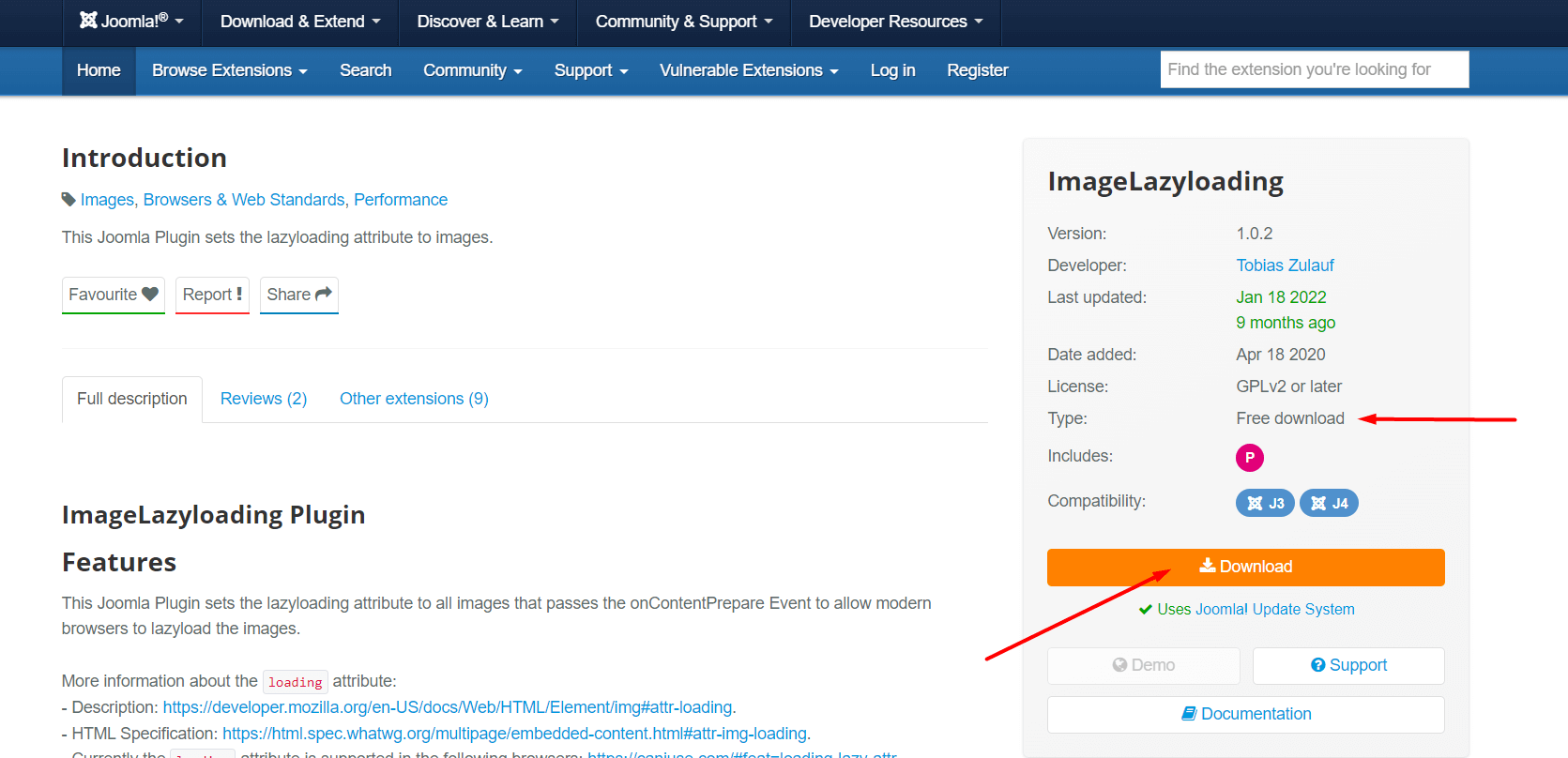
This screenshot is retained from the original version of this tutorial. The extension-based workflow shown here should not be treated as a required Joomla 6 setup.
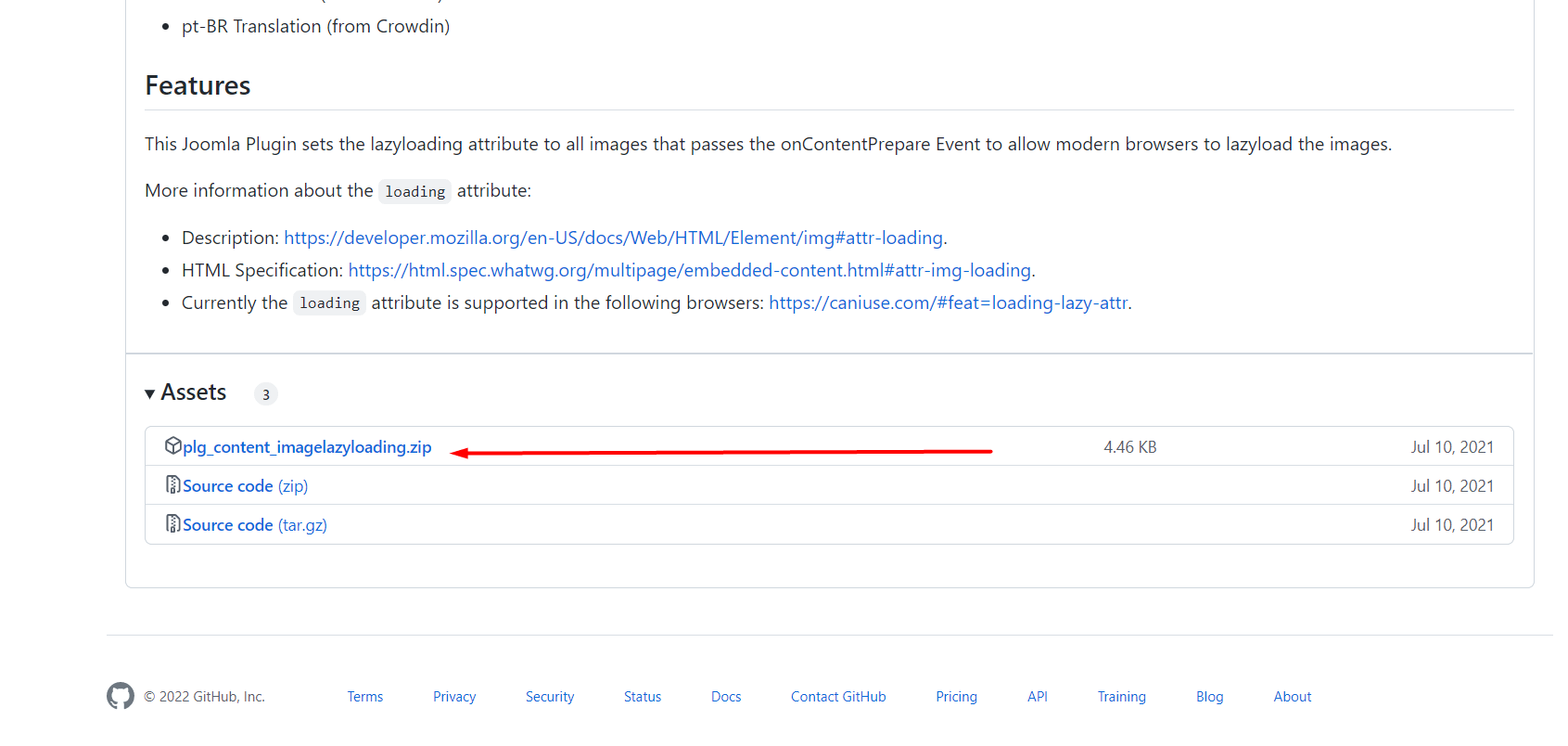
If you decide that you need an extension, always check its current Joomla 6 compatibility and documentation before installation.
Should You Install an Image Optimization Extension?
Not every Joomla website needs an image optimization extension.
If you have a small website and are comfortable resizing and compressing images before uploading them, you may be able to achieve excellent results without adding another extension.
An extension can become useful when you need automation, such as:
- Automatic image compression
- WebP or AVIF conversion
- Responsive image generation
- Automatic image resizing
- Advanced lazy-loading controls
- Performance optimization across a large media library
Before installing an optimization extension, check what your template, Joomla configuration, CDN, and existing optimization tools are already doing. Running several tools that perform the same optimization can create conflicts or unnecessary processing.
Website performance is important, but a professional Joomla website also needs essential pages and functionality. If you are building or maintaining a Joomla website, you can also learn how to add Terms and Conditions in Joomla to complete your website.
How to Optimize Images Already Uploaded to Joomla
If your Joomla website already contains hundreds or thousands of images, you do not necessarily need to replace every image manually.
Start by identifying your largest and most frequently accessed pages.
Then check:
- Which images are unnecessarily large?
- Which images are displayed at much smaller dimensions than their source files?
- Which images can be converted to a modern format?
- Which images should be lazy loaded?
- Which image is responsible for LCP?
Prioritizing the biggest problems first is generally more effective than trying to optimize every image at once.
Common Joomla 6 Image Optimization Mistakes
Uploading Huge Images
Uploading a 5000-pixel image when your website only needs an 800-pixel image wastes bandwidth and storage.
Lazy Loading the Hero Image
Do not automatically lazy load the most important image on the page. If it is your LCP element, delaying it can make performance worse. Recent Joomla performance guidance specifically recommends prioritizing the important hero image instead.
Using the Wrong Image Format
Using an unnecessarily large PNG for a photograph, for example, can create a much larger file than necessary.
Ignoring Image Dimensions
Images without appropriate dimensions can contribute to layout shifts while the page is loading.
Installing Too Many Optimization Tools
Using multiple plugins or services that all perform image optimization, caching, minification, or lazy loading can create conflicts and make troubleshooting more difficult.
Forgetting Mobile Users
Always test your image-heavy pages on mobile devices. A website that loads reasonably quickly on a fast desktop connection may still be slow for mobile visitors.
Lazy loading should be implemented carefully because not every image should be delayed. The Joomla Community Magazine guide on lazy loading and important images explains why your main or Largest Contentful Paint image may need to be prioritized instead of being lazy loaded.
How to Create a Better Image Optimization Strategy for Joomla 6
A practical Joomla 6 image optimization workflow can be as simple as the following:
- Resize the image to an appropriate display size.
- Compress the image before uploading it.
- Choose an appropriate image format.
- Use a descriptive filename.
- Add meaningful alt text.
- Allow suitable below-the-fold images to lazy load.
- Do not unnecessarily lazy load the important hero or LCP image.
- Use responsive image techniques where appropriate.
- Test the page with PageSpeed Insights or Lighthouse.
- Fix the largest performance problems first.
This approach is more effective than simply installing a plugin and assuming that your website is now optimized.
Frequently Asked Questions About Joomla 6 Image Optimization
Does Joomla 6 have built-in lazy loading for images?
Yes. Joomla’s native image handling supports browser-based lazy loading using the standard HTML loading attribute. You should check your generated image HTML before installing a separate lazy-loading extension.
How do I enable lazy loading images in Joomla 6?
In many Joomla 6 setups, lazy loading is handled through Joomla’s native image rendering. Check the generated image HTML for loading=”lazy”. If your particular template or extension does not provide the behavior you need, you can consider a compatible image optimization extension.
Should I lazy load every image on my Joomla 6 website?
No. Images that appear further down the page are good candidates for lazy loading, but important above-the-fold images, especially the image responsible for Largest Contentful Paint, should generally be loaded with appropriate priority.
What is the best image format for Joomla 6?
There is no single format that is best for every image. JPEG, PNG, WebP, AVIF, and other formats have different strengths. Choose a format based on the type of image, required quality, transparency needs, browser support, and your delivery setup.
How can I improve image speed in Joomla 6?
Resize images before uploading them, compress them, use appropriate modern formats, use responsive images where appropriate, lazy load suitable below-the-fold images, avoid delaying important LCP images, and test your pages with performance tools such as PageSpeed Insights and Lighthouse.
If your Joomla 6 website requires additional image optimization functionality beyond the features already available in Joomla, you can explore compatible solutions in the Joomla Extensions Directory. Always check the extension’s current Joomla 6 compatibility, update history, and documentation before installing it on a production website.
Conclusion
Image optimization is an important part of building a fast Joomla 6 website. While lazy loading can reduce unnecessary image downloads during the initial page load, it is only one part of the overall optimization process.
Start by uploading appropriately sized and compressed images. Use suitable image formats, descriptive filenames, meaningful alt text, and responsive image techniques where appropriate.
Joomla 6 already provides native support for lazy-loading image behavior, so you should not automatically install an additional plugin just to enable lazy loading. Instead, inspect your website first and determine what Joomla, your template, and your existing extensions are already doing.
Most importantly, don’t lazy load everything. Images below the fold can benefit from lazy loading, while an important hero image or LCP image should normally be prioritized.
By combining these techniques and testing your pages with modern performance tools, you can create a faster and better experience for Joomla 6 visitors.
Stay updated with our latest news, special offers, and exclusive updates directly in your inbox.