Last Updated on July 30, 2026
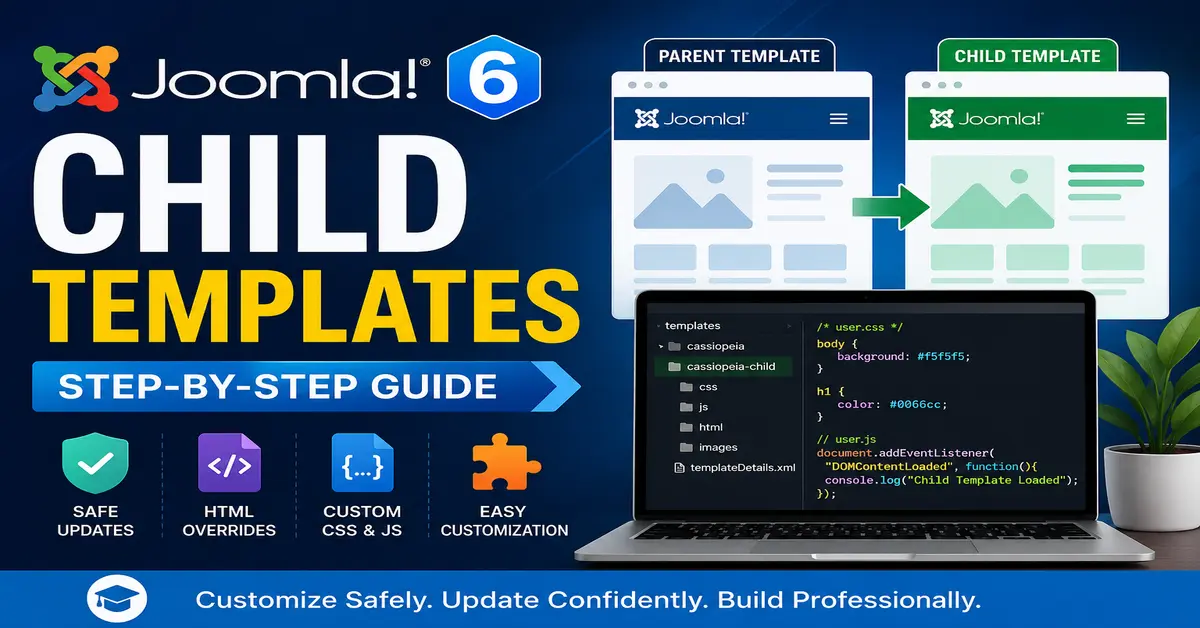
A Child Template allows you to customise your website without modifying the original (parent) template. When the parent template is updated, your customisations remain safe.
Keeping your Joomla website updated is essential for security, performance, and compatibility. However, directly editing template files can create problems because your modifications may be overwritten during future updates.
If you have ever edited a Joomla template directly and lost all your changes after an update, Child Templates are the solution.
Joomla 6 solves this problem by making Child Templates the recommended approach for customising your site’s appearance while keeping updates safe.
Whether you’re a beginner or a Joomla developer, mastering child templates will save you time and prevent future headaches.
If you’re new to Joomla 6, it’s worth exploring the complete list of improvements introduced in the latest version. From enhanced security and performance to modern development tools and improved template management, Joomla 6 includes many features that make website development faster and more efficient. Read our detailed guide on Joomla 6 Features to discover everything that’s new before you start customizing your website.
What is a Joomla 6 Child Template?
A Child Template is a copy of an existing template that inherits everything from its parent template but allows you to customize only the parts you need.
The child template uses the parent template’s layouts, styles, module positions, and functionality while storing your own custom files separately.
Benefits of Child Templates
- Safe template updates
- Keep customizations separate
- No need to edit original template files
- Easier maintenance
- Perfect for client websites
- Supports HTML overrides
- Supports custom CSS and JavaScript
Parent Template vs Child Template
| Parent Template | Child Template |
|---|---|
| Original Joomla template | Customized copy of parent |
| Gets updated | Usually remains unchanged |
| Contains core files | Contains only custom files |
| Editing may lose changes | Safe from updates |
| Maintained by template developer | Maintained by website developer |
How Child Templates Work
When Joomla loads a page, it first checks whether the child template contains the requested file.
- If the file exists in the child template, Joomla loads it.
- If the file does not exist, Joomla automatically loads it from the parent template.
This inheritance system avoids unnecessary duplication.
Create a Child Template in Joomla 6
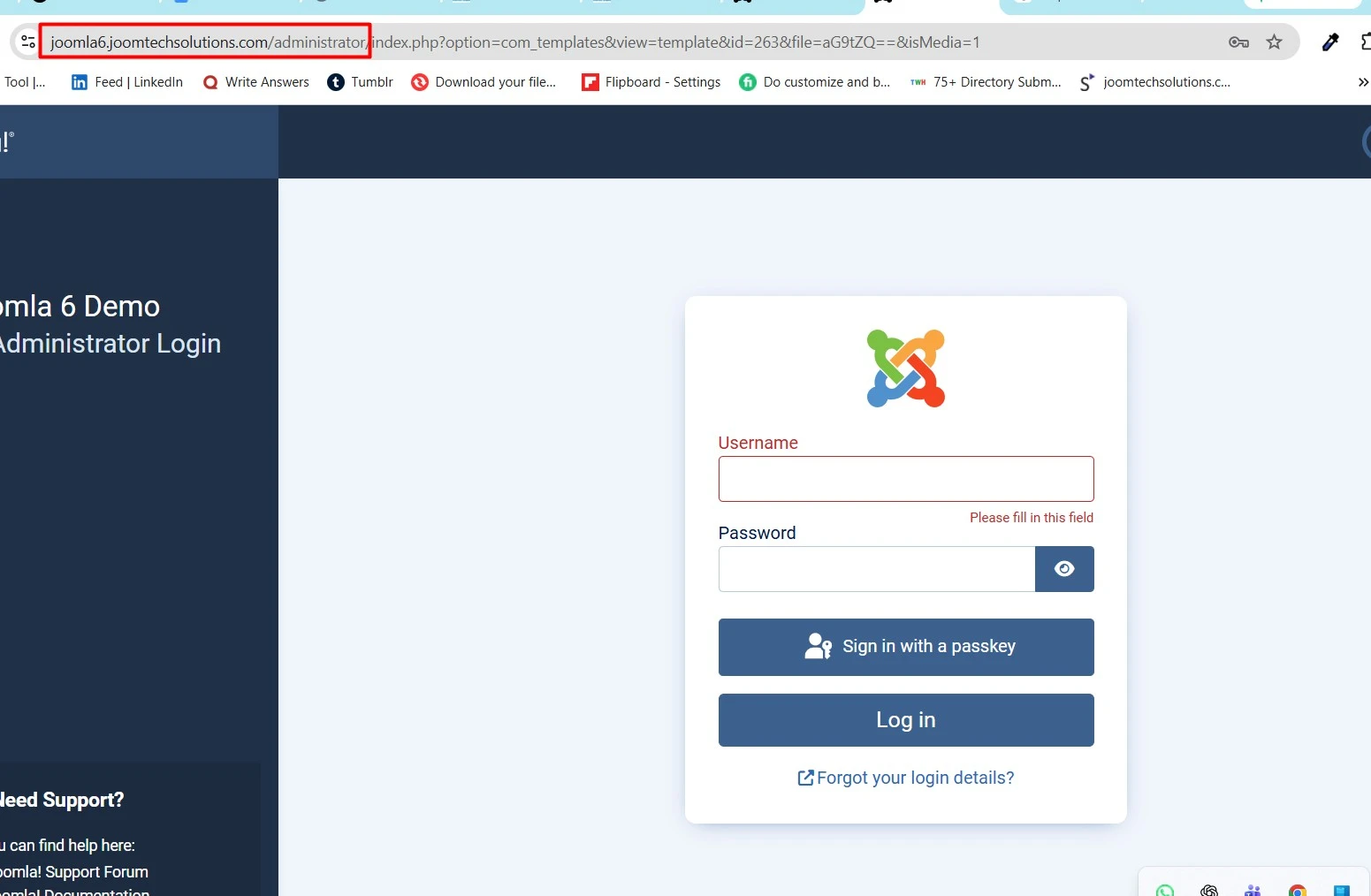
Step 1: Login to Administrator
Go to:
https://yourwebsite.com/administrator
Step 2: Open Templates
Navigate to:
System → Site Templates
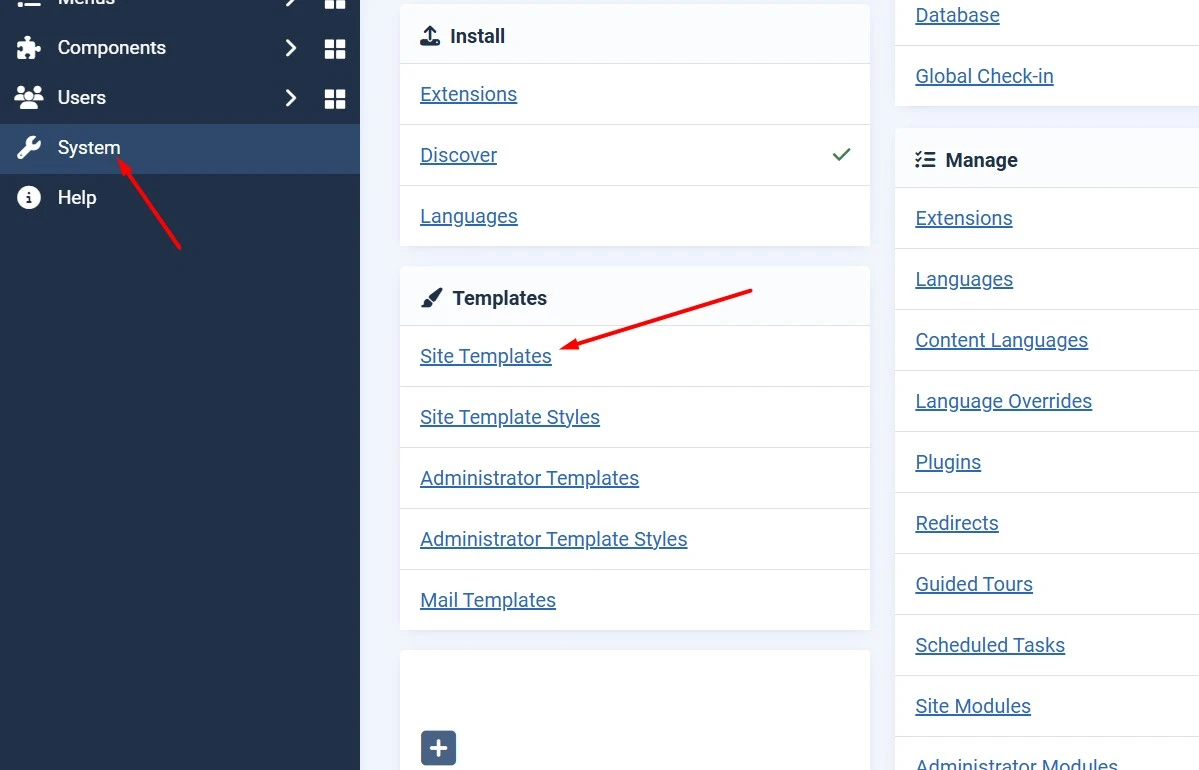
Step 3: Select Parent Template
Choose the template you want to customize.
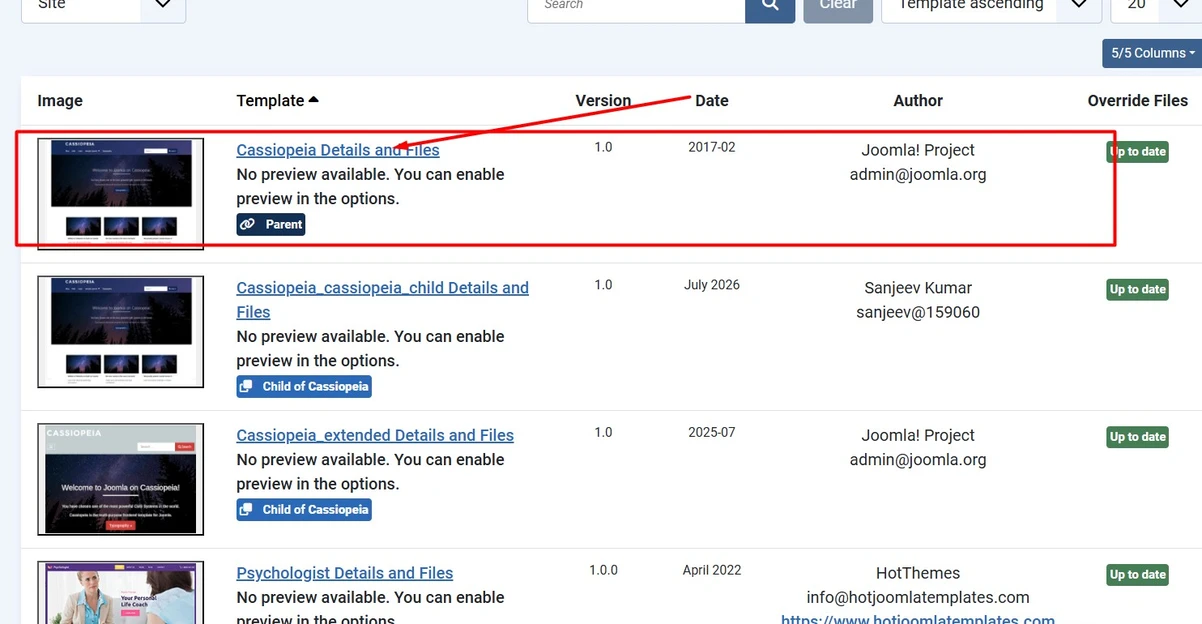
Example:
- Cassiopeia
- Your custom template
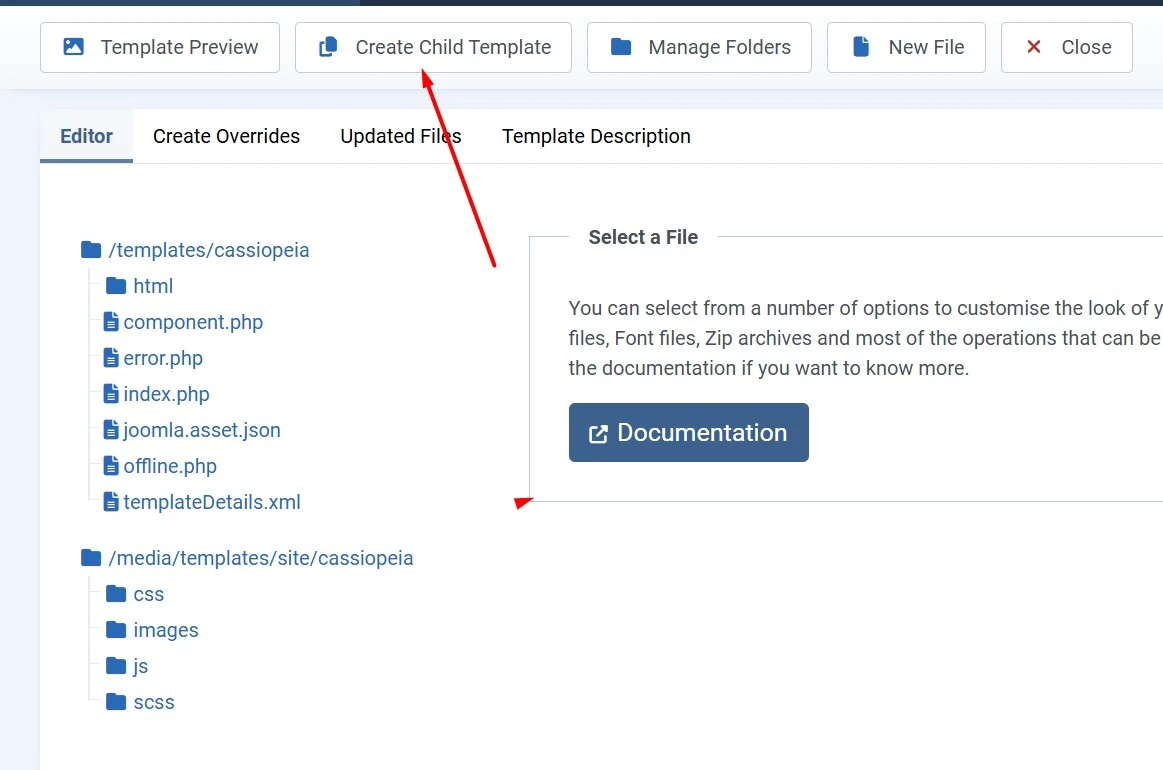
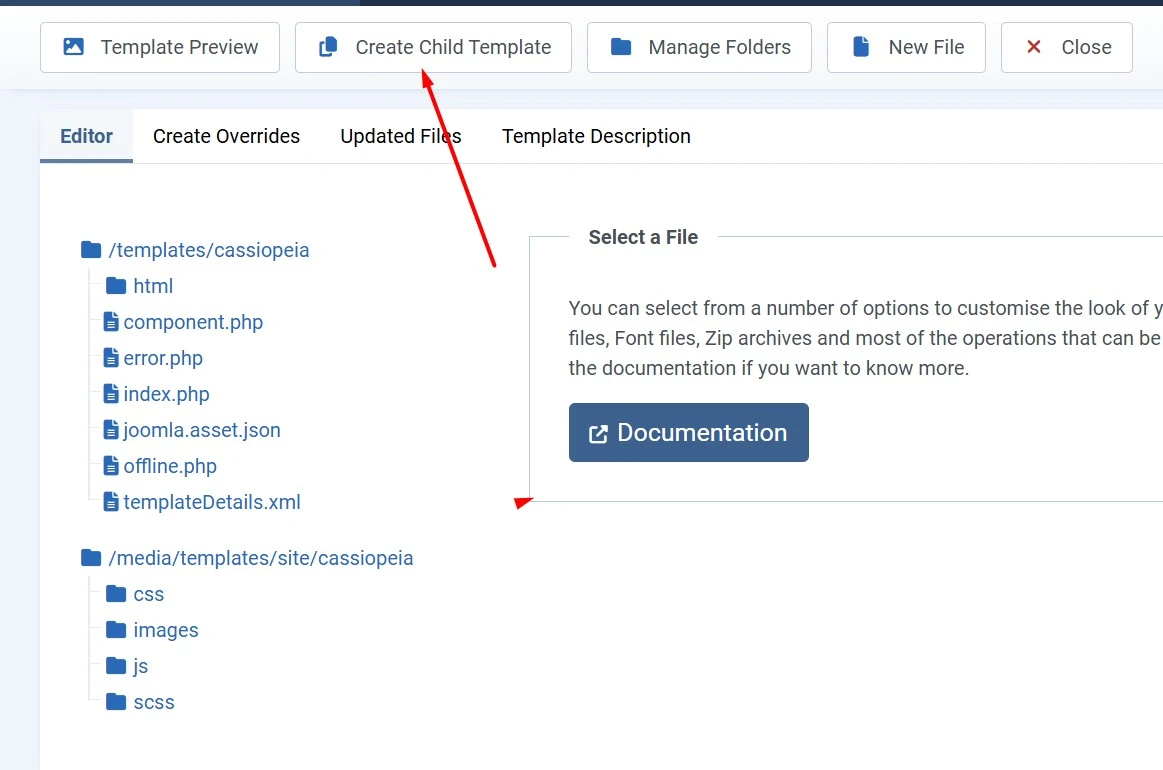
Step 4: Create Child Template
Click: Create Child Template
Provide a name for the child template.
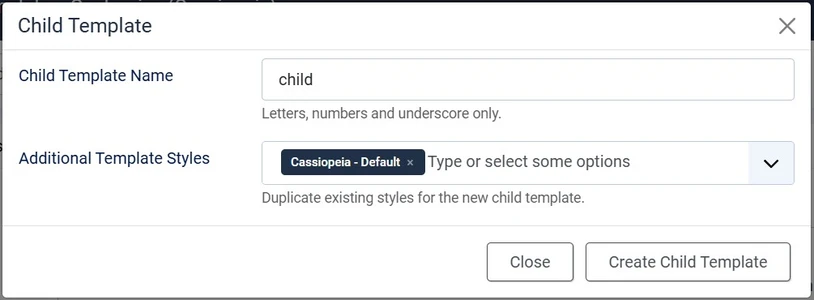
Example: cassiopeia-child
Click Create.
Step 5: Set as Default
Go back to the template list and set your child template as the default site template.
Folder Structure
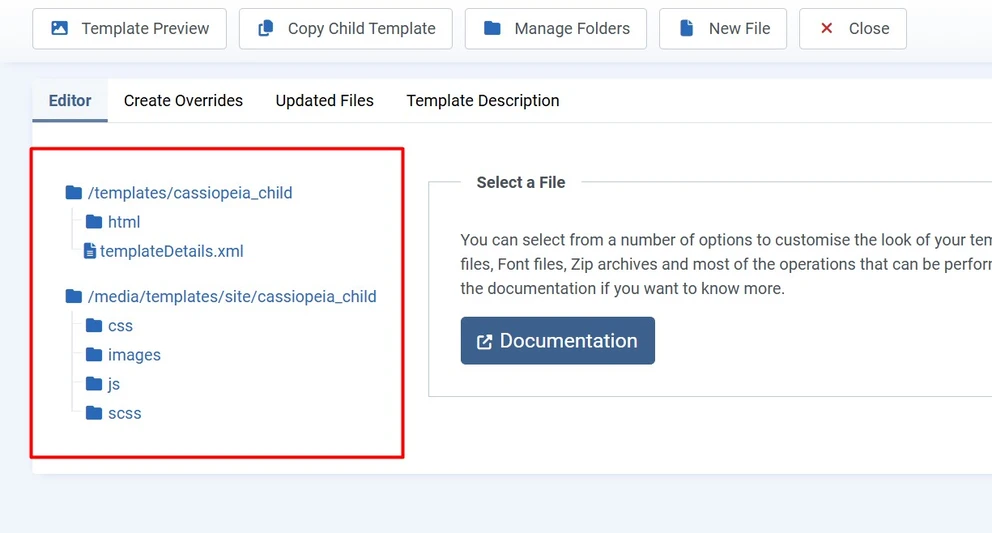
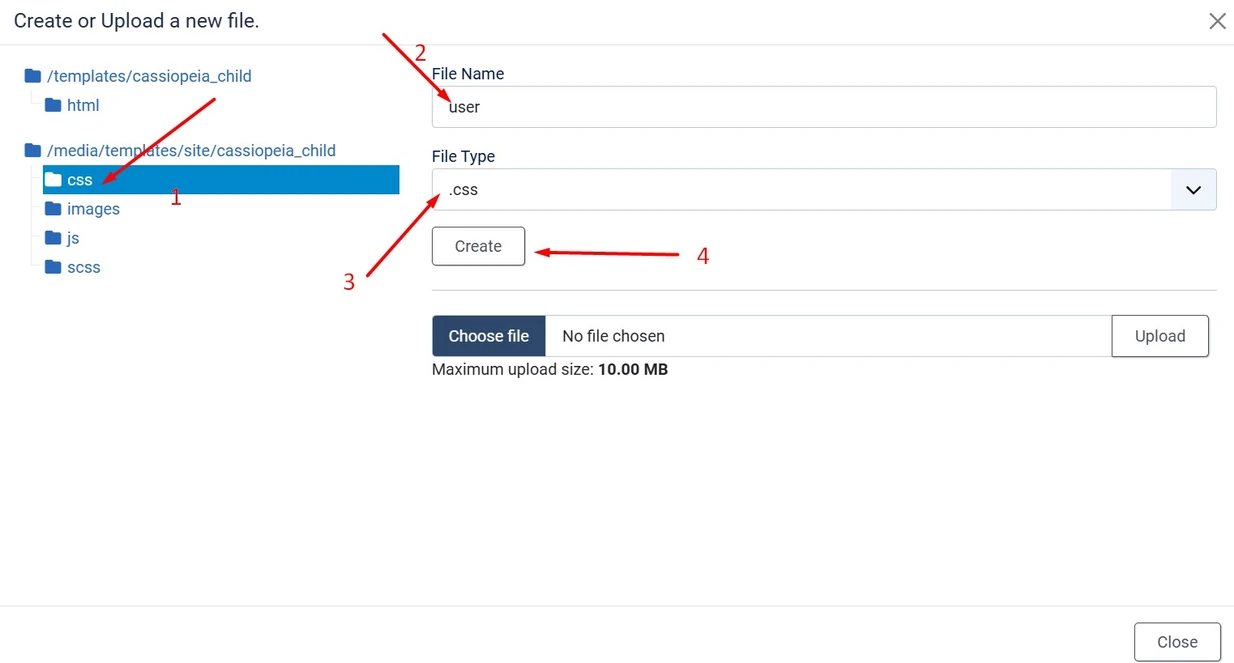
Custom CSS
Create:
templates/cassiopeia-child/css/user.css
Example:
body{ background:#f5f5f5;}
h1{ color:#0066cc; }
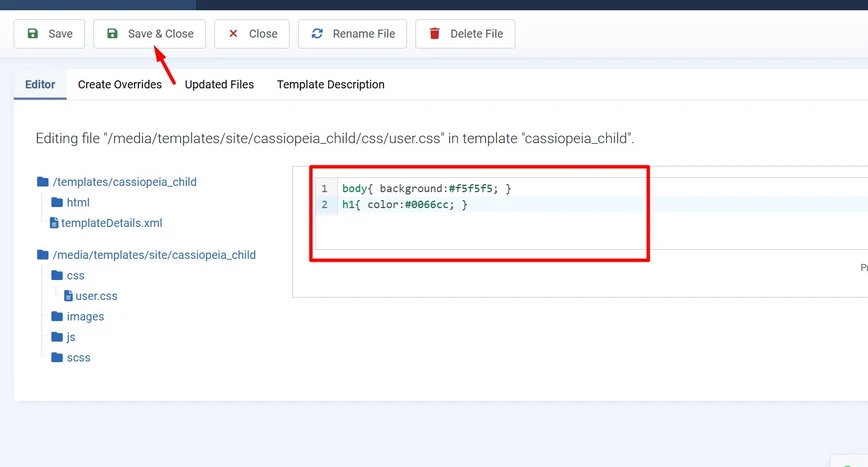
This file automatically overrides parent CSS.
Custom JavaScript
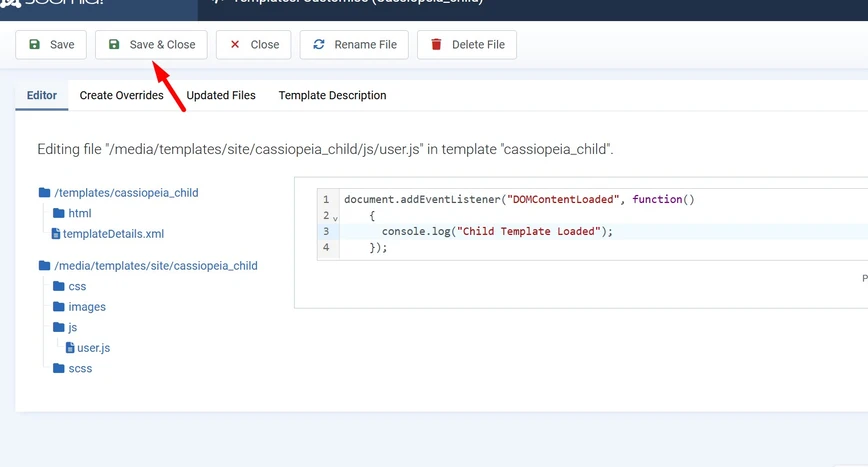
Create: templates/cassiopeia-child/js/user.js
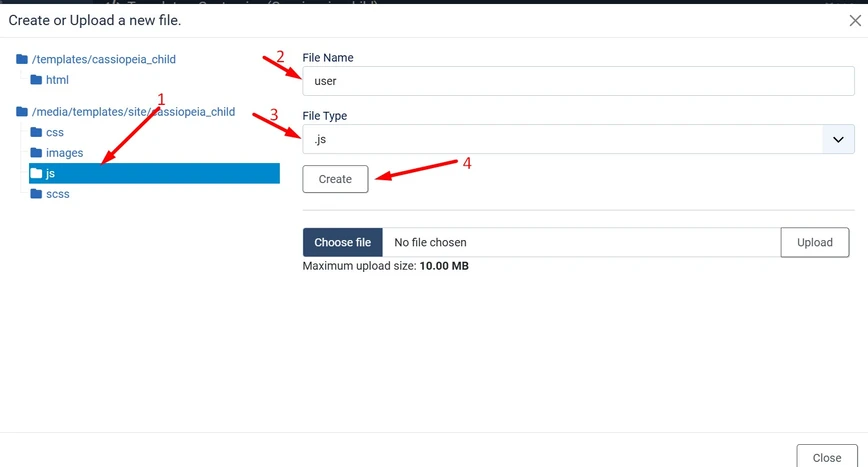
Example:
document.addEventListener("DOMContentLoaded", function(){

    console.log("Child Template Loaded");

});
If your child template isn’t displaying the expected changes or you’re troubleshooting template overrides, enabling Joomla Debug Mode can help identify template paths, PHP errors, and extension conflicts. Our step-by-step guide explains how to enable debugging safely and diagnose common Joomla issues. If you’re building custom template features or extensions, the Joomla API Documentation provides complete developer references.
HTML Overrides
One of the biggest advantages of child templates is HTML overrides.
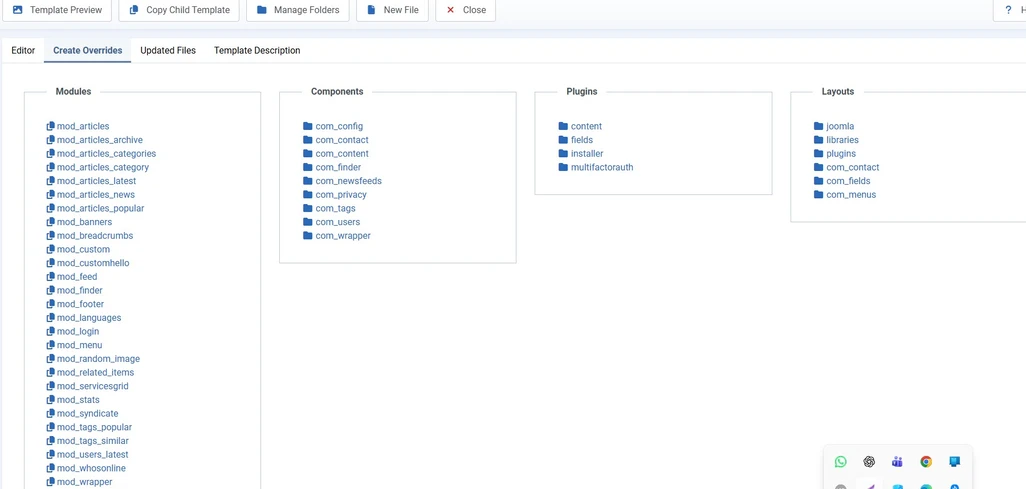
Example: templates/cassiopeia-child/html/
You can override layouts for:
- Articles
- Modules
- Pagination
- Category Blog
- Search Results
- Contacts
If you’re planning to build a new website with Joomla 6, start with a clean installation before creating your child template. Our installation guide walks you through downloading Joomla, configuring your server, and completing the setup process successfully.
Copy Override Files
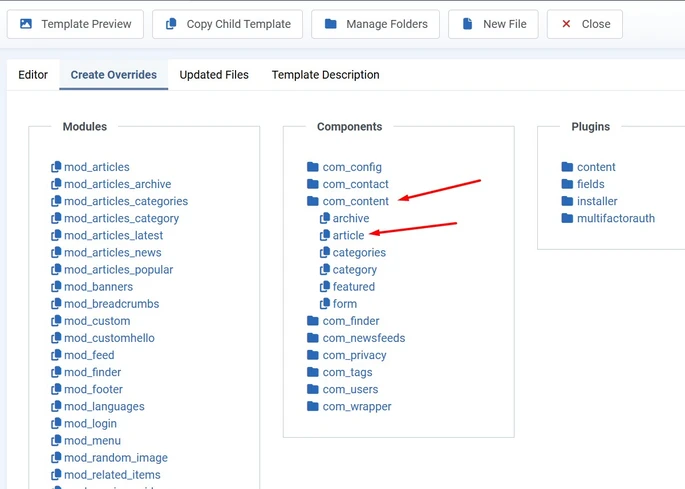
Suppose you want to override article output.
Copy: components/com_content/tmpl/article/default.php
Into: templates/cassiopeia-child/html/com_content/article/default.php
Edit only this copied file.
Custom Images
Store custom images inside:
templates/cassiopeia-child/images/
This keeps branding assets separate from the parent template.
Custom Fonts
Add fonts inside:
templates/cassiopeia-child/fonts/
Then load them using CSS. Always download the latest Joomla version from the official Joomla website to ensure you receive verified and secure installation files.
Template Parameters
The child template can inherit parent template settings while allowing you to customize additional styles and assets without changing the parent template.
Updating the Parent Template
When the parent template receives an update:
- Parent files are updated.
- Child template files remain untouched.
- Your custom CSS and overrides continue working.
This is the main reason developers prefer child templates.
Before creating a child template on an existing website, ensure your site has been upgraded successfully to Joomla 6. Our upgrade guide covers compatibility checks, backups, extension updates, and the complete migration process from Joomla 5 to Joomla 6.
Best Practices
- Never edit the parent template directly.
- Keep custom CSS inside user.css.
- Store JavaScript in user.js.
- Create HTML overrides only when needed.
- Test overrides after Joomla updates.
- Keep the child template lightweight.
- Document custom changes for future maintenance.
Common Mistakes
- Editing parent template files
- Copying unnecessary files into the child template
- Ignoring template updates
- Using duplicate CSS rules
- Not testing overrides after updates
When Should You Use a Child Template?
- Custom website design
- Client projects
- Template customization
- Module layout changes
- Article layout customization
- Adding custom CSS
- Adding custom JavaScript
- Long-term Joomla projects
For detailed technical information about how child templates work, refer to the official Joomla Template Documentation.
Conclusion
Joomla 6 Child Templates provide a safe and professional way to customize your website without modifying the original template. By separating your custom CSS, JavaScript, HTML overrides, and assets from the parent template, you can update templates confidently while preserving all your custom work. Whether you are building a business website, an eCommerce store, or a client project, using a child template is considered a best practice for long-term maintenance and stability.
Developers who want to explore the Joomla source code or report issues can visit the official Joomla CMS GitHub repository.
Stay updated with our latest news, special offers, and exclusive updates directly in your inbox.