Last Updated on August 13, 2026
If you are building an application that works with Joomla 6, you may need to manage articles without opening the Joomla administrator panel every time. The Joomla 6 REST API makes this possible by allowing an external application, script, or development tool to communicate with your Joomla website over HTTP.
In this tutorial, you will learn how to delete articles with the Joomla 6 REST API using the HTTP DELETE method. We will also look at API authentication, the correct article endpoint, Postman testing, common errors, and a PHP cURL example.
The main keyword for this tutorial is Joomla 6 REST API delete article. Related search terms include delete Joomla article using API, Joomla REST API DELETE request, and Joomla 6 API article endpoint.
Joomla’s Web Services API provides an endpoint for working with articles, including retrieving, creating, updating, and deleting individual articles. The official Joomla documentation demonstrates deleting an article with a DELETE request sent to the article endpoint.
Before deleting articles, you should first understand how Joomla 6 Web Services work and how the REST API communicates with your website. Read our guide on Joomla 6 Web Services (REST API) to understand the API structure and available endpoints.
What You Need Before Deleting a Joomla Article
Before sending a DELETE request, make sure you have access to a Joomla 6 website with the Web Services API available and an API token that has sufficient permissions.
You will also need the ID of the article you want to delete. Joomla identifies the article in the API URL by its numeric ID.
For example, if your Joomla website is:
https://example.comthe Joomla API base URL is generally:
https://example.com/api/index.php/v1The article endpoint is:
https://example.com/api/index.php/v1/content/articlesTo work with one specific article, append its ID to the endpoint:
https://example.com/api/index.php/v1/content/articles/123In this example, 123 is the article ID.
You can also learn how to retrieve a single Joomla article through the API before attempting an update or delete operation.
How the Joomla 6 REST API DELETE Request Works
The HTTP DELETE method tells the API that you want to remove a specific resource. For a Joomla article, the request is sent to the article endpoint followed by the article ID.
Joomla provides official documentation explaining how its Web Services API works, including the available API endpoints and authentication methods.
The basic request looks like this:
DELETE https://example.com/api/index.php/v1/content/articles/123Unlike a POST or PATCH request, you normally do not need to send an article body when deleting an article. The article ID in the URL tells Joomla which record should be removed.
Joomla 6 Article DELETE Endpoint
The endpoint follows this structure:
https://your-domain.com/api/index.php/v1/content/articles/{article-id}Replace your-domain.com with your Joomla website domain and replace {article-id} with the ID of the article you want to delete.
For example, to delete article ID 25:
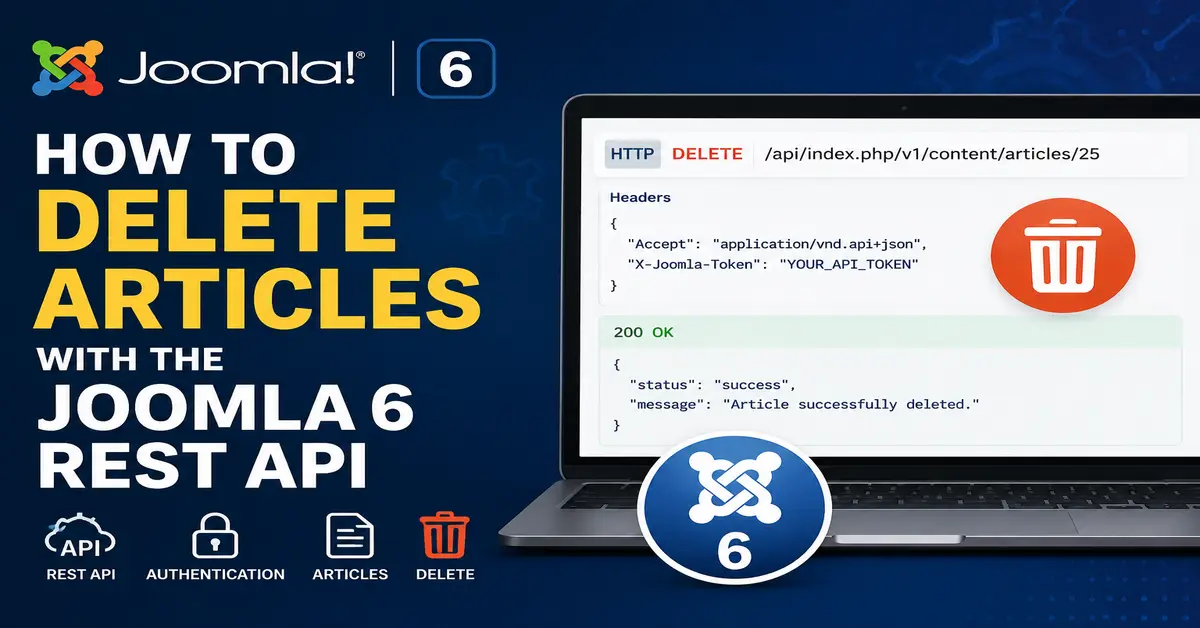
DELETE https://example.com/api/index.php/v1/content/articles/25The official Joomla Web Services documentation uses the same content/articles/{id} pattern for deleting a specific article.
Authentication with a Joomla API Token
Deleting content is a protected operation, so your request needs appropriate authentication and permissions. Joomla’s API examples use the X-Joomla-Token HTTP header for API token authentication.
Joomla REST API requests require proper authentication and permissions. For more information about API tokens and the X-Joomla-Token header, see the official Joomla Web Services documentation.
Your request headers can look like this:
Accept: application/vnd.api+json
Content-Type: application/json
X-Joomla-Token: YOUR_API_TOKEN
Replace YOUR_API_TOKEN with the token generated for your Joomla user.
Do not publish your API token in a blog post, GitHub repository, JavaScript file, or publicly accessible source code. Treat an API token like a password and keep it somewhere secure.
Joomla API requests require proper authentication. If you are new to API authentication, see our guide on Joomla 6 REST API Authentication with API Tokens to learn how to create and use an API token.
Find the Article ID Before Deleting It
If you do not know the article ID, retrieve your Joomla articles first using a GET request.
GET https://example.com/api/index.php/v1/content/articlesYou can also request one particular article when you already know its ID:
GET https://example.com/api/index.php/v1/content/articles/25This is a useful safety step because it allows you to confirm the article before sending the DELETE request. When you are working with production content, verifying the ID first can prevent accidentally deleting the wrong article.
If you have not yet created an article through the API, learn How to Create Articles with the Joomla 6 REST API first. It will help you understand the article endpoint and API request structure.
Delete a Joomla 6 Article Using Postman
Postman is a convenient way to test the Joomla 6 REST API before writing your own PHP or JavaScript integration.
Step 1: Create a DELETE Request
Open Postman and create a new HTTP request.
Select:
DELETEThen enter your Joomla article endpoint:
https://example.com/api/index.php/v1/content/articles/25Change 25 to the ID of the article you want to remove.
Step 2: Add the Joomla API Token
Open the Headers section in Postman and add the following values:
Key: X-Joomla-Token
Value: YOUR_API_TOKEN
You can also add:
Key: Accept
Value: application/vnd.api+json
Joomla’s official API examples use the X-Joomla-Token header together with the JSON API content type.
Step 3: Send the DELETE Request
Once you have checked the URL, article ID, and API token, click Send.
A successful request should return a successful HTTP response from Joomla. The exact response presentation can depend on the Joomla API response handling and client you are using, so it is better to check the HTTP status code rather than relying only on a response body.
Before sending a DELETE request, it is useful to test Joomla’s API with Postman. Follow our step-by-step guide on How to Test Joomla 6 REST API Using Postman.
Most importantly, verify the article afterward by trying to retrieve it again:
GET https://example.com/api/index.php/v1/content/articles/25If the article has been successfully removed, Joomla should no longer return the article as an existing resource.
Delete a Joomla Article Using PHP cURL
Once your DELETE request works in Postman, you can use the same API endpoint from a PHP application. PHP’s cURL extension is a straightforward option for making HTTP requests.
Here is a simple example:
<?php

$apiBaseUrl = 'https://example.com/api/index.php/v1';
$articleId = 25;
$token = 'YOUR_API_TOKEN';

$url = $apiBaseUrl . '/content/articles/' . $articleId;

$curl = curl_init($url);

curl_setopt_array($curl, [
CURLOPT_RETURNTRANSFER => true,
CURLOPT_CUSTOMREQUEST => 'DELETE',
CURLOPT_HTTPHEADER => [
'Accept: application/vnd.api+json',
'Content-Type: application/json',
'X-Joomla-Token: ' . $token,
],
]);

$response = curl_exec($curl);
$httpCode = curl_getinfo($curl, CURLINFO_HTTP_CODE);

if ($response === false) {
echo 'cURL Error: ' . curl_error($curl);
} else {
echo 'HTTP Status: ' . $httpCode;
echo PHP_EOL;
echo $response;
}

curl_close($curl);
The important parts are CURLOPT_CUSTOMREQUEST => 'DELETE', the article endpoint, and the X-Joomla-Token header.
Joomla’s documentation also provides a PHP cURL implementation for deleting a specific article through the Web Services API.
Using Joomla’s HTTP Client in PHP
If you are developing a Joomla extension or another PHP integration, you may prefer Joomla Framework HTTP classes instead of relying directly on PHP cURL.
One important Joomla 6 update is that the older Joomla\CMS\Http package is deprecated. Joomla’s current documentation recommends using the Joomla Framework Joomla\Http package instead.
This is worth keeping in mind when updating older Joomla API examples. Code written for older Joomla releases should not automatically be treated as the recommended approach for new Joomla 6 development.
If you are updating older Joomla API code, check the official Joomla 6 deprecation documentation before using older classes or methods. Joomla 6 introduces several API changes, and some previously used classes and methods are now deprecated or have recommended replacements.
Common Joomla 6 REST API Delete Errors
401 Unauthorized
A 401 Unauthorized response usually indicates that Joomla could not authenticate the request correctly.
Check the following:
- The
X-Joomla-Tokenheader is present. - The API token is correct.
- The token has not been revoked.
- The request is being sent to the correct Joomla website.
403 Forbidden
A 403 Forbidden response generally means the request was understood, but the authenticated user does not have permission to perform the operation.
Check the user’s Joomla permissions and API access configuration. Remember that authentication and authorisation are different: having a valid token does not automatically mean that the user can perform every operation.
404 Article Not Found
A 404 response can mean that the article ID does not exist or that the endpoint is incorrect.
First test the article with:
GET https://example.com/api/index.php/v1/content/articles/25If the article cannot be retrieved, confirm the ID and API URL before attempting to delete it.
405 Method Not Allowed
If Joomla returns 405 Method Not Allowed, check that you are actually sending an HTTP DELETE request. A common mistake is selecting GET or POST in Postman while using a DELETE endpoint.
Important Safety Tips Before Deleting Articles
The DELETE operation should be treated carefully because it is destructive. Do not automatically delete an article simply because your application received an ID.
A safer workflow is:
- Receive the article ID.
- Authenticate the API request.
- Check that the article exists.
- Verify that the authenticated user has permission to delete it.
- Optionally ask for confirmation in the application.
- Send the DELETE request.
- Check the HTTP response.
- Log the operation if your application requires an audit trail.
This approach becomes especially important when your application is connected to a live Joomla website with many articles.
Joomla 6 REST API Delete Article vs Administrator Panel
Deleting an article from the Joomla administrator is useful when you are managing a website manually. The REST API becomes more useful when another application needs to manage Joomla content automatically.
For example, an external content management application could use the Joomla API to create articles, update existing content, retrieve articles, and delete articles without requiring a person to perform every action manually.
The Joomla Web Services API is designed to allow Joomla to communicate with external applications such as web applications and other systems through defined API endpoints.
Best Practices for Joomla 6 API Development
When working with the Joomla 6 REST API, keep your API integration simple and secure.
- Use HTTPS for API requests.
- Keep API tokens private.
- Use the minimum permissions required by your integration.
- Verify article IDs before destructive operations.
- Check HTTP status codes in your application.
- Log important API operations when appropriate.
- Test DELETE requests on a development or staging website first.
- Keep your Joomla API integration updated as Joomla versions evolve.
It is also a good idea to avoid copying old Joomla API code without checking whether the classes and methods are still recommended. Joomla 6 includes updated APIs and deprecation changes, so older Joomla tutorials may contain code that should be replaced in new projects.
Conclusion
Deleting an article with the Joomla 6 REST API is straightforward once you understand the endpoint and authentication process. The main request uses the HTTP DELETE method together with the article ID:
DELETE https://example.com/api/index.php/v1/content/articles/{article-id}For testing, Postman provides an easy way to verify the request. Once it works, you can move the same logic into PHP, JavaScript, or another application that needs to manage Joomla content.
Always test destructive API operations carefully, protect your API tokens, and verify that the article ID and user permissions are correct before sending a DELETE request.
Frequently Asked Questions About the Joomla 6 REST API Delete Article
Can I delete a Joomla article using the REST API?
Yes. Joomla’s Web Services API provides a DELETE endpoint for removing a specific article. The request uses the article endpoint followed by the article ID.
What is the Joomla 6 REST API endpoint for deleting an article?
The endpoint is /api/index.php/v1/content/articles/{article-id}. Replace {article-id} with the ID of the Joomla article you want to delete.
Which HTTP method is used to delete a Joomla article?
The HTTP DELETE method is used. You do not normally need to send an article data payload when deleting a specific article.
Does the Joomla REST API require an API token to delete an article?
Protected Joomla API operations require appropriate authentication and permissions. Joomla’s API examples use the X-Joomla-Token header for API token authentication.
How can I test the Joomla 6 article DELETE API?
You can test it with Postman by creating a DELETE request, entering the article endpoint with its ID, adding the X-Joomla-Token header, and then sending the request.
Stay updated with our latest news, special offers, and exclusive updates directly in your inbox.