Last Updated on August 7, 2026
If you are planning to build mobile apps, connect third-party software, automate website tasks, or integrate Joomla with external services, understanding Joomla 6 API Authentication is one of the first things you should learn.
Joomla 6 includes a powerful REST API that allows developers to create, read, update, and delete website data without logging into the administrator panel. However, before any application can access protected data, it must prove its identity. This is where API Tokens come into the picture.
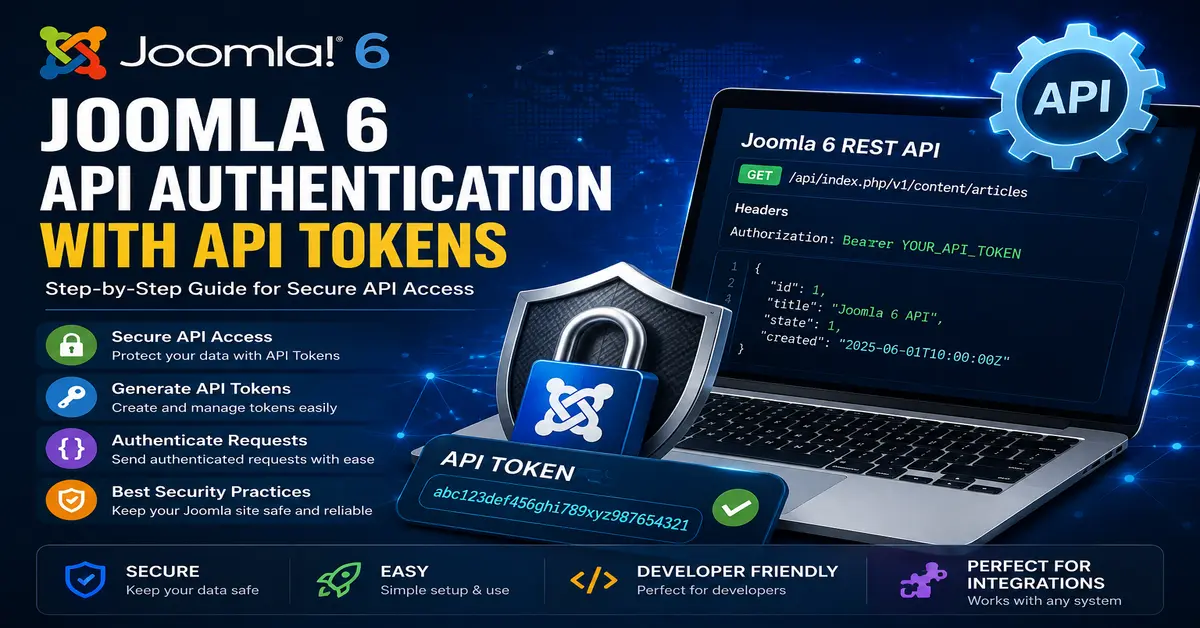
In this step-by-step guide, you’ll learn how Joomla 6 API Authentication works, how to generate API Tokens, how to use them in your API requests, and the best security practices you should always follow.
Whether you’re a beginner or an experienced Joomla developer, this guide will help you understand the complete authentication process in simple language.
If you’re new to Joomla Web Services, start by reading our Joomla 6 REST API Introduction guide. It explains how the Joomla REST API works, available endpoints, request methods, JSON responses, and the basic concepts every developer should understand before working with API authentication.
What is Joomla 6 API Authentication?
Joomla 6 API Authentication is the process of verifying that a user or application has permission to access the Joomla REST API.
Instead of entering a username and password every time an API request is sent, Joomla allows you to authenticate using a secure API Token.
Think of an API Token as a digital key. Any application that has the correct token can communicate with Joomla according to the permissions assigned to that user.
This method is:
- More secure than sharing passwords
- Easy to use in scripts and applications
- Perfect for automation
- Supported by Joomla 6 Web Services
Why Use API Tokens?
API Tokens provide a secure way for applications to access Joomla without exposing login credentials.
Here are some common use cases:
- Mobile applications
- React or Vue frontends
- CRM integrations
- ERP systems
- Custom Joomla components
- WordPress to Joomla synchronization
- Automated content publishing
- Backup and monitoring tools
Instead of storing administrator passwords inside applications, developers only store the API Token. You can explore this How to Create Users in Joomla 6 (Step-by-Step Guide for Beginners)
How Joomla 6 API Token Authentication Works
The authentication process is straightforward.
- User generates an API Token.
- The application stores the token securely.
- Every API request includes the token inside the HTTP Authorization header.
- Joomla validates the token.
- If the token is valid, Joomla processes the request.
- If the token is invalid, Joomla returns an Unauthorized response.
This entire process happens automatically for every API request.
To test Joomla REST APIs efficiently, explore the Postman Learning Center. It offers beginner-friendly tutorials on creating API requests, using Bearer Token authentication, organizing collections, and automating API testing workflows.
Requirements Before Using API Authentication
Before using API Tokens, make sure the following requirements are met:
- Joomla 6 is installed.
- Web Services are enabled.
- Your user account has appropriate permissions.
- The API Authentication plugin is enabled.
- HTTPS is enabled on your website.
Using HTTPS is highly recommended because it encrypts all communication between your application and Joomla.
Step 1: Log in to Joomla Administrator
First, log in to your Joomla Administrator dashboard using an account that has permission to access the API.
Usually, Super Users have full API access, but you can also configure permissions for other user groups.
Step 2: Open Your User Profile
Navigate to:
Users → Manage → Select Your User
Open the user profile where you want to generate the API Token.
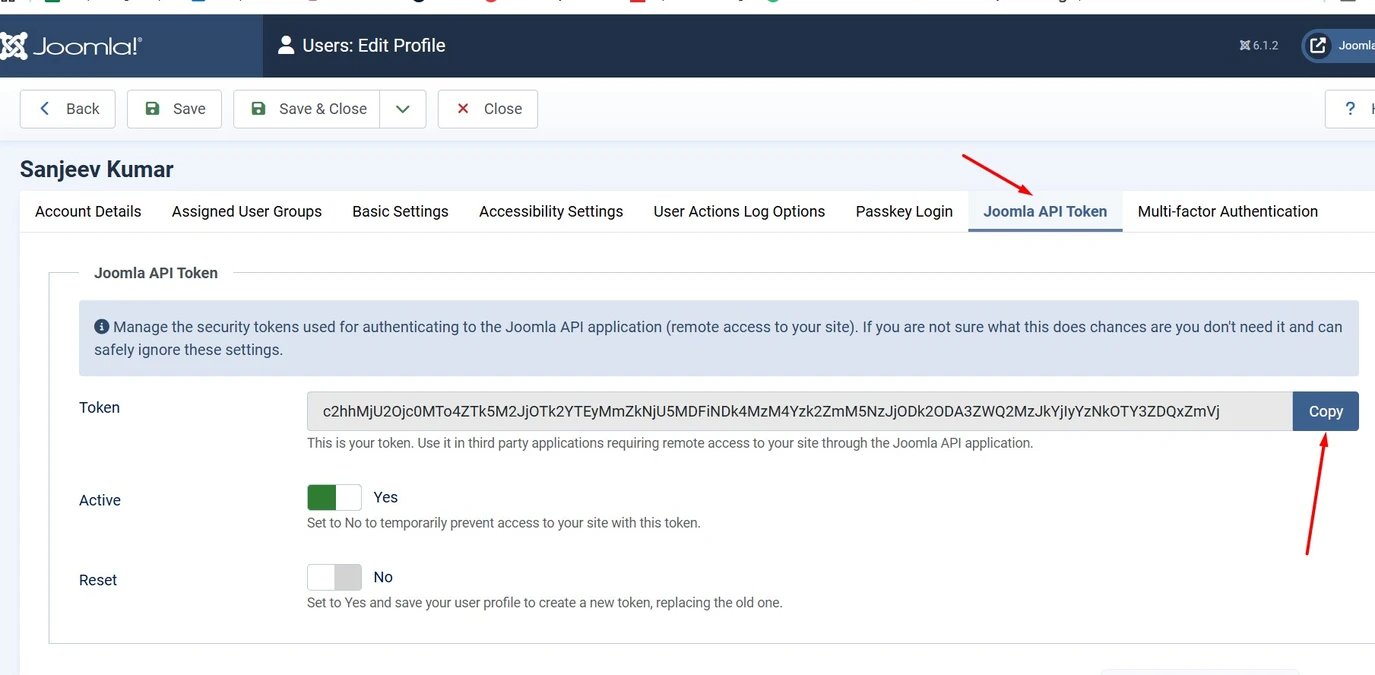
Step 3: Generate an API Token
Inside the user profile, Joomla provides an API Token section.
Generate a new token if one does not already exist.
The generated token is a long random string that uniquely identifies your user.
Example:
abc123def456ghi789xyz987654321abcdefghijklmnopqrstKeep this token private because anyone who has it may be able to access your API according to your permissions.
Step 4: Save the Token Securely
Never hardcode API Tokens directly into your source code.
Instead, store them securely in:
- Environment variables
- Configuration files outside the web root
- Secret management services
- Encrypted storage
This reduces the risk of accidental exposure.
Step 5: Include the Token in API Requests
Every protected Joomla API request must include the Authorization header.
Example:
Authorization: Bearer YOUR_API_TOKEN
Replace YOUR_API_TOKEN with your actual API Token.
Joomla automatically validates the token before processing the request.
Example Request Using cURL
curl -X GET https://yourwebsite.com/api/index.php/v1/content/articles \
-H "Authorization: Bearer YOUR_API_TOKEN"
If authentication succeeds, Joomla returns the requested data.
Example Request in Postman
Postman makes testing Joomla APIs very easy.
Create a New Request
Select the HTTP method such as GET, POST, PUT, PATCH, or DELETE depending on your requirement.
Enter the API URL
https://yourwebsite.com/api/index.php/v1/content/articles
Add Authorization Header
Add the following header:
Authorization
Bearer YOUR_API_TOKEN
Click Send.
If the token is valid, Joomla will return a JSON response.
Common HTTP Response Codes
| Status Code | Meaning |
|---|---|
| 200 | Request completed successfully. |
| 201 | New resource created successfully. |
| 400 | Bad request. |
| 401 | Authentication failed. |
| 403 | Permission denied. |
| 404 | Resource not found. |
| 500 | Internal server error. |
Troubleshooting Authentication Problems
If authentication fails, check the following:
- Is the API Token copied correctly?
- Did you include the word Bearer?
- Is HTTPS working correctly?
- Is the authentication plugin enabled?
- Does the user have sufficient permissions?
- Has the token been regenerated?
- Are you calling the correct API endpoint?
Most authentication issues are caused by missing Authorization headers or invalid tokens.
To learn more about Joomla Web Services, authentication, and REST API concepts, refer to the official Joomla documentation. It provides detailed explanations of API architecture, endpoints, authentication, and best practices for developers building modern Joomla applications.
Security Best Practices
Always Use HTTPS
Never send API Tokens over HTTP because they can be intercepted during transmission.
Never Share API Tokens
Treat your API Token like a password.
Never publish it in tutorials, screenshots, GitHub repositories, or public code.
Use the Minimum Required Permissions
Create dedicated users for applications instead of using your Super User account whenever possible.
This limits the damage if a token is compromised.
Rotate Tokens Regularly
Generate new API Tokens periodically and remove unused ones.
Regular rotation improves overall security.
Monitor API Activity
Review logs regularly to identify suspicious API requests or unauthorized access attempts.
Benefits of Joomla 6 API Authentication
- Simple authentication process
- Secure access to Joomla APIs
- No need to expose passwords
- Easy integration with external applications
- Works with automation scripts
- Ideal for mobile apps
- Supports modern development workflows
- Improves website security
If you’re developing custom components or working with Joomla classes, the official Joomla API Reference is an excellent resource. It contains comprehensive documentation for Joomla CMS classes, methods, interfaces, and namespaces used in Joomla 6 development.
Conclusion
Learning Joomla 6 API Authentication is an essential skill for modern Joomla development. API Tokens provide a secure, reliable, and easy way for applications to communicate with your Joomla website without exposing user passwords.
Once you understand how authentication works, you’ll be ready to perform advanced REST API operations such as retrieving articles, creating new content, updating categories, uploading media, and integrating Joomla with external platforms.
If you’re learning Joomla 6 REST APIs step by step, mastering API authentication should be your first practical milestone because every protected API request depends on it.
Frequently Asked Questions (FAQs)
1. What is Joomla 6 API Authentication?
Joomla 6 API Authentication is the process of verifying a user or application before allowing access to protected REST API endpoints using API Tokens.
2. What is an API Token in Joomla 6?
An API Token is a unique secure string assigned to a user that allows authenticated API access without using the user’s password.
3. Why should I use API Tokens instead of passwords?
API Tokens are more secure because they prevent applications from storing your Joomla login credentials.
4. Can I use Postman with Joomla 6 API Authentication?
Yes. Postman fully supports Bearer Token authentication and is one of the easiest tools for testing Joomla REST APIs.
5. What happens if my API Token is compromised?
You should immediately regenerate the token, update your applications with the new token, and investigate any unauthorized API activity.
Stay updated with our latest news, special offers, and exclusive updates directly in your inbox.