Last Updated on August 11, 2026
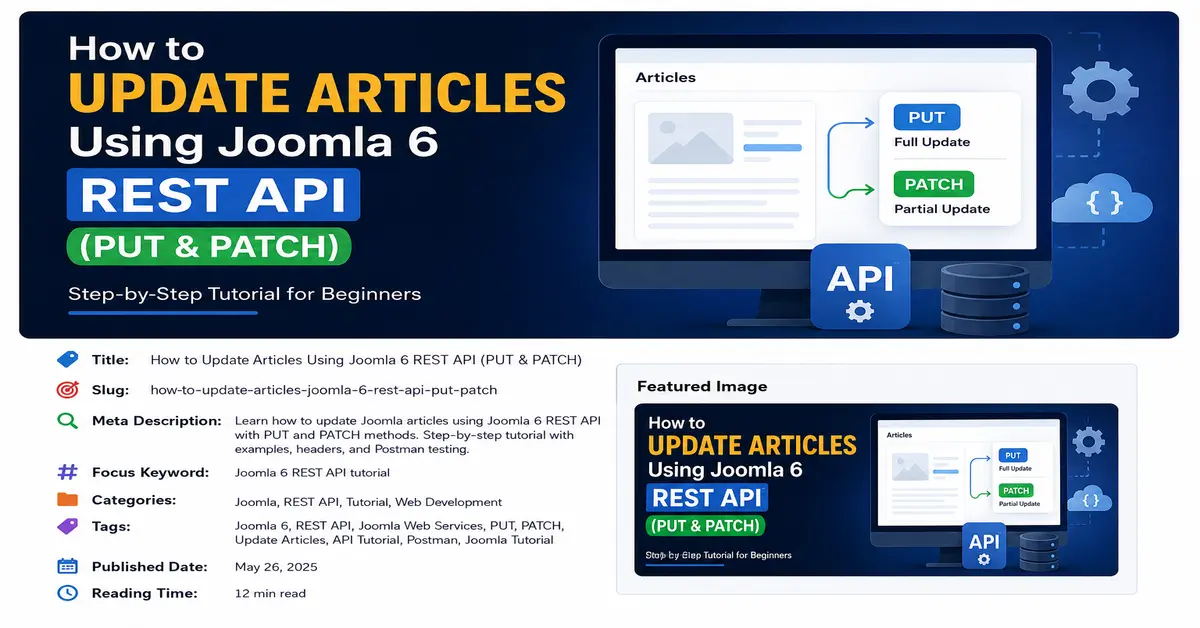
In this Joomla 6 REST API tutorial, you will learn how to update existing Joomla articles using the PUT and PATCH HTTP methods. Updating content through an API is useful when you are building a mobile app, external dashboard, automation tool, or custom
application that needs to communicate with a Joomla 6 website.
In the previous REST API lessons, we looked at authentication, testing Joomla 6 APIs with Postman, and creating articles through the API. The next important step is learning how to modify an article that already exists.
Joomla 6 Web Services allow applications to communicate with Joomla without using the normal administrator interface. Once authentication is configured, you can send an API request to retrieve, create, update, or manage Joomla content programmatically.
Before updating Joomla articles through the API, it is important to understand how Joomla 6 Web Services work and how the REST API is structured. If you are new to Joomla 6 APIs, start with our Joomla 6 Web Services: Complete Beginner’s Guide to understand API endpoints, authentication, requests, and responses.
What You Will Learn in This Joomla 6 REST API Tutorial
By the end of this tutorial, you will understand:
- What PUT and PATCH mean in a REST API
- The difference between PUT and PATCH
- How to find a Joomla article ID
- How to update an article using PUT
- How to update selected fields using PATCH
- How to authenticate Joomla 6 REST API requests
- How to test article updates using Postman
- How to troubleshoot common API errors
Authentication is required before you can send requests to update Joomla articles. If you have not configured API authentication yet, follow our guide on Joomla 6 API Authentication with API Tokens to learn how to authenticate your API requests securely.
What Are PUT and PATCH in REST API?
REST APIs use HTTP methods to tell the server what you want to do. For example, GET is normally used to retrieve information, POST is used to create new resources, and PUT or PATCH can be used to update an existing resource.
Although both PUT and PATCH are associated with updating data, they have different purposes. Understanding this difference is important when working with the Joomla 6 REST API.
For additional technical information about Joomla’s Web Services and REST API capabilities, you can also refer to the official Joomla Web Services documentation. It provides additional information about how Joomla exposes web service endpoints and how the API system works.
PUT Method
The PUT method is generally used when you want to send a complete representation of a resource to the server. In other words, you provide the fields that make up the updated resource.
For example, if you want to update an article title, alias, category, and body, your PUT request can contain those article properties.
Think of PUT as replacing or updating the representation of an existing resource.
PATCH Method
The PATCH method is designed for partial updates. Instead of sending every property of an article, you can send only the fields that need to be changed.
For example, suppose an article already has the correct title, category, and publishing settings, but you only want to change its introductory text. A PATCH request can be used to update only the required property.
PUT vs PATCH
The easiest way to understand the difference is to think about updating a form.
- PUT: Send the updated representation of the resource.
- PATCH: Send only the changes you want to apply.
The exact fields accepted by Joomla’s article endpoint depend on the Joomla Web Services API implementation and the endpoint being used. Always test your request against your Joomla 6 installation rather than assuming that every REST API follows exactly the same payload format.
Before You Start
Before updating an article through the Joomla 6 REST API, make sure your Joomla installation has Web Services enabled and that you have a valid API authentication method configured.
You should have:
- A working Joomla 6 website
- Joomla Web Services enabled
- A valid API token or supported authentication method
- Permission to access and modify articles
- The ID of the article you want to update
- Postman or another REST API testing tool
If you are following this Joomla 6 REST API tutorial as a series, it is a good idea to complete the authentication and article creation lessons before continuing.
Find the Joomla Article ID
Every Joomla article has a unique numeric ID. The REST API uses this ID to identify the article you want to retrieve or update.
You can normally find the article ID from the Joomla administrator interface by going to Content → Articles. The ID is displayed in the article list.
For example, suppose the article ID is:
25Your article API endpoint would use that ID as part of the request URL according to the Joomla API endpoint available on your installation.
Authenticate the Joomla 6 REST API Request
Joomla needs to know who is making an API request. For protected operations such as modifying content, your request must include valid authentication credentials. When using an API token, the request normally includes an authorization header.
For more information about authenticating requests to Joomla’s Web Services API, see the official Joomla Web Services documentation.
For example:
Authorization: Bearer YOUR_API_TOKENReplace YOUR_API_TOKEN with the API token configured for your Joomla user. Never publish a real API token in a blog post, JavaScript file, Git repository, screenshot, or public code example. Treat an API token like a password.
If you have already learned how to create Joomla articles through the REST API, the next step is learning how to modify those articles. In our previous tutorial, How to Create Articles with the Joomla 6 REST API, we explained how to send a POST request to create a new article. In this tutorial, we will take the next step and use PUT and PATCH requests to update existing Joomla articles.
Update a Joomla Article Using PUT
Now let’s look at the main part of this Joomla 6 REST API tutorial: updating an existing article with PUT.
First, identify the article endpoint exposed by your Joomla 6 installation and the ID of the article you want to modify. A typical request structure looks like this:
PUT /api/index.php/v1/content/articles/{article_id}For an article with ID 25, the request can be represented as:
PUT /api/index.php/v1/content/articles/25Your exact endpoint should be verified against the API routes available on your Joomla 6 installation.
PUT Request Headers
In Postman, select the Headers tab and add the required headers.
Content-Type: application/json
Accept: application/vnd.api+json
Authorization: Bearer YOUR_API_TOKEN
The exact media type required can depend on the Joomla API endpoint you are using. If Joomla returns an unsupported media type error, check the endpoint documentation and the response details.
PUT Request Body
Select Body → raw in Postman and choose the appropriate JSON content type. You can then provide the article data required by your Joomla API endpoint. A request body may look similar to this:
{
"title": "Updated Joomla 6 REST API Tutorial",
"alias": "updated-joomla-6-rest-api-tutorial",
"catid": 2,
"introtext": "<p>This article has been updated using the Joomla 6 REST API.</p>"
}
The available fields and required structure should be confirmed against the response and API schema of your Joomla 6 installation.
Send the PUT Request in Postman
- Open Postman.
- Create a new HTTP request.
- Select PUT as the method.
- Enter the article API endpoint.
- Add your authentication header.
- Add the appropriate Content-Type and Accept headers.
- Open the Body tab.
- Select the required raw JSON format.
- Enter the article data.
- Click Send.
If the request is accepted, Joomla should return a response representing the updated article or the result of the operation.
If you are testing Joomla 6 REST API requests for the first time, Postman can make it easier to send requests and inspect API responses. Before testing the update endpoint, you can follow our guide on How to Test Joomla 6 REST API Using Postman to learn how to configure and test Joomla API requests.
Update Selected Article Fields Using PATCH
PATCH is useful when you want to make a smaller change to an existing resource. Instead of sending a complete article representation, you can send only the property or properties that need to change. For example, suppose article ID 25 already contains the correct content, category, and alias, but you want to update its title. The request structure would be similar to:
PATCH /api/index.php/v1/content/articles/25A partial request body could contain only the property you need to modify:
{

"title": "My Updated Joomla 6 Article"

}
Whether this exact PATCH structure is accepted depends on the Joomla API endpoint and version available on your site. Test the endpoint with a non-critical article first.
Why Use PATCH?
PATCH can be useful when an external application needs to make a small change without unnecessarily sending a large amount of article data.
For example, an application might need to:
- Change an article title
- Update article content
- Change a publishing-related property
- Update metadata
- Modify another supported article field
However, you should always confirm which fields the Joomla endpoint allows you to modify and what permissions are required.
PUT vs PATCH: Which One Should You Use?
The choice between PUT and PATCH depends on what you are trying to accomplish.
| Feature | PUT | PATCH |
|---|---|---|
| Purpose | Update a resource representation | Partially update a resource |
| Data sent | Generally more complete | Only changed fields |
| Best for | Larger article updates | Small changes |
| Example | Update title, alias and content | Update only title |
In practical Joomla development, the most important thing is not simply choosing PUT or PATCH. You also need to make sure the Joomla endpoint supports the method, your user has the required permissions, and your JSON payload matches what Joomla expects.
PUT and PATCH are different HTTP methods and are commonly used for updating resources in REST APIs. For the technical definition and behavior of these HTTP methods, see the MDN Web Docs HTTP request methods reference.
Example: Updating Article Content
Imagine that you have an article called Joomla 6 REST API Basics. You want to change the article content from an external application. You could send an update request containing the appropriate article fields:
{

"title": "Joomla 6 REST API Basics",
"introtext": "<p>Learn how to work with Joomla 6 Web Services and REST APIs.</p>"

}
Before sending HTML content through JSON, make sure it is correctly escaped and that the Joomla user and API endpoint permit the supplied content.
Check the API Response
Never assume that a request was successful simply because Postman received a response. Always check the HTTP status code and response body.
Common responses include:
- 200 OK: The request was successfully processed.
- 201 Created: Usually associated with creating a resource rather than updating one.
- 400 Bad Request: The request or payload is invalid.
- 401 Unauthorized: Authentication is missing or invalid.
- 403 Forbidden: Authentication may be valid, but the user does not have permission.
- 404 Not Found: The requested endpoint or article does not exist.
- 405 Method Not Allowed: The endpoint does not allow the HTTP method being used.
- 415 Unsupported Media Type: The server does not accept the supplied content type.
- 500 Internal Server Error: Something went wrong on the server.
Common Joomla 6 REST API Update Errors
401 Unauthorized Error
A 401 response usually means that Joomla could not authenticate your request. Check the Authorization header and make sure your API token is valid.
Authorization: Bearer YOUR_API_TOKENAlso make sure there are no unnecessary spaces, missing characters, or expired credentials.
403 Forbidden Error
A 403 response generally indicates that the authenticated user does not have permission to perform the requested operation.
Check the user’s Joomla permissions and access level. Being authenticated does not automatically mean that the user can modify every article on the website.
404 Not Found Error
If you receive a 404 response, first check the URL and article ID. Make sure you are using the correct API route and that the article exists.
400 Bad Request Error
A 400 error often indicates a problem with the request body. Check your JSON syntax, field names, data types, and required properties.
A simple JSON formatting mistake such as a missing comma or quotation mark can cause the request to fail.
Best Practices for Updating Joomla Articles Through the API
When building a real application around the Joomla 6 REST API, it is important to follow a few basic security and development practices.
1. Protect Your API Token
Never expose your API token in frontend JavaScript or public source code. Store credentials on the server side whenever possible.
2. Test With a Sample Article
Before updating important content, create a test article and use it to verify your API request. This prevents accidental changes to production content.
3. Validate API Responses
Your application should check the HTTP response status and handle errors properly. Do not assume that every API request will succeed.
4. Send Only the Data You Need
When making a partial change, avoid sending unnecessary data. A smaller request can make your integration easier to maintain and reduce the possibility of accidentally changing unrelated fields.
5. Use HTTPS
Always use HTTPS when communicating with a production Joomla website. This helps protect authentication credentials and API data while it travels between the client and server.
PUT and PATCH in a Real Joomla Application
Once you understand how article updates work, you can use the Joomla 6 REST API from many types of applications.
For example, you could build:
- A mobile application for managing Joomla content
- A custom editorial dashboard
- An external content management system
- A Laravel application connected to Joomla
- An automation system for updating articles
- A custom JavaScript or PHP application
The basic workflow remains similar: authenticate the request, identify the article, send the appropriate HTTP method and payload, and then process the response.
Conclusion
Updating articles is an important part of working with the Joomla 6 REST API. In this Joomla 6 REST API tutorial, we covered how PUT and PATCH can be used to modify existing Joomla articles, how to authenticate API requests, how to test requests with Postman, and how to troubleshoot common HTTP errors.
PUT is useful when you want to send an updated representation of an article, while PATCH is intended for partial updates. The exact request structure and supported fields should always be verified against the Joomla API endpoint available on your Joomla 6 installation.
If you are learning Joomla 6 Web Services step by step, the next useful topic is working with article retrieval, filtering, searching, and pagination. These features allow your application not only to update articles but also to find and manage Joomla content efficiently.
Frequently Asked Questions About Joomla 6 REST API
Can I update Joomla articles using REST API?
Yes. Joomla 6 Web Services can be used to manage supported content resources through API requests when the appropriate endpoint, authentication, and permissions are configured.
What is PUT used for in REST API?
PUT is generally used to update or replace the representation of an existing resource. When updating a Joomla article, the request should contain the fields and structure expected by the Joomla API endpoint.
What is PATCH used for in REST API?
PATCH is designed for partial updates. It can be useful when you only need to change one or a few supported properties of an existing Joomla article.
Can I test Joomla 6 API updates with Postman?
Yes. Postman is a convenient tool for testing Joomla 6 API requests. You can configure the HTTP method, URL, authentication headers, request body, and then inspect the response.
Why does Joomla REST API return 403?
A 403 Forbidden response generally means that the authenticated user does not have the required permission to perform the requested operation. Check Joomla access control, permissions, and the user’s API access.
Stay updated with our latest news, special offers, and exclusive updates directly in your inbox.