Last Updated on May 20, 2026
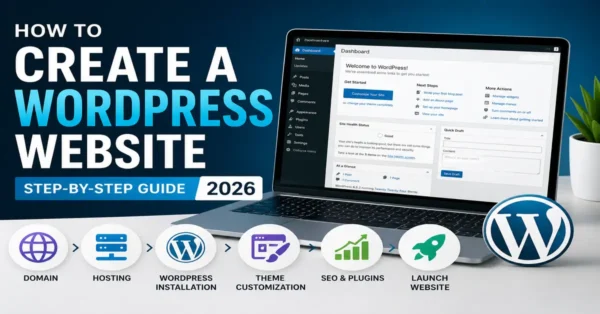
If you want to build a website in 2026, WordPress is still one of the best platforms to start with. Whether you want to create a blog, business website, online store, portfolio, or news portal, WordPress gives you everything you need without requiring advanced coding skills.
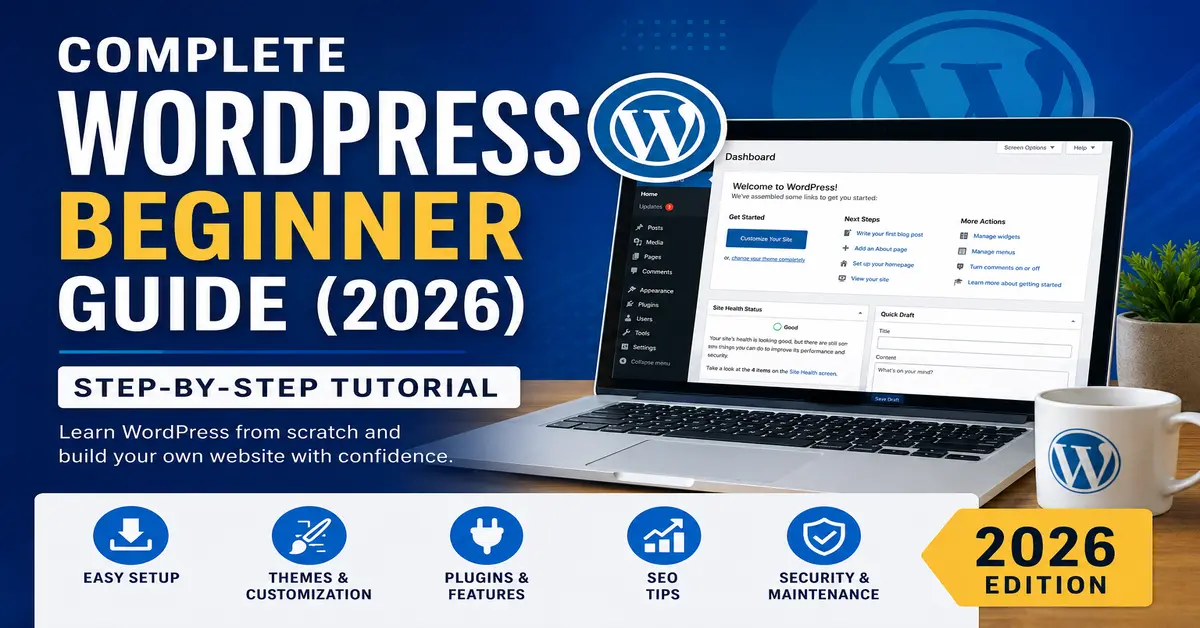
This complete WordPress Beginner Guide is written for people who are starting from zero. You will learn what WordPress is, how it works, how to install it, and how to create your first website step by step.
By the end of this guide, you will understand the basics of WordPress and feel confident managing your own website.
You may also like our related guides: How to Start a Blog
What is WordPress?
WordPress is a popular content management system (CMS) that allows users to create and manage websites easily. It powers millions of websites around the world because it is flexible, beginner-friendly, and highly customizable. I have written detail blog post. Read this: What is WordPress, and how does it work?
You can learn more about WordPress on the official website: WordPress.org.
There are two versions of WordPress:
- WordPress.com – Hosted platform with limited control.
- WordPress.org – Self-hosted version with full control and flexibility.
Most beginners choose WordPress.org because it gives complete ownership and allows unlimited customization.
Why WordPress is Popular in 2026
WordPress continues to grow because it is easy to use and supported by a huge community. Here are some reasons why beginners love WordPress:
- Easy website management
- Thousands of free themes and plugins
- SEO-friendly structure
- Mobile responsive designs
- Regular updates and security improvements
- No coding required for basic websites
To understand SEO basics, visit: Google SEO Starter Guide.
Things You Need Before Starting
Before creating your WordPress website, you need two important things:
- Domain Name – Your website address like example.com
- Web Hosting – A server where your website files are stored
You can also read our detailed article on Best Web Hosting for WordPress.
Many hosting companies now provide one-click WordPress installation, making setup very easy for beginners.
Choose a simple and memorable domain name related to your website topic or business name.
How to Install WordPress
Installing WordPress in 2026 is easier than ever. Most hosting providers offer automatic installation.
Follow these simple steps:
- Login to your hosting account
- Open the hosting control panel
- Find the WordPress installer
- Select your domain name
- Create admin username and password
- Click install
WordPress installation documentation is also available here: Official WordPress Installation Guide.
Within a few minutes, your WordPress website will be ready.
You can access your WordPress dashboard using:
yourwebsite.com/wp-admin
The dashboard is the control center where you manage posts, pages, themes, plugins, users, and settings.
Understanding the WordPress Dashboard
The WordPress dashboard may look confusing at first, but it becomes simple once you understand the basics.
Posts and Pages
Posts are mainly used for blog content, news, and updates. Pages are used for permanent sections like:
- About Us
- Contact
- Services
- Privacy Policy
If you plan to run a blog, you will mostly work with posts.
Read more: Difference Between Posts and Pages in WordPress.
Themes in WordPress
A theme controls the design and appearance of your website.
WordPress offers thousands of free and premium themes. Beginners should start with a lightweight and clean theme because it improves website speed and SEO.
Popular beginner-friendly themes include:
- Astra
- GeneratePress
- Blocksy
- Kadence
You can browse themes on the official directory: WordPress Themes Directory.
To install a theme:
- Go to Appearance → Themes
- Click Add New
- Search for the theme
- Click Install
- Activate the theme
Plugins in WordPress
Plugins add extra features to your website without coding.
For example, plugins can help you:
- Improve SEO
- Create contact forms
- Increase website security
- Speed up your website
- Create online stores
Some useful beginner plugins include:
- Yoast SEO
- Rank Math
- WPForms
- LiteSpeed Cache
- Wordfence Security
You can explore plugins here: WordPress Plugin Directory.
Also, read our guide on Must Have WordPress Plugins.
Do not install too many plugins because they can slow down your website.
How to Create Your First Blog Post
Creating content in WordPress is very simple.
Follow these steps:
- Go to Posts → Add New
- Enter your blog title
- Write your content
- Add images if needed
- Select categories and tags
- Click Publish
Use short paragraphs and clear headings because they improve readability for users and search engines.
Basic SEO Tips for Beginners
SEO helps your website appear in Google search results.
Here are beginner-friendly SEO tips:
- Use your target keyword naturally
- Write clear headings
- Create helpful content
- Optimize images
- Use internal links
- Improve website speed
- Make your website mobile-friendly
You may also read:
Google PageSpeed Insights can help test website speed: PageSpeed Insights.
How to Keep Your WordPress Website Secure
Website security is very important in 2026 because cyber threats continue to increase.
Here are simple ways to secure your website:
- Use strong passwords
- Keep WordPress updated
- Update themes and plugins regularly
- Install a security plugin
- Enable backups
- Use SSL certificates
You can learn more about security best practices here: WordPress Security Guide.
Common Mistakes Beginners Should Avoid
Many beginners make simple mistakes that affect website performance.
Avoid these common issues:
- Using too many plugins
- Ignoring website backups
- Choosing poor-quality hosting
- Publishing copied content
- Not optimizing images
- Ignoring mobile responsiveness
Learning slowly and focusing on quality is the best approach for long-term success.
Final Thoughts
This WordPress Beginner Guide gives you a strong foundation to start your website journey in 2026. WordPress is beginner-friendly, powerful, and flexible enough for almost every type of website.
You do not need to become a professional developer to build a successful website. Start with the basics, practice regularly, and improve your skills step by step.
With patience and consistent effort, you can create a fast, professional, and SEO-friendly WordPress website.
Continue learning with these resources:
Frequently Asked Questions
Is WordPress free to use?
Yes, WordPress itself is free. However, you still need hosting and a domain name to create a live website.
Can beginners use WordPress easily?
Yes, WordPress is beginner-friendly and does not require coding knowledge for basic website creation.
Which is better: WordPress.com or WordPress.org?
WordPress.org is better for most users because it provides full control, customization, and flexibility.
How long does it take to learn WordPress?
Most beginners can learn the basics within a few days and become comfortable with WordPress after regular practice.
Do I need coding knowledge for WordPress?
No, coding is not required for basic WordPress websites. Many tasks can be done using themes, plugins, and drag-and-drop builders.
Stay updated with our latest news, special offers, and exclusive updates directly in your inbox.