Last Updated on July 28, 2026
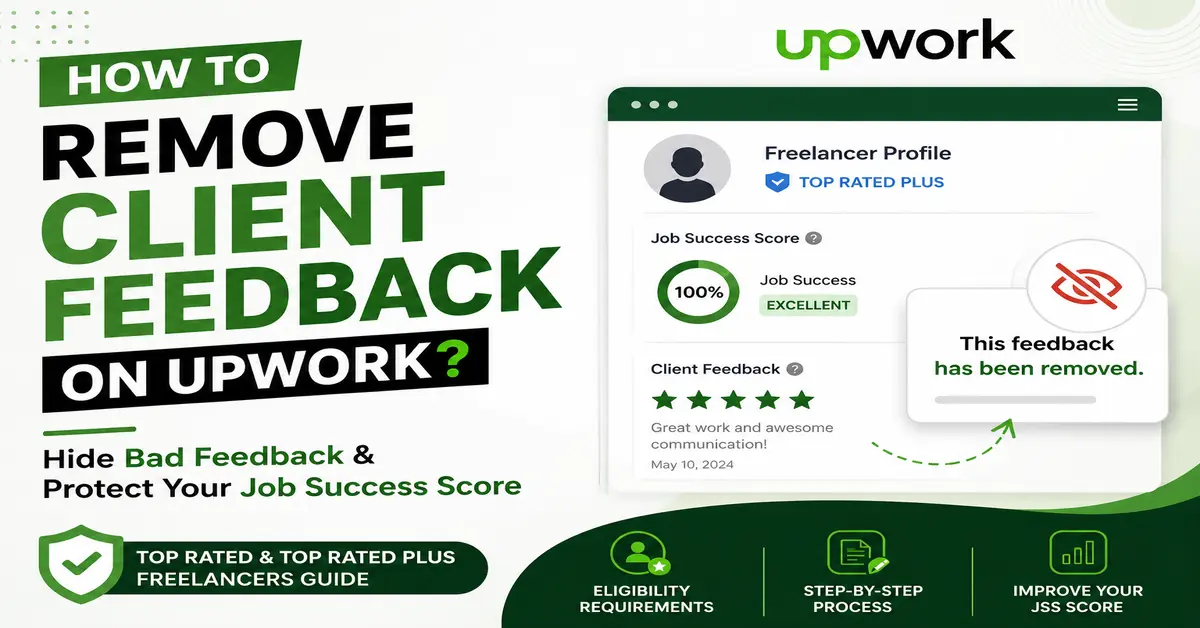
Getting negative client feedback on Upwork can affect your freelancer profile and may impact your Job Success Score (JSS). If you are a Top Rated or Top Rated Plus freelancer, Upwork provides an option to request feedback removal under specific conditions.
In this guide, you will learn how to hide client feedback on Upwork, what requirements you need to meet, how feedback removal affects your profile, and the latest Upwork rules for freelancers.
Important: Feedback removal is not available for every freelancer. Your profile must meet Upwork’s eligibility requirements before submitting a request.
Also Read: Top 10 Upwork Tips for Beginners
Can You Hide Client Feedback on Upwork?
Yes, eligible freelancers can request Upwork to remove client feedback. However, Upwork does not allow freelancers to delete reviews whenever they want. The feedback removal option is available only for freelancers who meet specific requirements.
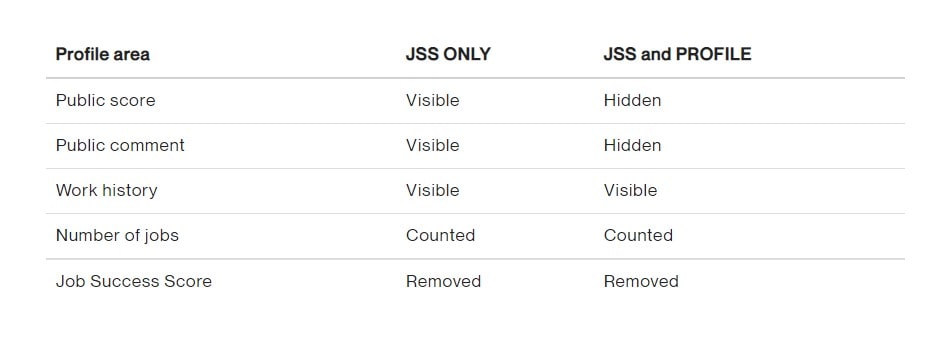
Upwork provides two different feedback removal options:
- Remove feedback impact from Job Success Score:
The feedback will still appear publicly on your profile, but it will not affect your JSS. - Hide feedback from your profile and Job Success Score:
The public feedback will be removed and replaced with: “This feedback has been removed”.
How Removed Feedback Appears on Upwork Profile
When feedback is removed, some information may remain visible depending on the situation.
- The client’s feedback comment will be replaced with “This feedback has been removed” in your public work history.
- Feedback you provided to the client may remain visible unless the client requests its removal.
- If the client responded to your feedback, that response may continue to appear.
How to hide client feedback on Upwork
Requirements to Remove Client Feedback on Upwork
Before requesting feedback removal, make sure you meet Upwork’s eligibility requirements.
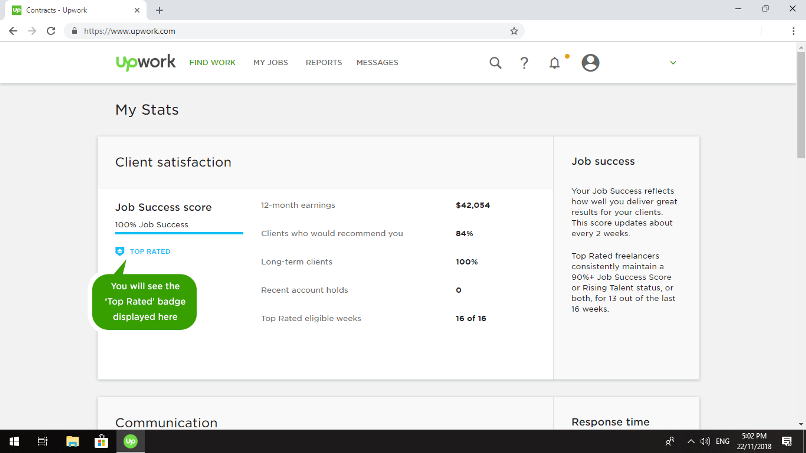
- You must have a Top Rated or Top Rated Plus freelancer badge.
- You must have completed the required number of contracts after your previous feedback removal request.
- Feedback removal requests are limited and cannot be submitted frequently.
- For agency contracts, only authorized agency members can request feedback removal.
Note: Removing feedback does not always guarantee an increase in your Job Success Score. Your JSS is calculated using multiple factors, including client satisfaction, contract history, and recent performance.
How to Request Feedback Removal on Upwork?
If you meet the requirements, you can request feedback removal through the Upwork Help Center or your freelancer support options.
Step 1: Check Your Eligibility
First, confirm that your account qualifies for feedback removal. Only eligible freelancers can submit this request.
Step 2: Contact Upwork Support
Open a support request through the Upwork Help Center and provide the required details:
- Your contract ID
- The reason you want the feedback removed
- Your preferred option:
- JSS Only: Feedback remains visible on your profile but does not affect your JSS.
- Hide from Profile: Feedback is removed from your public work history and replaced with
“This feedback has been removed.”
How to hide client feedback on Upwork
Image Credit: Upwork
Does Removing Client Feedback Improve Upwork Job Success Score?
Removing client feedback may help protect your Job Success Score, but it does not automatically increase your score.
Upwork calculates JSS using different performance factors, such as:
- Client satisfaction
- Private client feedback
- Long-term contract success
- Contract outcomes
- Recent work history
The best way to improve your JSS is to deliver quality work, maintain good communication, and build long-term relationships with clients.
Tips to Avoid Bad Client Feedback on Upwork
- Clearly understand project requirements before accepting a contract.
- Keep regular communication with clients.
- Set realistic deadlines and expectations.
- Update clients about your progress.
- Try to solve issues before ending a contract.
Also Read: Top 10 Upwork Mistakes Made by New Freelancers
Frequently Asked Questions About Hiding Client Feedback on Upwork
Can freelancers remove client feedback on Upwork?
Yes, eligible freelancers can request feedback removal on Upwork. However, only freelancers meeting Upwork’s requirements, such as having a Top Rated or Top Rated Plus badge, can submit a request.
Can I hide bad feedback from my Upwork profile?
Yes, eligible freelancers can request to hide feedback from their public profile. When approved, the feedback is replaced with “This feedback has been removed.”
Does removing feedback remove it from Job Success Score?
Upwork provides an option to remove the feedback impact from your Job Success Score. However, your overall JSS depends on multiple performance factors.
How often can I request Upwork feedback removal?
Feedback removal requests are limited. Upwork allows requests only when freelancers meet the required conditions and eligibility criteria.
What happens after Upwork removes client feedback?
The feedback comment is removed from your public profile and replaced with “This feedback has been removed.” Other profile information may remain unchanged.
Stay updated with our latest news, special offers, and exclusive updates directly in your inbox.