How do I add an RSS feed to my Joomla site?
RSS feed is a way to provide website content to be syndicated for the usage of other websites and publish […]
Last Updated: March 2026 If you’re working on Upwork, Connects are like credit points used to submit proposals for jobs.
How to Get Connects on Upwork (Free & Paid Methods Explained) Read Post »
If you’re struggling to get your first job or not receiving replies on your bids, the problem is likely your proposal. Learning how to write a proposal on Upwork can completely change your freelancing journey.
How to Write a Proposal on Upwork (Step-by-Step Guide for Beginners) Read Post »
Upwork provides payment hourly protection to freelancers and agencies for hours validly billed according to the eligibility requirements below in
If you are planning to create a WordPress website in India, choosing the right hosting company is one of the most important decisions. A good hosting service improves your website speed, SEO ranking, security, and user experience.
Welcome to this complete step-by-step guide on how to install WordPress on Windows 10 and Windows 11 using XAMPP. If
How to Install WordPress on Windows 10 and Windows 11 (2026 Updated Guide) Read Post »
Nowadays, everyone wants to become smart and intelligent and every field demands fast work, So all of these things are
Is your computer running slower than it used to? You’re not alone. Many users notice that their PC becomes sluggish
How to Make Your Computer Run Faster in 2026: 10 Proven Ways to Speed Up a Slow PC Read Post »
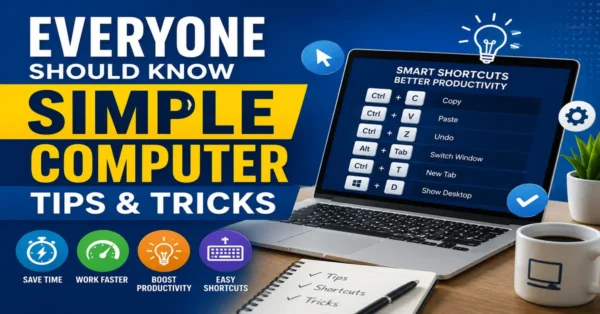
Whether you use a computer for work, study, business, or entertainment, learning a few computer tips and tricks can save
Everyone Should Know These Simple Computer Tips and Tricks 2026 Read Post »
You will learn how to install WordPress using cPanel in this tutorial. if you want to learn about How to
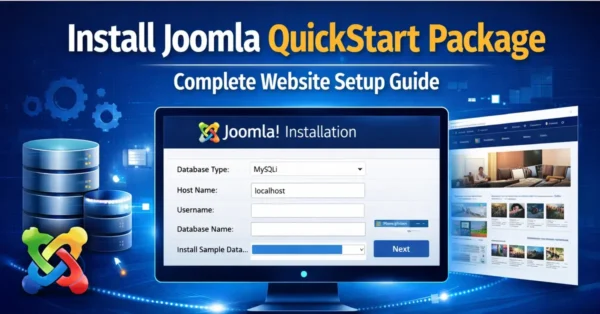
A QuickStart package is one of the fastest and most efficient ways to build a fully functional website using Joomla CMS.
How to Install Joomla QuickStart Package – Complete Step-by-Step Guide Read Post »
Enable Joomla Debug Configuration PHP to display detailed PHP errors and troubleshoot your Joomla 6 website. Learn how to enable Maximum or Development error reporting using the Joomla Administrator or the configuration.php file to quickly identify and fix website issues.
Joomla Enable Debug Configuration PHP (Joomla 6 Guide) Read Post »
Joomla is the CMS to use and develop world-class websites; the number of extensions on Joomla gives a way to
Want to create a new module in Joomla 5? This beginner-friendly tutorial explains how to create, configure, assign, and publish Joomla modules from the administrator panel. Learn module positions, menu assignments, advanced settings, permissions, and best practices with step-by-step instructions.
Joomla 5: How to Create a New Module from the Backend? (Step-by-Step Guide) Read Post »
Learn everything about the Joomla 5 Control Panel in this beginner-friendly tutorial. Discover how to access the Administrator Dashboard, manage articles, users, menus, modules, extensions, updates, and other essential Joomla features.
Joomla 5 Control Panel Explained: Complete Beginner’s Guide Read Post »
Learn how to add a free website push notification service to your website using Webpushr. Increase returning visitors, boost engagement, and send browser notifications in minutes.
How to Add Free Website Push Notification (2026 Guide) Read Post »
Google Search Console is a very important tool for bloggers. It’s provided by Google. In this tutorial, we will learn
Want to learn how to start a blog for free and make money? This complete beginner’s guide covers choosing a niche, setting up your blog, creating content, driving traffic, and monetizing your website using Google AdSense, affiliate marketing, sponsored posts, and more.
How to Start a Blog for Free and Make Money? (Complete Beginner’s Guide) Read Post »
The XAMPP installation is a very easy task, but Windows 10 sometimes might not allow the Apache server to run.
This article will provide you with information about how you can install the XAMPP server into your Windows 10 computer.