Last Updated on August 21, 2026
When you want to build and test a PHP website on your own computer, you need a local PHP development environment. Instead of uploading every change to a live server, a local environment lets you run PHP, Apache, and a database directly on your computer.
WAMP vs XAMPP is one of the most common comparisons for developers who are setting up a local web server. Both are popular all-in-one development stacks that make it easier to run PHP-based websites and applications locally.
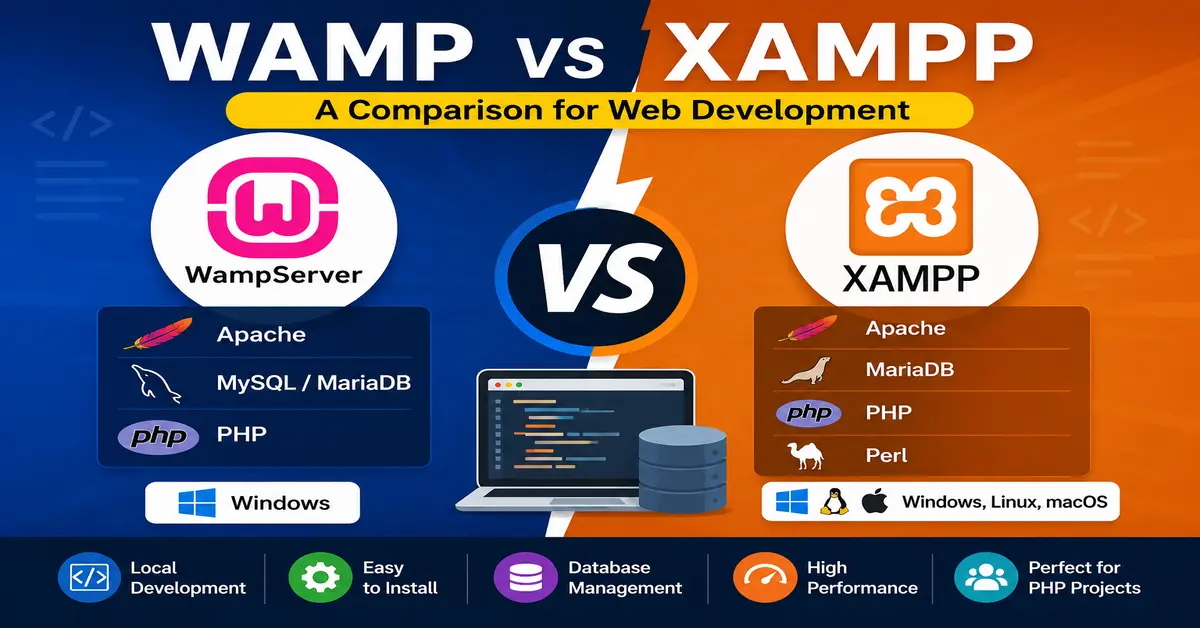
However, they are not exactly the same. WampServer is designed specifically for Windows, while XAMPP is available for multiple operating systems. They also differ in their bundled components, management interfaces, PHP and database options, and overall workflow.
In this guide, we will compare WAMP vs XAMPP in simple terms so you can decide which local development environment is better for your projects, including PHP, WordPress, Joomla, and other PHP-based applications.
WAMP vs XAMPP: What Is the Difference?
Both WAMP and XAMPP provide the software needed to create a local web server environment. Instead of installing Apache, PHP, a database server, and supporting tools separately, these packages bring many of the required components together.
Joomla’s own documentation describes WAMP as a Windows-based local hosting option and XAMPP as a cross-platform option. Both can be used to create a local development environment for websites and web applications. Joomla’s local hosting documentation also explains the basic difference between the two approaches.
The biggest difference is simple:
- WAMP: Designed specifically for Windows.
- XAMPP: Designed as a cross-platform development stack.
For a Windows-only developer, both can be useful. If you regularly work on Windows, macOS, and Linux, XAMPP has an obvious advantage because of its broader platform support.
What Is WAMP?
WAMP generally refers to a Windows-based web development stack consisting of Windows, Apache, MySQL or MariaDB, and PHP. WampServer is one of the best-known implementations of this type of local development environment.
WampServer provides Apache, PHP, database support, and tools such as phpMyAdmin so that you can develop and test PHP applications locally.
Its main advantage is its focus on Windows. If you use a Windows PC and want a straightforward environment for PHP development, WampServer can be a convenient choice.
The official WampServer website currently lists WampServer 3.4.0 with multiple PHP versions, Apache 2.4.65, MySQL 8.4.7, MariaDB 11.4.9, phpMyAdmin 5.2.3, and other tools. This makes modern WampServer installations considerably more flexible than older versions of WAMP that were often described simply as “Apache + MySQL + PHP.” Check the current WampServer components.
What Does WAMP Stand For?
WAMP is commonly expanded as:
- W – Windows
- A – Apache
- M – MySQL
- P – PHP
In practice, modern WampServer installations can work with both MySQL and MariaDB, so the traditional expansion does not tell the whole story about the software available today.
What Is XAMPP?
XAMPP is another popular all-in-one local development environment. The name traditionally refers to cross-platform support, Apache, MySQL, PHP, and Perl.
One important modern change is that the official XAMPP distribution now describes itself as an Apache distribution containing MariaDB, PHP, and Perl. In other words, when working with current XAMPP packages, it is more accurate to refer to the bundled database as MariaDB rather than automatically calling it MySQL.
XAMPP is available for major desktop platforms, including Windows, Linux, and macOS. This makes it attractive to developers who want a similar local development approach across different operating systems.
The official Apache Friends website also includes tools such as phpMyAdmin and the XAMPP Control Panel. Depending on the platform and package, XAMPP can include additional components such as Perl, FileZilla, and other utilities.
You can check the official XAMPP download page for the currently available packages and bundled component versions.
What Does XAMPP Stand For?
XAMPP is traditionally explained as:
- X – Cross-platform
- A – Apache
- M – MySQL
- P – PHP
- P – Perl
As with WAMP, the traditional name can be slightly misleading when compared with today’s actual package contents because current XAMPP distributions use MariaDB rather than MySQL.
WAMP vs XAMPP: Side-by-Side Comparison
| Feature | WAMP / WampServer | XAMPP |
|---|---|---|
| Primary platform | Windows | Windows, Linux, macOS |
| Web server | Apache | Apache |
| PHP | Yes, with multiple versions available in current WampServer releases | Yes |
| Database | MySQL and MariaDB options | MariaDB in current official packages |
| Database management | phpMyAdmin and other tools | phpMyAdmin |
| Perl | Not a core WampServer component | Included |
| Control interface | Windows system tray interface | XAMPP Control Panel |
| Best suited for | Windows-based PHP development | Cross-platform local development |
Installation and Platform Compatibility
WAMP on Windows
WampServer is designed for Windows, which makes it a natural choice if your development computer runs Windows.
The installation process provides the basic services required for PHP development. Once installed, you can manage Apache, PHP, and database services through the WampServer interface.
This Windows-focused approach can be convenient if you do not need to move your local development environment between different operating systems.
XAMPP on Windows, Linux, and macOS
XAMPP has a major advantage when it comes to platform compatibility. Developers can use XAMPP on Windows, Linux, and macOS.
This can be particularly useful when a development team uses different operating systems. Instead of choosing a completely different local server package for every platform, developers can use the same general XAMPP workflow.
For example, one developer might use Windows while another uses Linux. XAMPP gives both developers a familiar approach to running Apache, PHP, and a database locally.
Features and Components: WAMP vs XAMPP
Both platforms provide the essential components required for traditional PHP development, but their bundled tools are different.
WampServer Features
WampServer focuses primarily on the Windows PHP development experience. Current releases provide Apache, multiple PHP versions, MySQL and MariaDB options, phpMyAdmin, and additional administration tools.
This makes WampServer useful when you need to test a website against different PHP versions. For example, a developer maintaining an older Joomla or WordPress website may need to test compatibility with a specific PHP release before upgrading the production server.
XAMPP Features
XAMPP provides Apache, PHP, MariaDB, phpMyAdmin, Perl, and several additional tools depending on the platform and package.
The extra components can be useful for developers who need more than a basic Apache and PHP environment. However, you do not need to run every bundled service. For a simple PHP website, you may only need Apache, PHP, and the database service.
WAMP vs XAMPP for PHP Development
If your primary goal is PHP development, both WAMP and XAMPP can provide the basic environment you need.
Your choice should depend more on your operating system, project requirements, required PHP version, database compatibility, and preferred workflow than on the name of the package.
For example, if you are developing a Joomla website locally, you should check the PHP and database requirements of the Joomla version you are using. The same principle applies to WordPress, Laravel, and custom PHP applications.
It is also important to use a PHP version that your project actually supports. Installing the newest PHP version is not always the correct choice for an older application because extensions or third-party code may not yet be compatible.
WAMP vs XAMPP for WordPress
Both WAMP and XAMPP can be used to run WordPress locally. A local installation is useful when you want to develop a new website, test a theme or plugin, troubleshoot an issue, or experiment with changes without affecting a live website.
If you are using Windows, either option can work well. XAMPP is especially popular among beginners because many WordPress tutorials use it as an example of a local development environment.
Before installing WordPress locally, always check the PHP, database, and web server requirements of the WordPress version you plan to use.
If you want to use XAMPP for WordPress, you can also read our tutorial: How to Install WordPress on Windows using XAMPP.
WAMP vs XAMPP for Joomla Development
Joomla developers can also use both WAMP and XAMPP for local development.
A local Joomla installation is useful when testing Joomla upgrades, extensions, templates, custom PHP code, database changes, and configuration settings before making changes to a production website.
If you are developing Joomla on Windows, WampServer is a practical option. XAMPP is also suitable, particularly if you already use it for other PHP projects or need a cross-platform environment.
When setting up Joomla locally, the most important thing is not simply choosing WAMP or XAMPP. You should make sure that the selected PHP version, database server, Apache configuration, and installed extensions match the requirements of your Joomla project.
User Interface and Ease of Use
WampServer Interface
WampServer uses a Windows system tray interface to manage its services. This provides quick access to Apache, PHP, MySQL, MariaDB, and other configuration options.
For Windows users, the interface is straightforward once you understand what the different service states mean.
XAMPP Control Panel
XAMPP uses a dedicated control panel where you can start and stop services such as Apache and MySQL/MariaDB.
The control panel makes it easy for beginners to see which services are running. It also provides quick access to configuration files, logs, and related tools.
For a beginner, neither interface is particularly difficult to learn. The better choice usually comes down to which workflow feels more comfortable to you.
PHP Version Management
PHP version compatibility has become increasingly important for modern web development.
Different projects may require different PHP versions. For example, an older Joomla or WordPress project may not work correctly on the newest PHP release, while a new project may require a newer PHP version.
Current WampServer releases provide multiple PHP versions that can be installed and selected, which can be useful for developers who regularly maintain different projects.
With XAMPP, PHP version changes can require installing or configuring a different package or manually replacing components. Therefore, developers who frequently switch PHP versions should consider this difference before choosing their local development environment.
Performance and Resource Usage
It is common to see claims that WAMP is always faster or uses fewer resources than XAMPP. In reality, there is no universal performance winner.
Both environments use similar core technologies such as Apache, PHP, and a database server. Actual CPU and memory usage depends on which services are running, the PHP version, extensions, database workload, operating system, and the project itself.
For normal local development, the performance difference between WAMP and XAMPP is unlikely to be the deciding factor.
Instead of choosing one because someone says it is “faster,” choose the environment that provides the PHP and database versions, extensions, and workflow your project requires.
Updates and Community Support
Both WAMP and XAMPP have been used by PHP developers for many years and have extensive online documentation and community resources.
However, you should not assume that one package is always more up-to-date than the other. The bundled versions of Apache, PHP, MariaDB, phpMyAdmin, and other components can change independently.
For this reason, always check the official download page before installing a local development environment. This is particularly important when you need a specific PHP version for Joomla, WordPress, Laravel, or another PHP application.
You can check the official WampServer website and the Apache Friends XAMPP website for current package information.
Security: Is WAMP or XAMPP Safe?
WAMP and XAMPP are primarily intended for local development, not for exposing a development server directly to the public internet.
A local server may have development-friendly settings, default credentials, open ports, phpMyAdmin access, or other configuration choices that would not be appropriate for a production server.
Therefore, do not treat a default WAMP or XAMPP installation as a production hosting environment.
If you need to test a website locally, keep the development environment restricted to your computer or private development network unless you understand and have secured every service that you expose.
WAMP vs XAMPP: Which One Should You Choose?
There is no single answer that is right for every developer.
Choose WAMP If…
- You use Windows as your primary development operating system.
- You mainly work with PHP and Apache.
- You want a Windows-focused development environment.
- You need to test different PHP versions locally.
- You want a simple environment for Joomla, WordPress, or custom PHP projects.
Choose XAMPP If…
- You need a cross-platform local development environment.
- You work with Windows, Linux, or macOS.
- You prefer the XAMPP Control Panel.
- You want additional bundled development tools.
- You already have projects and workflows based around XAMPP.
What About Laragon and Other Modern Alternatives?
WAMP and XAMPP are not the only choices available today. Developers working on Windows may also consider tools such as Laragon, while teams looking for reproducible environments may use Docker or WSL.
These tools solve slightly different problems. For example, a container-based workflow can make it easier to reproduce the same development environment across different computers and team members.
If your goal is simply to run a PHP website locally, however, you do not necessarily need a more complicated setup. WAMP or XAMPP can still be perfectly practical choices for many projects.
WAMP vs XAMPP: Final Verdict
So, WAMP vs XAMPP: which one is better?
If you are a Windows user who wants a focused PHP development environment, WampServer is an excellent choice. Its Windows-specific design and support for multiple PHP and database versions can make it particularly useful for developers maintaining different PHP projects.
If you need a cross-platform local PHP development environment, XAMPP is the more obvious choice. It provides a familiar all-in-one package for Windows, Linux, and macOS and includes several additional development tools.
For most developers, the decision should be based on operating system, project requirements, PHP version, database compatibility, and workflow rather than a general claim that one is faster or better.
In short, choose WAMP if you want a Windows-focused environment, and choose XAMPP if cross-platform support and its bundled toolset are more important to you.
Frequently Asked Questions About WAMP vs XAMPP
Which is better, WAMP or XAMPP?
Neither is universally better. Wamp Server is a good choice for Windows-focused PHP development, while XAMPP is a better fit when you need a cross-platform local development environment. Your project’s PHP, database, operating system, and tooling requirements should determine the choice.
Can I use WAMP and XAMPP for WordPress?
Yes. Both WAMP and XAMPP can be used to install and run WordPress locally. They provide the Apache, PHP, and database environment required for local WordPress development.
Can I use WAMP and XAMPP for Joomla?
Yes. Both WAMP and XAMPP can be used to run Joomla locally. Before installing Joomla, check that your selected PHP version, database server, and required extensions meet the requirements of your Joomla version.
Is WAMP only for Windows?
WampServer is designed for Windows. If you need a local development environment that works across Windows, Linux, and macOS, XAMPP provides broader platform support.
Is XAMPP still useful for PHP development?
Yes. XAMPP remains useful for local PHP development, learning, testing, WordPress, Joomla, and other PHP-based projects. However, you should check the PHP and database versions included in the package and make sure they match the requirements of your project.
Conclusion
WAMP and XAMPP both make local web development much easier by bringing the major components of a PHP development environment together. The right choice depends on what you are building and how you work.
For Windows developers who want a Windows-focused environment with flexible PHP and database options, WampServer is a strong choice. For developers who need cross-platform support or prefer the XAMPP workflow, XAMPP remains a practical option.
Whatever you choose, remember that a local development environment is primarily for development and testing. Always test your project with the same or compatible PHP and database versions that you plan to use on the production server.
Stay updated with our latest news, special offers, and exclusive updates directly in your inbox.