Last Updated on June 7, 2026
Welcome to this comprehensive Joomla 5 tutorial for beginners. Whether you’re new to Joomla or looking to upgrade your skills, this guide will help you learn the fundamentals of Joomla 5 and build professional websites with confidence.
In this step-by-step tutorial, you’ll discover how to install Joomla 5, create and manage content, work with menus and modules, customize templates, install extensions, and optimize your website for performance and security. By the end of this guide, you’ll have a solid understanding of Joomla 5 and the skills needed to create and manage a fully functional website.
Why Choose Joomla 5?
Joomla is a powerful, flexible, and open-source Content Management System (CMS) used by millions of website owners, businesses, and developers worldwide. Joomla 5 introduces significant improvements in performance, security, accessibility, and user experience, making it an excellent choice for modern website development.
Some of the key features of Joomla 5 include:
- Modern administration interface with Dark Mode support
- Improved performance and code optimization
- Enhanced security features
- Advanced media management
- Web Asset Manager for better asset handling
- Improved caching and loading speed
- Better accessibility compliance
- Support for PHP 8.x and newer technologies
- Flexible user management and access control
Whether you’re building a blog, business website, portfolio, community platform, or eCommerce store, Joomla 5 provides the tools and flexibility needed to create a secure, scalable, and professional online presence.
Joomla 5 Basic Tutorial
This beginner-friendly tutorial will guide you through the following:
- Installation: You will learn how to install Joomla 5 on your web hosting platform. For more detailed information, read our tutorial: Mastering Joomla 5: A Beginner’s Guide. Here you will learn the Joomla 5 installation process step by step.
- Administrator: Get familiar with the Joomla 5 administrator dashboard, where you’ll manage your website’s content, menus, media, and users.
- Content Creation: Learn how to create content like articles, images, and banners to display on your website.
- Menu Management: Learn how to create menus and submenus and make it easy for visitors to find what they want.
- Template Customization: Explore how to personalize the look and feel of your website using built-in templates or installing new ones.
So now we are starting from the second point because the first was already explained in our previous tutorial.
Joomla 5 Administrator
2. Administrator: The Joomla 5 administrator panel is similar to Joomla 4, with only a few improvements added. You have to add an administrator after the domain, like below:
https://domainname.com/administrator/

The screenshot shows Content, Menus, Components, Users, System, and Help on the left sidebar.

On the right side, admin module blocks are showing as Site, System, and Notifications, created using the Quick Icon admin module. Other administrator modules are Logged-in Users, Sample Data, Latest Actions, etc., and you can add more admin modules here.
Joomla 5 Content Manager
3. Content Creation: In this tab, Joomla 5 offers Articles, Categories, Featured Articles, Field Groups, Media, Site Modules, and Administrator Modules. Currently, we are talking about the default or built-in features of Joomla 5.

Learn about: How to Create Contact Form in Joomla 5
Joomla 5 offers a variety of WYSIWYG (What You See Is What You Get) editors, allowing you to create content visually, much like a word processor. This eliminates the need for manual coding and provides a familiar interface for crafting content. The default editors provide a good foundation; we can use third-party options that might offer additional functionalities.
In the above screenshot, the three option articles, categories, and featured articles belong to the same component, com_content. It allows the author to create posts, insert well-formatted data, and categories, or make them featured and displayed on the front end.
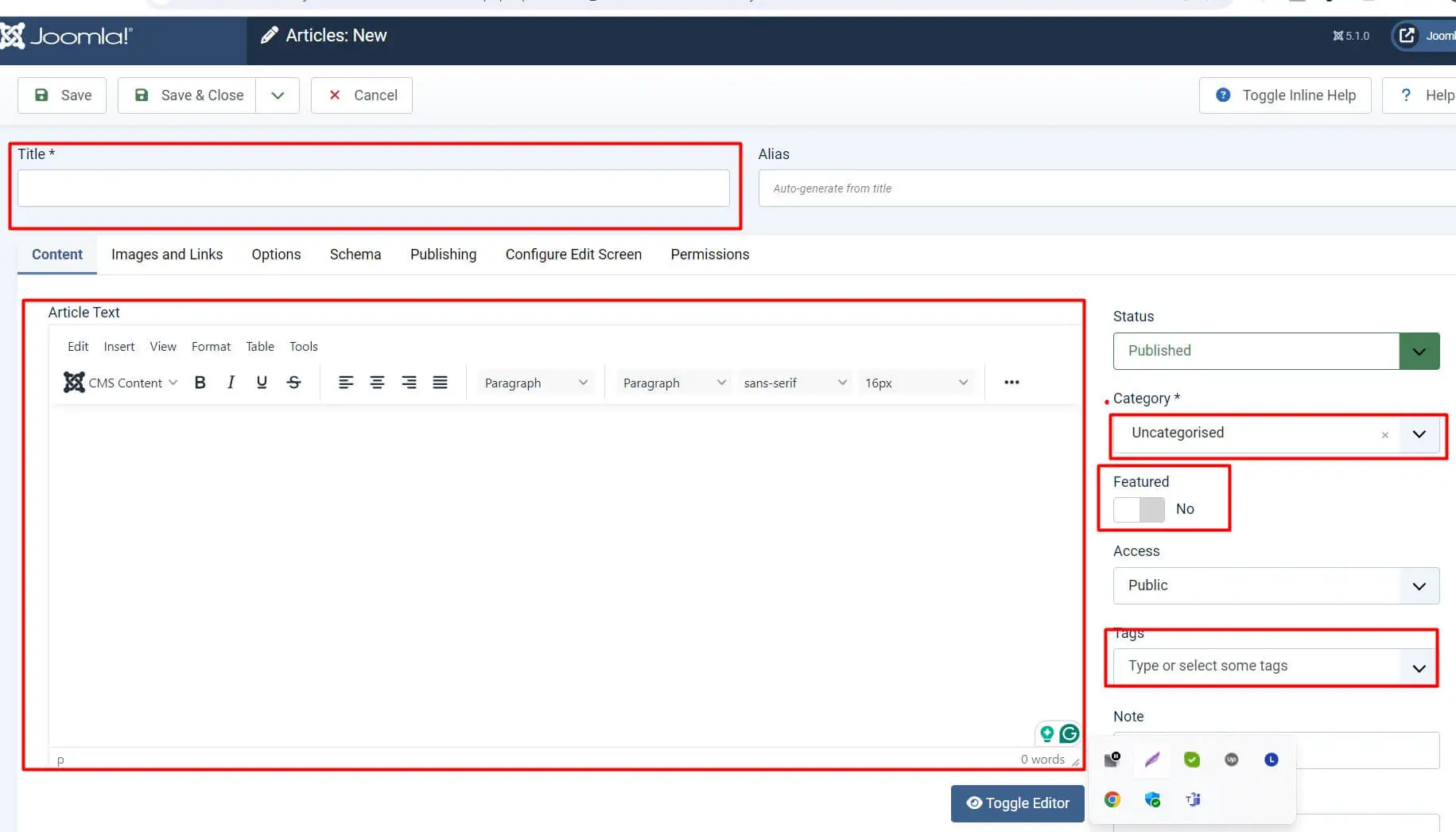
Fields and Fields Groups come with another extension called com_fields and you can create custom fields for content and categorise them by groups.

Media: This is also one of the default features of Joomla 5. It has improved from the old Joomla versions and offers adjustable thumbnails. you can create folders and upload images here.
Learn about: How to use Smart Search in Joomla 5

Joomla5 Modules
Site Module: In Joomla 5, there are only 3 site modules installed, like Breadcrumbs, Main Menu, and Login Form. We can install more modules or create new modules from default modules.
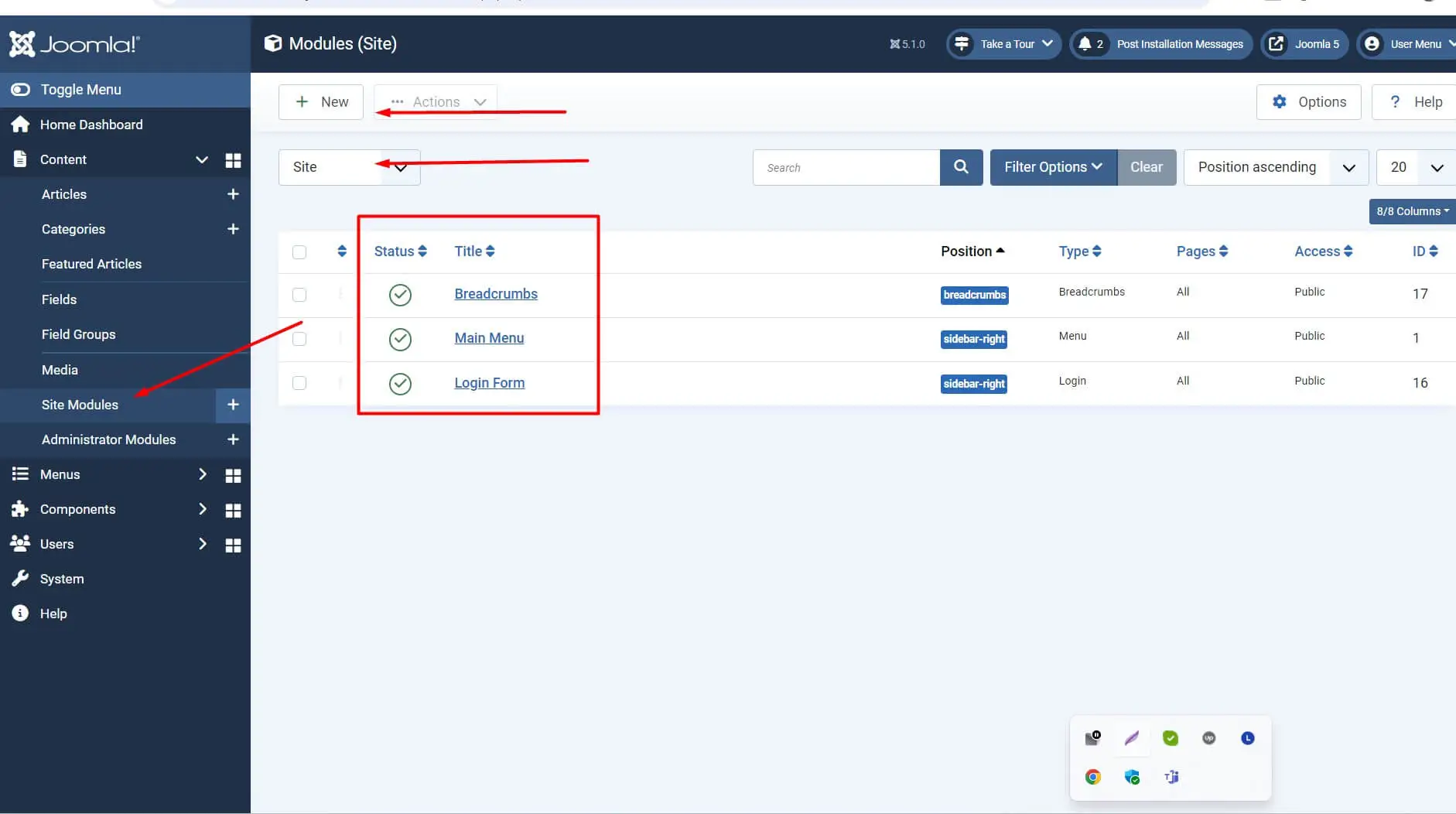
Administrator Modules: These are the modules that are only accessible in the administrator panel. and only the admin can manage it and create it. admin can assign locations for the admin dashboard.

Joomla 5 Menus
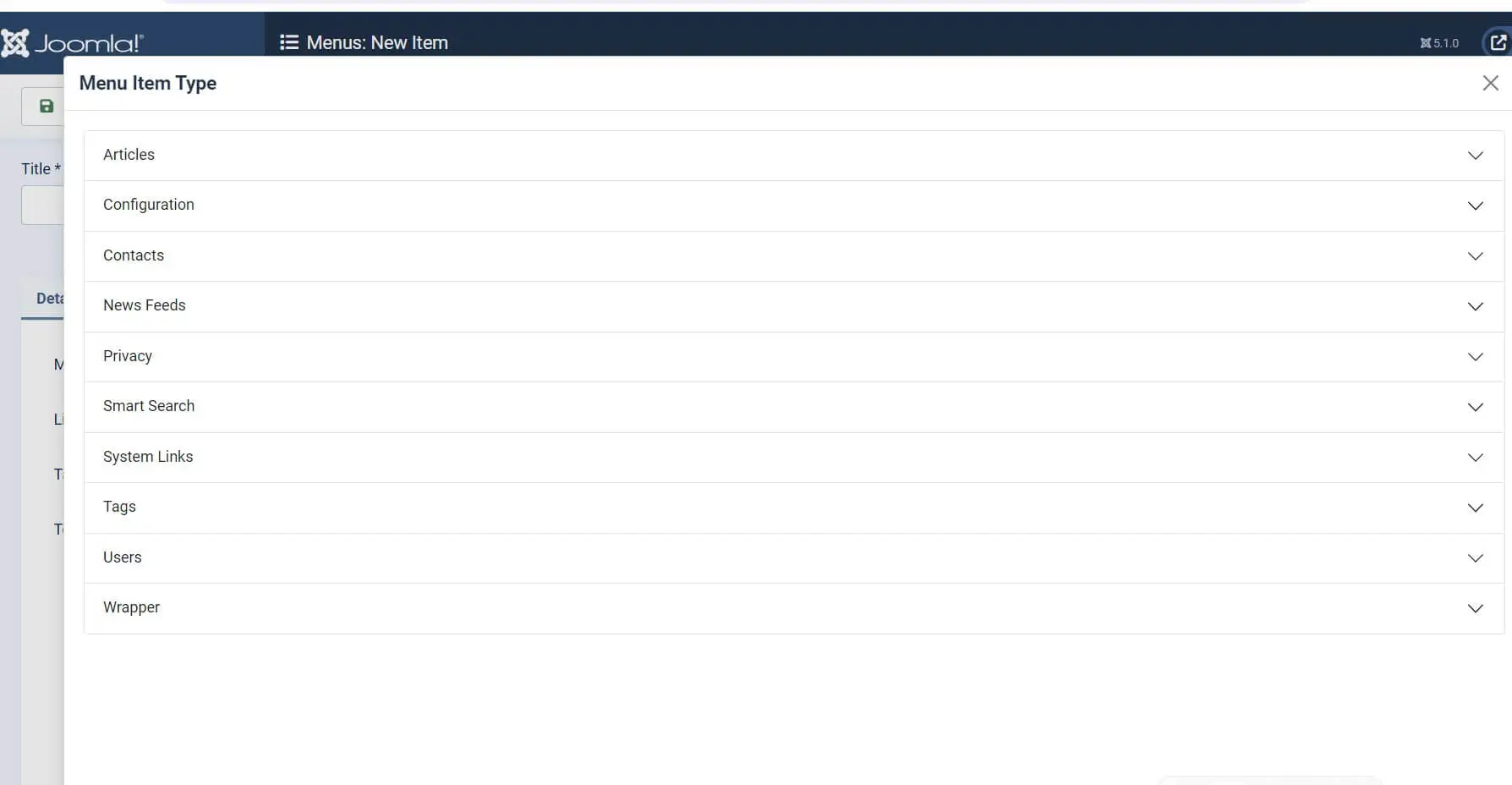
4. Menu Management: In this option, the admin can create a menu and menu items. The default is the Main Menu, and the menu item is Home. We can create a menu item type as shown in the screenshot.
5. Template Customization: Go to System-> Site Templates

In the Joomla template manager, we can install a new template or use an existing template and customize it according to your requirements. In the template folder, you can find the HTML folder and override layouts. We can override the layout of each component and module. We can modify CSS and JS to make changes to the template.
Learn about: Mastering RSS Newsfeeds in Joomla 5: A Comprehensive Tutorial

Conclusion
Joomla 5 is a powerful, flexible, and user-friendly Content Management System (CMS) that enables beginners and professionals to create modern websites with ease. With its improved performance, enhanced security, advanced user management, and extensive customization options, Joomla 5 remains one of the best open-source CMS platforms available today.
In this Joomla 5 tutorial for beginners, we explored the fundamentals of Joomla, including installation, content management, menus, modules, templates, extensions, SEO, security, and website optimization. By understanding these core concepts, you can confidently build and manage professional websites without extensive coding knowledge.
As you continue your Joomla journey, keep your website updated, follow security best practices, and explore the vast ecosystem of Joomla extensions and templates. With the right approach, Joomla 5 can help you create scalable, secure, and feature-rich websites for any purpose.
Frequently Asked Questions (FAQ)
What is Joomla 5?
Joomla 5 is the latest version of the Joomla Content Management System (CMS), designed to help users create, manage, and maintain websites with improved performance, security, and usability.
Is Joomla 5 free to use?
Yes, Joomla 5 is completely free and open-source software distributed under the GNU General Public License (GPL).
Is Joomla 5 suitable for beginners?
Yes. Joomla 5 provides a user-friendly administration interface, flexible content management tools, and extensive documentation, making it suitable for beginners and experienced users alike.
What are the system requirements for Joomla 5?
Joomla 5 requires PHP 8.x or later, a supported MySQL or MariaDB database, and a compatible web server such as Apache or Nginx.
Can I create an eCommerce website with Joomla 5?
Yes. Joomla supports several eCommerce extensions, including VirtueMart and HikaShop, allowing you to create fully functional online stores.
Is Joomla 5 good for SEO?
Yes. Joomla includes built-in SEO features such as Search Engine Friendly (SEF) URLs, metadata management, URL rewriting, and structured content organization.
How do I update Joomla 5?
You can update Joomla 5 through the Joomla Update component in the administrator dashboard or by performing a manual update following official Joomla documentation.
Can I install extensions in Joomla 5?
Yes. Joomla allows you to install components, modules, plugins, templates, and language packs through the Extension Manager.
What types of websites can be built with Joomla 5?
Joomla can be used to create blogs, business websites, portfolios, membership sites, educational portals, community websites, government websites, and eCommerce stores.
Why should I choose Joomla 5 over other CMS platforms?
Joomla offers powerful user access control, multilingual support, advanced content management features, strong security, and excellent flexibility for website development.
Stay updated with our latest news, special offers, and exclusive updates directly in your inbox.