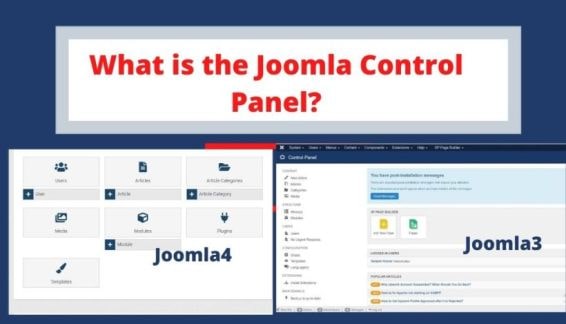
Upgrading your website from Joomla 4 to Joomla 5 is important to keep your site secure, fast, and compatible with modern PHP versions. Joomla 5 brings improved performance, cleaner code, and better long-term support.
Joomla 5 is the latest major release of the Joomla CMS. If your website is currently running Joomla 4, upgrading to Joomla 5 will improve security, performance, and compatibility with modern PHP versions.
In this guide, I will explain how to safely upgrade Joomla 4 to Joomla 5 without breaking your website.
Why Upgrade from Joomla 4 to Joomla 5?
Before upgrading, let’s understand why Joomla 5 is important.
Key benefits of Joomla 5:
-
Improved performance and optimized code
-
Better compatibility with PHP 8.2+
-
Enhanced security
-
Removal of deprecated Joomla 3 legacy code
-
Cleaner API for developers
-
Better future support
If your website is still running Joomla 4, upgrading now ensures your site remains stable and secure.
Step 1: Take a Full Backup
Before upgrading Joomla, always create a full backup of your website.
Backup should include:
-
Website files
-
Joomla database
You can use extensions like:
-
Akeeba Backup
-
Hosting control panel backup
-
Manual FTP + database export
This allows you to restore your site if something goes wrong during the upgrade.
Step 2: Update Joomla 4 to the Latest Version
Before upgrading to Joomla 5, make sure your site is running the latest Joomla 4 version.
Go to:
System → Update → Joomla
Install all available Joomla 4 updates.
This ensures compatibility with Joomla 5.
Step 3: Check PHP Version
Joomla 5 requires modern PHP versions.
Recommended PHP version:
-
PHP 8.1 or higher
-
Best performance with PHP 8.2
Check PHP version from:
System → System Information → PHP Information
If needed, update PHP from your hosting control panel.
Step 4: Check Extension Compatibility
This is the most important step before upgrading.
Some Joomla extensions may not support Joomla 5.
Check compatibility of:
-
Components
-
Modules
-
Plugins
-
Templates
Go to:
System → Manage → Extensions → Update
Or check extension developer websites.
If any extension is not compatible with Joomla 5, update or replace it.
Step 5: Use the Pre-Update Check
Joomla provides a built-in tool to verify compatibility.
Go to:
System → Update → Joomla
Then click:
Pre-Update Check
This tool will show:
-
Incompatible extensions
-
PHP issues
-
Required updates
Fix all warnings before upgrading.
Step 6: Change Update Channel to Joomla Next
To upgrade to Joomla 5:
-
Go to System → Update → Joomla
-
Click Options
-
Change Update Channel to:
Joomla Next
Save settings.
Now Joomla will detect the Joomla 5 update.
Step 7: Start Joomla 5 Upgrade
After changing the update channel:
-
Go back to System → Update → Joomla
-
Click Check for Updates
-
Joomla 5 update will appear
-
Click Install Update
The upgrade process may take a few minutes.
Step 8: Clear Cache and Test Website
After upgrading to Joomla 5:
Clear cache:
System → Maintenance → Clear Cache
Then test your website:
-
Frontend pages
-
Admin dashboard
-
Extensions
-
Contact forms
-
Login system
Make sure everything works correctly.
Common Joomla 4 to Joomla 5 Upgrade Issues
Here are some common problems developers face:
1. Extension Not Compatible
Solution: Update the extension or uninstall it.
2. Template Issues
Older templates may break in Joomla 5.
Solution:
Update the template or switch to a compatible template.
3. PHP Errors
Some outdated extensions may cause errors.
Solution:
Disable problematic plugins from the database or extensions manager.
Pro Tips for a Safe Joomla Upgrade
✔ Always upgrade on a staging website first
✔ Keep a full backup before upgrading
✔ Update extensions before Joomla upgrade
✔ Check template compatibility
✔ Use the Pre-Update Check tool
These steps help prevent downtime.
Final Thoughts
Upgrading from Joomla 4 to Joomla 5 is a straightforward process if you follow the correct steps. Joomla 5 provides better performance, security, and long-term stability.
Regular updates ensure your website stays secure and compatible with modern web technologies.
If you manage multiple Joomla websites, it’s recommended to plan upgrades carefully and test everything before applying changes on live sites.
FAQ
Is Joomla 5 compatible with Joomla 4 extensions?
Some Joomla 4 extensions are compatible with Joomla 5, but you should always check extension compatibility before upgrading.
What PHP version is required for Joomla 5?
Joomla 5 requires PHP 8.1 or higher, with PHP 8.2 recommended for best performance.
Can I upgrade Joomla 4 to Joomla 5 directly?
Yes, but first update Joomla 4 to the latest version and run the pre-update check.
Is Joomla 5 faster than Joomla 4?
Yes, Joomla 5 has improved code structure and better performance compared to Joomla 4.