Last Updated on June 21, 2026
WordPress is one of the most popular content management systems in the world, and that popularity creates a steady demand for skilled developers. Businesses, bloggers, eCommerce brands, agencies, and startups all use WordPress to build websites, online stores, membership portals, learning platforms, and custom web applications. That means there is still plenty of opportunity if you want to build a career as a WordPress developer.
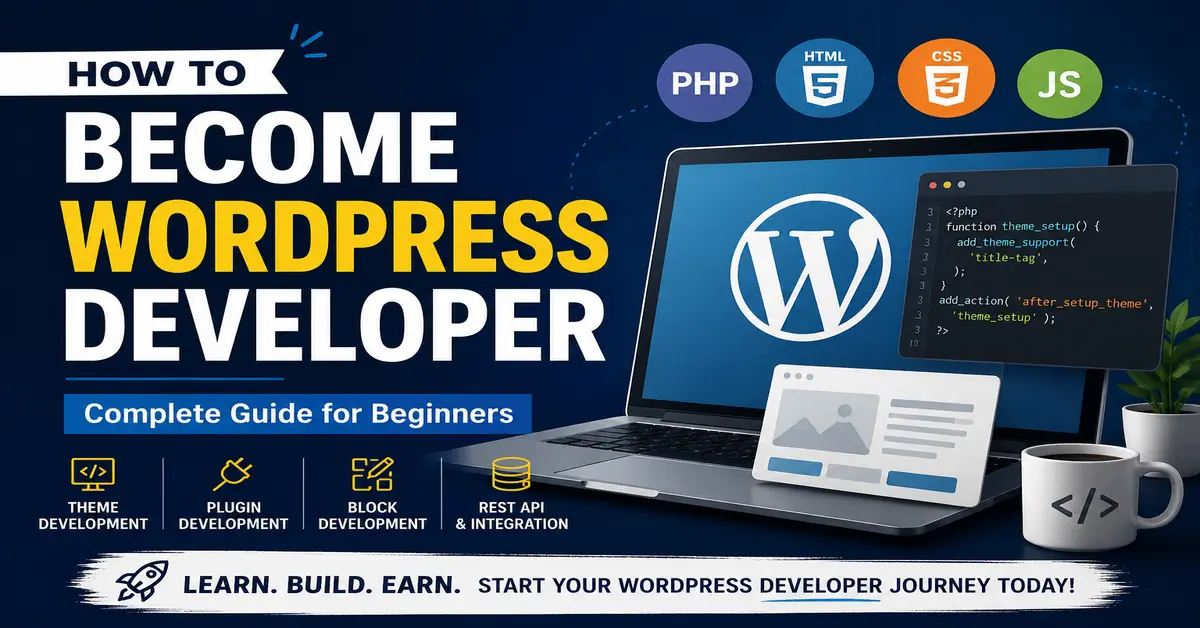
If you are wondering how to become WordPress developer, the good news is that you do not need to know everything on day one. You can start with the fundamentals, practice regularly, choose a specialization, and gradually move into advanced WordPress development. Whether your goal is to build custom themes, create plugins, work with the WordPress Block Editor, or develop complete websites for clients, there is a clear path you can follow.
If you are completely new to WordPress, you can first learn the basics by reading How to Create a WordPress Website Without Coding,
and then move into development skills step by step.
In this guide, you will learn what a WordPress developer does, which skills matter most, what you should build to gain experience, and the practical steps you can take to become a professional WordPress developer in today’s WordPress ecosystem.
What Does a WordPress Developer Do?
A WordPress developer builds, customizes, extends, and maintains WordPress websites and WordPress-powered products. Depending on the role, a developer may work on the front end, back end, or both. Some developers focus on themes, some on plugins, and others work on complete websites, WooCommerce stores, or custom applications that connect to WordPress through APIs.
Typical responsibilities of a WordPress developer include:
- Creating and customizing WordPress themes.
- Building plugins to add new features and functionality.
- Developing custom blocks for the Block Editor.
- Working with the WordPress REST API and custom endpoints.
- Improving website speed, performance, and accessibility.
- Securing WordPress websites and maintaining updates.
- Debugging errors, plugin conflicts, and theme issues.
- Working with clients or teams to design and launch websites.
- Creating custom post types, taxonomies, templates, and workflows.
- Managing staging, testing, deployment, and long-term maintenance.
A professional WordPress developer also understands how the platform works as a whole. That includes the WordPress dashboard, themes, plugins, the block editor, WordPress coding standards, performance best practices, security, and the core web technologies that power WordPress sites. Image issues are common when switching themes or changing image sizes. If that happens, follow this guide on How to Regenerate Thumbnails in WordPress.
Types of WordPress Developers
The term “WordPress developer” is broad because WordPress itself has many layers. Some developers specialize in one area, while others handle complete projects from design to deployment. Understanding the main types of WordPress developers will help you decide where to focus.
1) Core WordPress Developer
A core WordPress developer works on WordPress itself. This includes contributing to the WordPress core software, improving features, fixing bugs, writing patches, reviewing tickets, and helping shape the platform used by millions of websites. Core contributors need a strong understanding of WordPress architecture, PHP, JavaScript, backward compatibility, and coding standards.
2) Theme Developer
A theme developer builds the visual structure and presentation layer of WordPress websites. Traditionally, this meant creating classic themes with PHP templates. Today, theme development may also include building block themes, using theme.json, and designing templates that work with the Site Editor. Theme developers work with HTML, CSS, JavaScript, responsive design, accessibility, and user experience. If you want to build custom themes the right way, the official WordPress Theme Handbook is one of the best places to start.
3) Plugin Developer
A plugin developer builds custom functionality for WordPress websites. Plugins can add anything from contact forms and SEO features to booking systems, payment integrations, dashboards, and complex business workflows. Plugin developers work heavily with PHP, WordPress hooks, database operations, admin interfaces, REST API endpoints, AJAX, and sometimes React-based block development.
4) WooCommerce Developer
Many WordPress developers specialize in WooCommerce. These developers build online stores, customize product pages, create payment and shipping integrations, extend store functionality, and optimize eCommerce performance. If you enjoy building commercial websites, WooCommerce development can be a very strong niche.
5) Full-Stack WordPress Developer
A full-stack WordPress developer works on both the front end and the back end. They may design templates, build plugins, create custom blocks, optimize performance, connect third-party APIs, manage hosting environments, and maintain the site after launch. This is a great long-term goal if you want to handle complete WordPress projects.
Why Become a WordPress Developer?
WordPress development remains a valuable skill because WordPress powers a huge number of websites across blogs, business sites, online stores, membership portals, news sites, directories, and custom applications. As long as businesses need flexible and cost-effective websites, they will continue to need developers who can build and maintain them.
Here are a few reasons many people choose WordPress development as a career path:
- You can work as a freelancer, agency developer, product developer, or in-house developer.
- You can earn by building client websites, selling plugins or themes, or offering maintenance services.
- There is a large ecosystem of tools, communities, tutorials, and open-source resources.
- WordPress development can grow from beginner-friendly website work to advanced application development.
- You can specialize in themes, plugins, blocks, WooCommerce, performance, accessibility, or enterprise WordPress.
WordPress is also a practical skill to monetize. You can build websites for local businesses, maintain client sites, create your own plugin product, or work remotely with international clients. For many developers, WordPress becomes a long-term career because it combines technical depth with real business demand.
How to Become WordPress Developer: Step-by-Step
If you want to know how to become WordPress developer, the best approach is to build your skills in a practical order. You do not need to master every technology at once. Start with the basics, practice on real projects, and then move into advanced WordPress concepts.
1) Learn How WordPress Works
Before writing custom code, you should understand WordPress as a user and as a site builder. Install WordPress locally and explore the dashboard. Learn how posts, pages, categories, tags, menus, widgets, media, users, themes, and plugins work. Understand the difference between the front end and the admin area.
You should also learn how modern WordPress works with the Block Editor. Spend time creating pages with blocks, editing templates if you use a block theme, and exploring how themes and plugins influence the editor experience.
Focus on understanding:
- How to install WordPress locally.
- How themes and plugins affect a site.
- How the Block Editor works.
- How custom post types and taxonomies are used.
- How WordPress stores content and settings.
- How updates, backups, and user roles work.
2) Learn the Core Technologies Behind WordPress
WordPress development is built on a set of core web technologies. You do not have to become an expert in all of them immediately, but you do need to understand how they work together.
HTML
HTML defines the structure of web pages. As a WordPress developer, you will use HTML when creating templates, blocks, page layouts, forms, navigation structures, and reusable components. You should be comfortable with semantic HTML, headings, forms, lists, links, images, tables, and accessibility-friendly markup.
CSS
CSS controls the appearance of your website. You will use it to style themes, blocks, layouts, navigation menus, cards, forms, and responsive sections. Modern WordPress development also benefits from understanding Flexbox, CSS Grid, custom properties, spacing systems, and responsive design principles.
JavaScript
JavaScript is increasingly important in WordPress development. The Block Editor relies heavily on JavaScript, and modern WordPress interfaces often use it for dynamic behavior. If you want to build custom blocks or advanced admin experiences, JavaScript is essential. Learning modern JavaScript fundamentals will help you move into block development more confidently.
PHP
PHP is the core programming language behind WordPress. Themes, plugins, hooks, templates, custom queries, and many backend features rely on PHP. If you want to become a serious WordPress developer, PHP is one of the most important skills to learn well.
MySQL / Database Basics
WordPress stores posts, pages, settings, metadata, users, and many plugin records in a database. You do not need to become a database administrator, but you should understand how WordPress stores data, how to query it safely, and how to work with the WordPress database layer.
Git and Version Control
This is one area many beginner WordPress guides skip, but it matters a lot in real development work. Git helps you track changes, collaborate safely, and roll back mistakes. If you plan to work professionally, learn Git early.
3) Understand the WordPress Development Fundamentals
Once you are comfortable with the basics, move into WordPress-specific development concepts. These are the building blocks of custom WordPress work.
- Template hierarchy – Understand how WordPress chooses templates for posts, pages, archives, categories, search results, and custom post types.
- Hooks – Learn actions and filters. Hooks are one of the most important parts of WordPress development because they allow you to modify behavior without editing core files.
- Custom post types and taxonomies – These let you build structured content systems beyond regular posts and pages.
- Shortcodes and blocks – Shortcodes still exist, but modern WordPress development increasingly relies on blocks and block-based editing experiences.
- Custom fields and metadata – Learn how to store and retrieve structured data.
- WordPress loop and queries – Understand how content is fetched and displayed.
- Enqueueing scripts and styles – Load CSS and JavaScript properly instead of hardcoding assets.
- Security basics – Sanitize input, validate data, escape output, use nonces, and follow secure coding practices.
- WordPress coding standards – Writing code that follows WordPress standards makes your work cleaner and easier to maintain.
4) Choose a WordPress Development Path
You do not need to become an expert in every part of WordPress at the beginning. It is usually better to pick one focus area, become strong in it, and then expand over time.
Here are some smart specialization paths:
- Theme development – Good if you enjoy layout, design systems, templates, and front-end work.
- Plugin development – Great if you enjoy functionality, business logic, integrations, and custom tools.
- Block development – Ideal if you want to work with the modern WordPress editor and build reusable blocks.
- WooCommerce development – Strong option if you want to build eCommerce solutions.
- Custom website development – Best if you want to build complete client websites and offer end-to-end services.
- Performance and optimization – Useful if you want to specialize in speed, Core Web Vitals, caching, and technical site improvements.
You can always broaden your skills later. The key is to avoid trying to master every corner of WordPress at once.
5) Set Up a Safe WordPress Development Environment
One of the best things you can do early in your journey is create a proper development workflow. Avoid learning by making risky edits directly on live websites. Instead, work in a local or staging environment where you can test, break, fix, and rebuild without affecting a real site.
A good WordPress development setup usually includes:
- A local WordPress environment on your computer.
- A code editor such as VS Code.
- Git for version control.
- A browser with developer tools.
- Test websites for plugins, themes, and experiments.
- A staging site for testing before pushing changes live.
Practice is where theory becomes skill. The more you build, the faster you will understand how WordPress behaves in real-world scenarios.
6) Build Real Projects Instead of Only Watching Tutorials
Tutorials are useful, but they are not enough on their own. To become a WordPress developer, you need to write code, solve errors, structure content, test plugins, style layouts, and debug real issues. Building projects is what turns knowledge into confidence.
Start with small projects such as:
- A custom child theme.
- A simple plugin that adds a settings page.
- A custom post type for portfolio items or testimonials.
- A custom Gutenberg block.
- A WooCommerce customization for a product page.
- A business website built from scratch on a local setup.
As you improve, build more advanced projects such as membership features, booking systems, custom dashboards, API integrations, or a block-based theme.
7) Learn to Debug, Maintain, and Secure WordPress Websites
Development is not only about building new features. A big part of the job is solving problems. You will eventually face plugin conflicts, layout breaks, PHP errors, slow performance, JavaScript issues, broken updates, and security concerns. Learning how to troubleshoot calmly is part of becoming a professional developer.
You should know how to:
- Enable debugging in WordPress.
- Read PHP warnings and fatal errors.
- Inspect browser console errors.
- Test plugin conflicts and theme conflicts.
- Create backups before major changes.
- Keep WordPress core, themes, and plugins updated.
- Use staging before pushing changes to production.
- Follow secure coding practices for forms, user input, and data storage.
8) Join the WordPress Community
WordPress has one of the strongest communities in web development. If you want to grow faster, connect with other developers, read WordPress developer documentation, follow WordPress news, and participate in forums or communities where people share real solutions.
The community can help you:
- Stay updated with WordPress changes and best practices.
- Learn from plugin authors, theme developers, and contributors.
- Get help when you are stuck.
- Find collaboration opportunities and freelance work.
- Understand how professional WordPress developers structure their work.
What Can a WordPress Developer Build?
WordPress developers can build far more than basic blog websites. Depending on your skills, you can create themes, plugins, online stores, custom business tools, admin dashboards, booking systems, LMS websites, portals, and even headless or API-driven experiences.
Below are some of the most common things WordPress developers create.
1) WordPress Themes
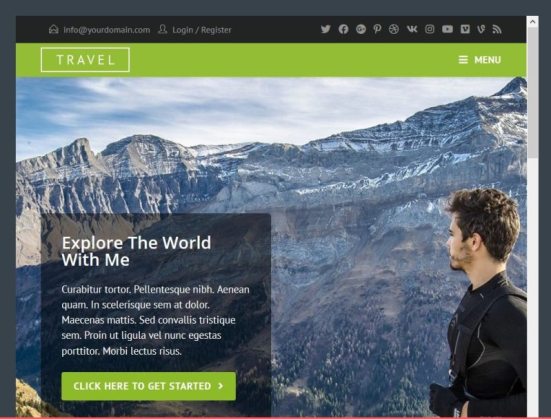
Themes control the design and layout of a WordPress website. A developer can build a theme from scratch, customize an existing theme, or create a child theme for safer customizations. In modern WordPress, theme development may include classic themes, block themes, and the use of theme.json to control styles, settings, spacing, typography, and block behavior.
A well-built theme should be:
- Responsive on mobile, tablet, and desktop.
- Fast and lightweight.
- Accessible and semantic.
- Compatible with modern WordPress features.
- Easy to maintain and extend.
Theme development is a great path if you enjoy combining design with code.
2) WordPress Plugins
Plugins extend WordPress beyond its default functionality. A plugin can be as small as a custom widget or as large as a complete SaaS-style system inside WordPress. Plugin development is one of the most valuable WordPress skills because businesses often need custom functionality that no off-the-shelf plugin handles perfectly.
Examples of plugins a developer might build include:
- Custom lead capture tools.
- Booking or appointment systems.
- Advanced user role workflows.
- CRM or API integrations.
- Custom reporting dashboards.
- WooCommerce extensions.
- Performance or admin tools.
Plugin development relies heavily on PHP, hooks, settings pages, database operations, security, and sometimes JavaScript for richer interfaces. If you want to start building your own WordPress functionality, read our complete guide on How to Create a WordPress Plugin.
3) Custom Blocks and Editor Experiences
Modern WordPress development increasingly includes building custom blocks for the Block Editor. Blocks let users add and manage structured content in a visual way, which makes them especially useful for marketing pages, landing pages, repeatable layouts, testimonials, FAQs, pricing sections, and interactive components.
If you want to stay current with WordPress development, learning block development is a smart move. Custom blocks can be static or dynamic, and they often combine PHP, JavaScript, block metadata, styling, and editor-side controls.
4) Custom Widgets and Reusable Components
Widgets still exist in WordPress, especially on sites using classic themes, but modern WordPress often leans more toward blocks and reusable editor components. That said, understanding widgets can still help when maintaining older websites or extending classic themes.
Developers may build custom widgets for:
- Featured posts.
- Contact information.
- Custom banners.
- Newsletter signups.
- Business hours or service boxes.
If you are building for modern WordPress projects, it is also worth learning reusable block-based alternatives.
5) Complete WordPress Websites
Many WordPress developers do not just build isolated themes or plugins—they build complete websites. This can include discovery, planning, wireframes, content structure, theme customization, plugin configuration, custom development, SEO basics, speed optimization, and launch support.
Complete WordPress projects often involve:
- Business websites
- Portfolio websites
- eCommerce stores
- Blog and magazine websites
- Learning platforms
- Membership sites
- Directories and listing websites
- Booking and appointment systems
If you want to work as a freelancer or agency developer, this path can be especially practical because it combines development with real client needs.
6) API Integrations and Web Applications
WordPress is no longer only a traditional CMS for publishing posts. Developers can use it as a content engine, application backend, or admin layer for more advanced digital products. With the WordPress REST API, you can build integrations, custom dashboards, mobile-connected experiences, and even headless front ends.
For example, you might use WordPress to:
- Power a React-based front end with WordPress content.
- Build custom admin interfaces for structured business data.
- Connect WordPress to CRMs, payment gateways, or external SaaS tools.
- Create custom reporting or automation workflows.
- Develop multilingual or multi-site content systems.
This path is ideal if you enjoy backend logic, APIs, and more advanced application architecture.
What Skills Do You Need to Become a WordPress Developer?
To become a strong WordPress developer, you need a combination of technical skills, platform-specific knowledge, and problem-solving ability. Below are the most important areas to learn.
1) HTML
HTML provides the structure of every web page. As a WordPress developer, you will use HTML when building templates, theme parts, forms, custom blocks, and content layouts. Good HTML matters for accessibility, SEO, maintainability, and browser consistency.
You should understand:
- Semantic HTML elements
- Headings and content hierarchy
- Forms and form fields
- Images, links, tables, and lists
- Accessible markup patterns
Clean HTML is one of the foundations of good WordPress development.

2) CSS
CSS controls layout, spacing, colors, typography, responsiveness, and component styling. A WordPress developer uses CSS to customize themes, style blocks, improve mobile layouts, and create polished interfaces.
Important CSS concepts include:
- Selectors and specificity
- Flexbox and CSS Grid
- Responsive design and media queries
- Spacing systems and typography
- Component-based styling
- CSS custom properties
If you want to build modern WordPress themes, strong CSS skills are non-negotiable.

3) PHP
PHP powers WordPress on the server side. You will use it for themes, plugins, custom functionality, template logic, hooks, REST endpoints, custom queries, form handling, and many admin-side features.
As a WordPress developer, you should understand:
- Variables, arrays, loops, and conditionals
- Functions and scope
- Classes and object-oriented PHP basics
- Includes, template parts, and reusable code
- WordPress hooks, filters, and callback functions
- Data sanitization, validation, and escaping
PHP is still one of the most important technologies in WordPress development, especially for plugin and backend work.
4) MySQL and WordPress Database Basics
WordPress stores content and settings in a database, so understanding the basics of MySQL and how WordPress interacts with the database is important. You should know where posts, metadata, options, and users are stored, and how to retrieve data safely using WordPress functions and the database layer when necessary.
Key concepts include:
- Posts, post meta, terms, and options tables
- Custom fields and metadata relationships
- Safe queries and prepared statements
- How plugins store and retrieve data
5) JavaScript
JavaScript has become a core part of modern WordPress development. It powers interactive UI behavior and plays a major role in block development. If you want to build custom blocks, editor controls, dynamic interfaces, or advanced admin experiences, JavaScript is essential.
You should learn:
- Variables, arrays, objects, functions, and events
- DOM manipulation basics
- ES6+ syntax
- Fetch API and working with JSON
- Basic React concepts if you plan to build blocks
JavaScript opens the door to more modern WordPress development opportunities.
Read More: WordPress Interview Questions and Answers
6) jQuery
jQuery is not as central to new WordPress development as it once was, but you will still encounter it on many existing WordPress sites, older plugins, and legacy themes. If you work on maintenance projects, jQuery knowledge can still be useful.
That said, modern WordPress development should not rely on jQuery by default if a cleaner vanilla JavaScript or block-based approach makes more sense. It is best to treat jQuery as a maintenance and compatibility skill rather than the foundation of your long-term WordPress development career.

7) AJAX and API-Based Interactions
AJAX is still useful in WordPress for asynchronous requests, but modern WordPress development increasingly uses the REST API for structured data exchange. As a result, you should understand both older AJAX workflows and modern API-driven approaches.
Use cases include:
- Live search
- Load more posts
- Form submissions without page reloads
- Custom admin tools
- Block previews and editor interactions
- Front-end features powered by WordPress data
Learning when to use AJAX and when to use the REST API is part of becoming a modern WordPress developer.
8) WordPress Security, Performance, and Accessibility
Good WordPress developers do not only write features. They also protect websites, improve speed, and make sites usable for everyone. These skills are incredibly valuable in client work and product development.
You should learn how to:
- Sanitize input and escape output properly.
- Use nonces and capability checks in admin actions.
- Reduce unnecessary plugin load and optimize performance.
- Build accessible navigation, forms, buttons, and interactive elements.
- Improve Core Web Vitals through better images, caching, scripts, and layouts.
Modern WordPress Development Areas You Should Not Ignore
If you are learning WordPress development today, there are a few modern areas worth adding to your roadmap because they are increasingly relevant in real projects.
Block Theme Development
WordPress now supports block themes that work closely with the Site Editor. Learning block theme structure, templates, template parts, global styles, and theme.json can make you more valuable for current and future WordPress projects.
Block Development
Custom blocks are one of the biggest opportunities in modern WordPress. If you can build well-designed blocks for landing pages, custom content sections, business workflows, or WooCommerce stores, you can offer much more than basic theme customization. Modern WordPress development also includes block-based editing. To learn block development, explore the official Block Editor Handbook.
REST API and Integrations
Modern businesses often want WordPress connected to CRMs, payment systems, email tools, analytics tools, or custom apps. REST API knowledge makes those integrations possible.
WooCommerce Customization
WooCommerce development can be a full niche on its own. If you learn how products, checkout, cart behavior, shipping, order data, and store hooks work, you can build high-value solutions for eCommerce clients.
Performance and Technical SEO Support
Many clients need faster websites, cleaner code, better Core Web Vitals, and more stable WordPress setups. Developers who understand performance and SEO-friendly site structure are easier to hire and easier to retain.
How to Practice WordPress Development the Right Way
If you want to grow faster, focus on practical repetition. Here is a simple learning path you can follow:
- Install WordPress locally and explore the dashboard.
- Create a child theme and customize templates safely.
- Build a simple plugin that adds a settings page or shortcode.
- Create a custom post type and display it on the front end.
- Learn actions and filters by modifying existing behavior.
- Build a small custom block for the Block Editor.
- Create a full website project from planning to launch.
- Use Git to track your changes and manage versions.
- Test your work on staging before going live.
- Keep improving your code quality, structure, and documentation.
How Long Does It Take to Become a WordPress Developer?
There is no fixed timeline because it depends on your background, how much time you practice, and what kind of WordPress work you want to do. If you already know HTML, CSS, and basic PHP, you can start building simple WordPress projects relatively quickly. If you are starting from zero, expect the process to take longer—but that is completely normal.
A realistic path looks something like this:
- 1 to 2 months: Learn WordPress basics, dashboard usage, themes, plugins, and simple customization.
- 3 to 6 months: Learn HTML, CSS, PHP basics, hooks, child themes, and simple plugin development.
- 6 to 12 months: Build real projects, learn custom post types, theme development, plugin architecture, and debugging.
- 12+ months: Move into block development, WooCommerce customization, advanced plugin work, REST API, performance, and professional workflows.
The timeline matters less than consistent practice. The more real projects you build, the faster you will improve.
Can You Become a WordPress Developer Without a Degree?
Yes. Many successful WordPress developers are self-taught. What matters most is your ability to build, solve problems, understand client requirements, and deliver reliable work. A degree can help in some situations, but it is not a requirement for WordPress development.
If you can show real projects, clean code, problem-solving ability, and a strong portfolio, you can absolutely build a career as a WordPress developer without a formal computer science degree.
How to Start Earning as a WordPress Developer
Once you have a few solid projects, you can start turning your skills into income. Common earning paths include:
- Freelance WordPress development for local businesses and online clients.
- Agency work building or maintaining WordPress websites.
- Monthly maintenance plans for updates, backups, and support.
- Custom plugin or theme development.
- WooCommerce setup and store customization.
- Performance optimization and technical cleanup work.
- Selling digital products such as plugins, themes, or code snippets.
In the beginning, focus on delivering quality work and building trust. Small projects often lead to larger long-term client relationships.
If you are planning to apply for WordPress developer jobs, also check these WordPress Interview Questions and Answers to prepare for technical interviews.
Final Thoughts on How to Become WordPress Developer
If you truly want to learn how to become WordPress developer, start with the fundamentals and keep building. Learn how WordPress works, strengthen your HTML, CSS, PHP, JavaScript, and database skills, and then move into WordPress-specific concepts like hooks, templates, plugins, custom post types, and the Block Editor.
Do not try to learn everything in one week. Choose a direction, practice on real projects, make mistakes, fix them, and keep going. WordPress development is a skill that grows with consistent work. Over time, you can move from simple theme edits to custom plugin development, WooCommerce projects, block-based builds, and advanced WordPress applications.
The best way to become a WordPress developer is not just to read about it—it is to build, test, improve, and keep shipping real work.
Frequently Asked Questions About How to Become WordPress Developer
Do I need to learn PHP to become a WordPress developer?
Yes, if you want to do serious WordPress development. While you can customize some parts of WordPress without deep PHP knowledge, plugin development, theme customization, hooks, custom functionality, and backend logic all rely heavily on PHP.
How long does it take to become a WordPress developer?
It depends on your starting point and how much time you practice. A beginner can learn the basics of WordPress in a few weeks, but becoming a confident developer usually takes several months of consistent learning and project work.
Can I become a WordPress developer without a degree?
Yes. Many WordPress developers are self-taught. Clients and employers usually care more about your skills, portfolio, communication, and ability to solve real problems than whether you have a formal degree.
What should I learn first if I want to become a WordPress developer?
Start by learning how WordPress works as a platform. Then move into HTML, CSS, PHP, WordPress themes, plugins, hooks, and basic JavaScript. After that, learn modern topics such as block development, REST API, and performance optimization.
Is JavaScript important for WordPress development?
Yes. JavaScript is especially important for modern WordPress development because the Block Editor and many interactive interfaces depend on it. If you want to build custom blocks or advanced admin experiences, JavaScript is a key skill.
Can I earn money as a freelance WordPress developer?
Absolutely. Many WordPress developers earn through freelance website builds, plugin customization, WooCommerce work, maintenance plans, performance optimization, and long-term support for client websites.
Stay updated with our latest news, special offers, and exclusive updates directly in your inbox.