Last Updated on August 21, 2026
Getting noticed on Upwork is becoming more competitive every year. Thousands of freelancers apply for the same jobs, making it difficult for beginners and even experienced freelancers to stand out.
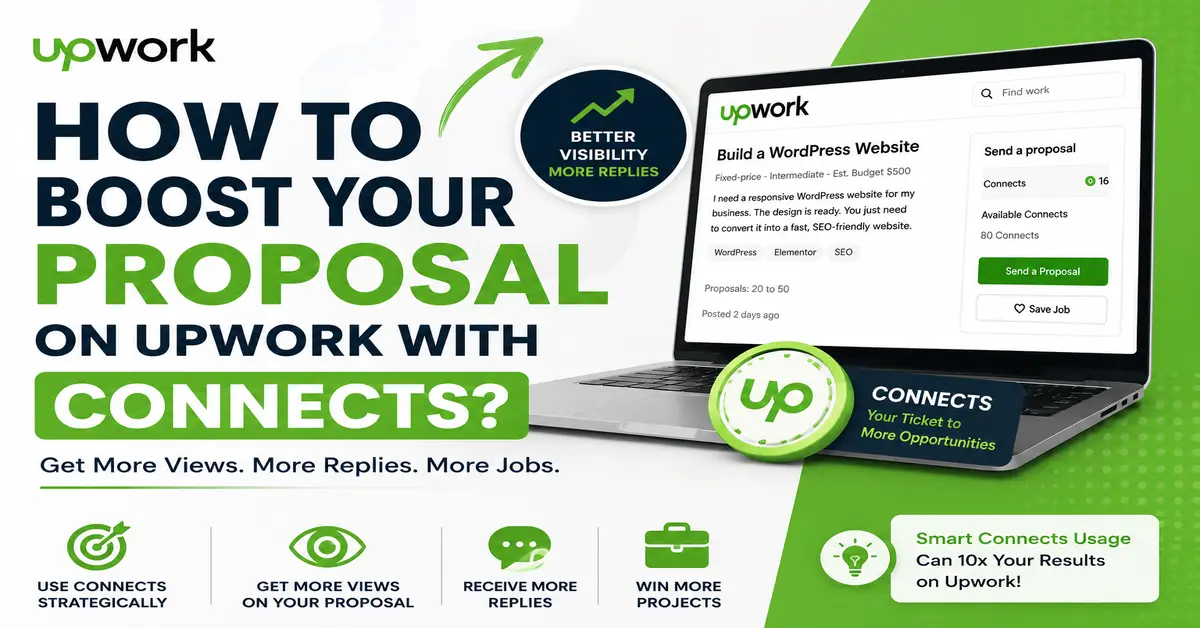
To help freelancers increase visibility, Upwork introduced the Boosted Proposal feature. With this option, freelancers can use Connects to place their proposals in higher positions so clients notice them faster.
In this guide, you’ll learn how to boost your proposal on Upwork with Connects, how the system works, when you should use boosted proposals, and important tips to avoid wasting Connects.
If you are new to freelancing, first read our What Is Upwork and How Does It Work? guide.
What Is a Boosted Proposal on Upwork?
A boosted proposal is a feature that allows freelancers to spend additional Connects to improve their proposal visibility in Upwork job applications.
When multiple freelancers apply for the same project, freelancers who bid higher Connects can get their proposals placed in the top positions. These proposals are marked with a blue lightning bolt icon and the label “Highly Interested”.
This increases the chances that a client will notice and open the proposal.
How Does Upwork Proposal Boosting Work?
Boosting a proposal works like a small bidding system. Freelancers choose how many Connects they want to spend to improve proposal ranking.
Step 1: Find the Right Job
Apply only for jobs that closely match your skills and experience. Boosting unrelated jobs usually wastes Connects.
If you are still learning proposal writing, check our detailed guide on How to Write a Proposal on Upwork.
Step 2: Decide Whether to Boost
Boosting is optional. Your proposal will still be submitted even if you do not boost it.
However, boosting may help improve visibility for competitive projects.
Step 3: Add Your Connects Bid
At the bottom of the proposal form, you will see the “Boost your proposal” option on eligible jobs.
Select the number of Connects you want to bid.
Step 4: Auction Results
Upwork compares bids from freelancers. Proposals with higher bids may appear in promoted slots.
If your bid is high enough, your proposal receives the Highly Interested badge.
When Should You Boost Your Proposal?
Boosting every proposal is not a smart strategy. Use Connects carefully for jobs where you have a strong chance of getting hired.
Good Situations to Boost
- Jobs perfectly matching your expertise
- High-budget projects
- Clients with verified payment methods
- Projects with low competition
- Long-term opportunities
When You Should Avoid Boosting
- Low-budget projects
- Jobs outside your expertise
- Suspicious or unclear job posts
- Clients with poor hiring history
- Projects with hundreds of applicants
How Many Connects Should You Use?
There is no fixed number of Connects that guarantees success. The ideal amount depends on competition and project value.
Instead of spending too many Connects, focus on writing a strong proposal first.
You can also read our guide on Real Upwork Proposal That Got Me Hired to understand how quality proposals improve response rates.
Important Things to Know About Boosted Proposals
Upwork charges the standard Connect cost for submitting proposals. Additional Connects are charged only under specific conditions.
You May Be Charged Extra Connects If:
- Your proposal wins a promoted slot
- The client interacts with your proposal
Client Interactions Include:
- Opening your proposal
- Sending you a message
- Shortlisting your proposal
- Sending an offer
- Archiving your proposal
- Rejecting your proposal
Tips to Get Better Results with Boosted Proposals
Write Personalized Proposals
Even boosted proposals fail if they look generic. Focus on the client’s actual problem.
Explore these Upwork proposal examples that get replies for inspiration.
Optimize Your Upwork Profile
Clients also review your profile before hiring. Make sure your profile looks professional and trustworthy.
Read our guide on Overview of a Professional Upwork Profile .
Apply Early
Early applications often get more visibility because clients usually review proposals soon after posting jobs.
Use Connects Strategically
Do not waste Connects on every job. Save them for projects where your skills strongly match client requirements.
How to Get More Connects on Upwork
If you frequently apply for jobs, you may need additional Connects.
Read these helpful guides:
Official Upwork Resources
For updated information about proposal boosting, you can also visit the official Upwork resources below:
Final Thoughts
Boosting proposals on Upwork can help improve visibility, but Connects alone cannot guarantee success.
The best results come from combining:
- Strong proposal writing
- A professional profile
- Relevant skills
- Strategic Connect usage
Use boosted proposals wisely, focus on quality applications, and target projects that truly match your expertise.
Frequently Asked Questions
What is a boosted proposal on Upwork?
A boosted proposal is a feature that allows freelancers to spend additional Connects to improve proposal visibility in Upwork job applications.
Does boosting a proposal guarantee getting hired?
No, boosting only increases visibility. Clients still choose freelancers based on skills, proposals, profiles, and experience.
How many Connects should I use to boost a proposal?
There is no fixed number. The best amount depends on project competition, budget, and how well your skills match the job.
Can beginners use boosted proposals on Upwork?
Yes, beginners can use boosted proposals, but they should focus more on writing personalized proposals and optimizing their profiles.
Do I lose Connects if my boosted proposal is not selected?
Upwork usually charges extra Connects only if your proposal wins a promoted position or receives client interaction.
Stay updated with our latest news, special offers, and exclusive updates directly in your inbox.